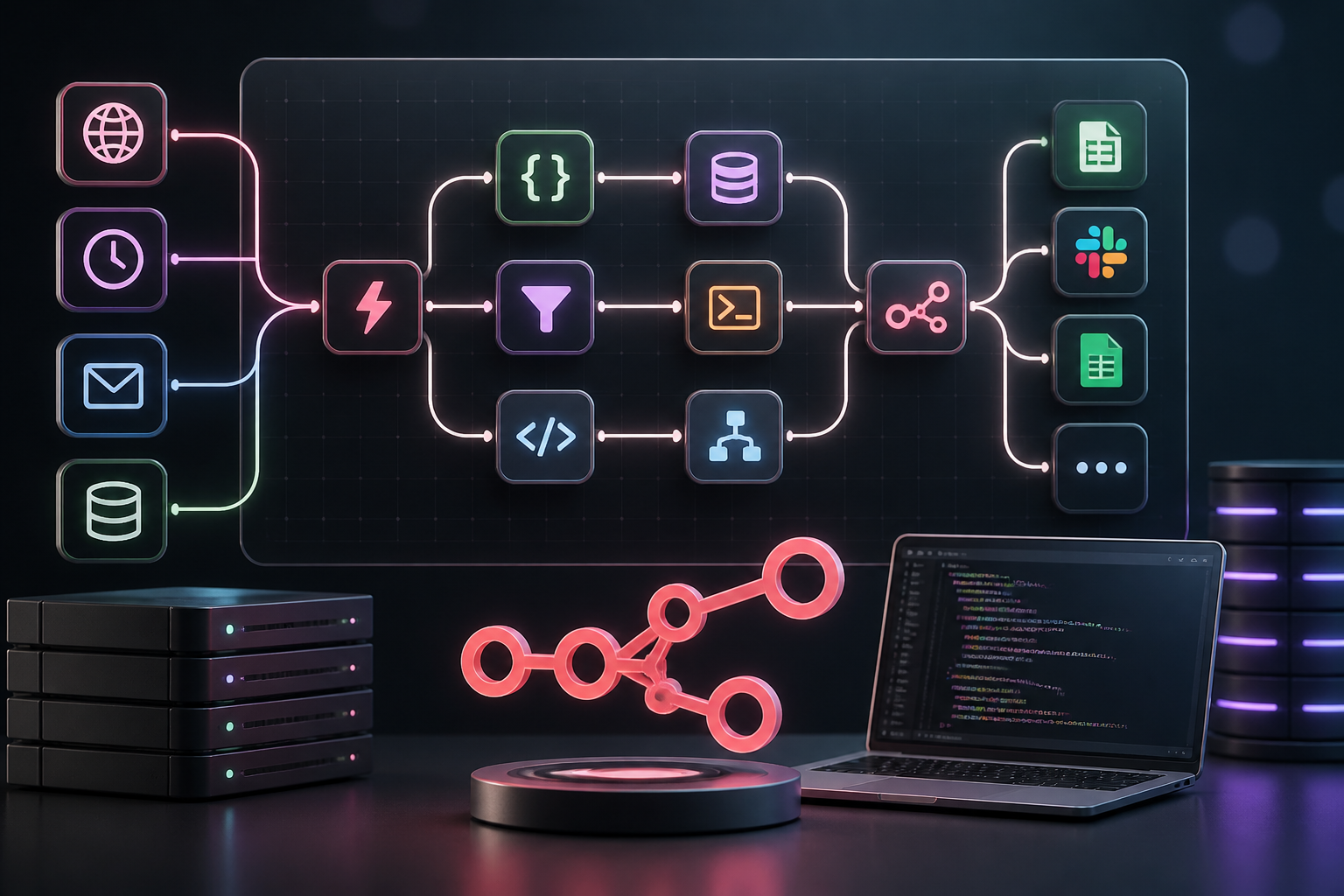
Modern enterprise workflow orchestration demands a platform that bridges the gap between no-code visual building and code-level programmatic control. The official n8n platform has emerged as the premier fair-code workflow automation solution, offering unprecedented flexibility through its self-hostable architecture, extensive node ecosystem, and native support for custom code execution and AI agent orchestration.
This n8n automation course curriculum is structured as an exhaustive masterclass designed to take software engineers, DevOps specialists, solutions architects, and technical operations leaders from foundational concepts to advanced, enterprise-grade production engineering. Whether you are migrating from commercial proprietary iPaaS platforms or building mission-critical back-office systems, this guide provides the theoretical frameworks, execution mechanics, code patterns, and infrastructure designs necessary to achieve true automation mastery.
Masterclass Course Map & Learning Architecture
Before diving into individual modules, review the overarching learning blueprint below. This roadmap outlines the progression from core node operations to multi-node distributed AI orchestration.
| Module | Core Focus | Key Skills Acquired | Target Role |
|---|---|---|---|
| Module 1 | Foundations & Architecture | Fair-code licensing, JSON item structures, Cloud vs Self-host setup | Automation Beginners & SysAdmins |
| Module 2 | Core Node Mechanics | Triggers, Edit Fields (Set), Code Node, Flow Control logic | Workflow Builders & Integration Engineers |
| Module 3 | Data Transformation | JavaScript/Python scripting, JSON reshaping, Binary stream handling | Full-Stack Developers & Data Engineers |
| Module 4 | API & Webhook Engineering | RESTful paradigms, OAuth2 grants, Webhook validation, Async response | API Integration Specialists |
| Module 5 | AI Agents & Vector RAG | LangChain agent nodes, custom HTTP tools, Vector DB memory embeddings | AI Solutions Architects |
| Module 6 | Self-Hosting & DevOps | Docker Compose, Redis queue mode, Traefik reverse proxy, Security | DevOps Engineers & Infrastructure Leads |
| Module 7 | Resilience & Error Handling | Global error triggers, DLQs, retry policies, state recovery | Enterprise Operations Specialists |
| Module 8 | Production Projects | End-to-end CRM sync, automated publishing, e-commerce engine | Implementation Consultants |
Module 1: Foundations of Fair-Code Workflow Automation
1.1 What is n8n and the Fair-Code Advantage
Unlike traditional closed-source or cloud-only integration platforms (iPaaS) like Zapier or Make, n8n operates on a fair-code license model (sustainable use license). This paradigm grants developers complete source-code visibility, allowing organizations to self-host the application, extend its capabilities via custom nodes, and execute workflows without artificial per-step billing constraints.
Understanding this distinction is fundamental. In per-step platform models, complex multi-iteration workflows or high-frequency polling mechanisms incur prohibitive linear operational costs. With n8n, infrastructure costs scale with compute consumption (CPU/RAM) rather than execution volume, fundamentally altering the economics of process automation.
1.2 Cloud vs. Self-Hosted Deployment Paradigms
When implementing n8n, architects must choose between two primary deployment paradigms:
1.3 Data Architecture: JSON Arrays and Item Lists
The single most crucial technical concept in n8n is its data engine model: The Item List. In n8n, every node accepts an array of JSON objects as input and outputs an array of JSON objects. Understanding how data flows between nodes is essential to avoid common loop bugs and performance bottlenecks.
An n8n data payload maintains a strict structure:
[
  {
    "json": {
      "user_id": 1024,
      "email": "[email protected]",
      "status": "active"
    },
    "binary": {
      "avatar": {
        "data": "aGVsbG8gd29ybGQ=",
        "mimeType": "image/png",
        "fileName": "avatar.png"
      }
    }
  }
]
Key principles of the n8n data model include:
json object key. Attempting to pass keys outside of json or binary will cause parsing errors.$('Node Name').item.json.property), previous output streams remain immutable.Module 2: Core Node Ecosystem & Execution Mechanics
2.1 Trigger Nodes: Event Detection and Ingestion
Triggers initiate workflow execution. Mastering trigger types ensures your workflows run accurately and efficiently:
0 8 * * 1-5 for weekdays at 8:00 AM).2.2 Core Manipulation Nodes: Edit Fields (Set) and Code
Data reshaping forms 80% of workflow engineering. The Edit Fields (Set) node allows non-programmers and developers alike to create, rename, delete, or cast data types visually.
For complex logic, the Code Node exposes a full V8 JavaScript runtime engine or Python environment directly within the workflow stream. Unlike older versions of n8n that used the function/functionItem split, the unified Code node processes all items using standard modern syntax:
// JavaScript execution mode: "Run Once for All Items"
const items = $input.all();

const processedItems = items.map(item => {
  const rawEmail = item.json.email || "";
  return {
    json: {
      ...item.json,
      normalized_email: rawEmail.trim().toLowerCase(),
      is_corporate: !rawEmail.endsWith("@gmail.com") && !rawEmail.endsWith("@yahoo.com"),
      processed_at: new Date().toISOString()
    }
  };
});

return processedItems;
2.3 Flow Control & Conditional Logic
To implement business rules, n8n provides specific logic nodes:
For a detailed breakdown of scalable workflow scenarios and execution patterns, refer to our comprehensive architectural guide on production n8n workflow ideas.
Module 3: Advanced Data Transformation & Scripting
3.1 Expressions vs. Native Code Execution
In n8n, short transformations can be handled using inline expressions wrapped in double curly brackets: {{ $json.first_name + ' ' + $json.last_name }}. These expressions use a specialized JavaScript subset enriched with built-in convenience methods (e.g., Luxon for dates, JMESPath for JSON querying).
However, when transformations require complex conditionals, loops, array aggregation, or third-party parsing, developers should transition to the Code Node.
| Feature | Inline Expressions {{ }} | Code Node (JS/Python) |
|---|---|---|
| Best For | Simple mapping, string concatenation, quick ternary checks | Array manipulations, complex object creation, external library calls |
| Performance | Ultra-fast evaluated during node configuration parsing | High throughput, compiled execution inside V8/Python sandbox |
| Maintainability | Can become unreadable if expressions are deeply nested | Clean standard software code structures with syntax highlighting |
| Debugging | Requires inspection via node preview UI | Supports console.log() and structured error throw exceptions |
3.2 Advanced Array Manipulation Patterns
Consider a scenario where an upstream node fetches a user payload containing nested orders, and you need to flatten, filter, and summarize totals. The Python runtime in the Code node provides clean data engineering ergonomics:
# Python execution mode inside Code Node
input_items = _input.all()
output_items = []

for item in input_items:
    raw_json = item.json
    orders = raw_json.get("orders", [])

    # Calculate total spent on completed orders
    completed_orders = [o for o in orders if o.get("status") == "completed"]
    total_spent = sum(float(o.get("amount", 0)) for o in completed_orders)

    output_items.append({
        "json": {
            "customer_id": raw_json.get("id"),
            "customer_name": raw_json.get("name"),
            "completed_order_count": len(completed_orders),
            "total_lifetime_value": round(total_spent, 2)
        }
    })

return output_items
3.3 Handling Binary Data & File Streams
Binary data in n8n (images, PDFs, ZIP archives, raw audio) is stored separately from the main JSON object inside the binary key to optimize memory usage. Instead of storing massive raw strings inside memory-heavy JSON, n8n maintains binary buffers or temporary disk files.
To convert binary buffers into text or parse custom data, consult the official n8n documentation for specific methods like helpers.getBinaryDataBuffer(). Below is a code pattern demonstrating how to parse a raw CSV binary stream into structured JSON records inside a Code node:
// Convert binary CSV stream to JSON Array in Code Node
const item = $input.first();
if (!item.binary || !item.binary.data) {
  throw new Error("No binary stream detected on input item.");
}

// Retrieve Buffer
const buffer = await this.helpers.getBinaryDataBuffer(0, 'data');
const csvString = buffer.toString('utf8');

// Parse lines manually or via library
const lines = csvString.split('
').filter(line => line.trim() !== '');
const headers = lines[0].split(',').map(h => h.trim().replace(/^"|"$/g, ''));

const parsedRecords = lines.slice(1).map(line => {
  const values = line.split(',').map(v => v.trim().replace(/^"|"$/g, ''));
  const rowObj = {};
  headers.forEach((header, index) => {
    rowObj[header] = values[index] || null;
  });
  return { json: rowObj };
});

return parsedRecords;
Module 4: API Integrations, Webhooks, and HTTP Request Mastery
4.1 REST API Fundamentals using the HTTP Request Node
While n8n contains hundreds of native service nodes, the HTTP Request Node is the central Swiss Army knife for connecting to any endpoint on the internet. Mastering this node frees you from relying on community pre-built nodes.
Key configuration areas include:
JSON, Form-Urlencoded, Form-Data (Multipart), or raw Text/XML.4.2 Managing OAuth2 Authorization Code Grants
Connecting to enterprise systems (Salesforce, Google Workspace, Microsoft Graph, HubSpot) often requires OAuth2 authorization flows. n8n simplifies this process by handling token exchanges, authorization callbacks, and automatic token refresh cycles in the background.
HTTP Request Node OAuth2 Configuration Settings:
------------------------------------------------
Grant Type:          Authorization Code
Authorization URL:   https://login.microsoftonline.com/common/oauth2/v2.0/authorize
Access Token URL:    https://login.microsoftonline.com/common/oauth2/v2.0/token
Client ID:           [ENTER_YOUR_AZURE_CLIENT_ID]
Client Secret:       [ENTER_YOUR_AZURE_CLIENT_SECRET]
Scope:               https://graph.microsoft.com/.default offline_access
Auth URI Query Param: access_type=offline&prompt=consent
Once authenticated, n8n automatically executes token refresh requests whenever an access token expires, ensuring long-running pipelines execute without manual re-authentication.
4.3 Designing Robust Custom Webhook Listeners
When serving as an API receiver, the Webhook Node must be configured strategically. By default, n8n responds to the calling client immediately after the Webhook node executes (On Received). However, for synchronous validation or long-running downstream processes, configure the node to Respond Using ‘Respond to Webhook’ Node.
This pattern allows you to execute validation logic, verify authorization signatures (e.g., HMAC SHA256 header validation), and return tailored HTTP status codes (e.g., 200 OK, 400 Bad Request, 401 Unauthorized) to the external caller before continuing workflow processing.
[ Incoming HTTP Webhook ]
           │
           ▼
[ Verify HMAC Signature (Code Node) ]
           │
     ┌─────┴────────┐
  Valid?          Invalid?
     │              │
     ▼              ▼
[ Respond 200 ]   [ Respond 401 Unauthorized ]
     │              │
     ▼              ▼
[ Async Heavy ]   [ Terminate Workflow ]
[ Processing  ]
Module 5: Building AI Agents & Multi-Modal Workflows
5.1 The LangChain / Advanced AI Node Architecture
n8n natively integrates LangChain architectures into visual nodes, enabling developers to build agentic logic, dynamic retrieval chains, and LLM orchestration without writing raw LangChain Python/JS code. The primary building block is the AI Agent Node, which operates inside a specialized loop construct.
An n8n AI Agent setup consists of:
5.2 Creating Autonomous Agents with Custom Tools
The true power of n8n AI Agents lies in using existing n8n workflows or HTTP endpoints as Tools. When an agent receives an unstructured prompt (e.g., “Check our database for customer ID 405 and refund their last invoice if it was under $50”), the agent dynamically decides which tool to call, passes parameters, interprets the output, and iterates.
To set up a custom tool for an agent:
- Attach a Custom Workflow Tool or Custom Code Tool to the AI Agent node.
- Define a clear, descriptive Tool Name (e.g.,
fetch_customer_data). - Provide a precise Description explaining when and how the LLM should invoke the tool (e.g.,
"Use this tool to retrieve customer records by ID. Input must be a valid integer customer ID."). The LLM relies on this description to perform tool selection.
To explore pre-configured agent templates and advanced multi-agent orchestrations, examine our resource hub for free n8n templates and blueprints.
5.3 Building a Retrieval-Augmented Generation (RAG) Pipeline
RAG pipelines allow LLMs to answer questions using private enterprise data without requiring fine-tuning. Below is an n8n architecture blueprint for building a Vector RAG pipeline:
Data Ingestion Workflow:
[ Document / PDF Upload ] ──► [ Text Splitter Node ] ──► [ Embeddings OpenAI ] ──► [ Qdrant / Pinecone Vector Store ]

Query Retrieval Workflow:
[ User Chat Query ] ──► [ AI Agent ] ──► [ Vector Store Retriever Tool ] ──► [ Context-Aware Final Answer ]
In the ingestion phase, long text files are broken into smaller chunks using the Recursive Character Text Splitter, converted into dense numerical vectors via the OpenAI Embeddings Node, and upserted directly into a vector database (Qdrant, Pinecone, SupraDB, or PGVector).
When a user queries the AI agent, the agent uses the vector retriever tool to query the database, retrieve the top-K relevant text passages, and combine them into its system prompt to synthesize a factually accurate response.
If you are exploring how to integrate AI automation workflows directly with your web properties, review our specialized technical guide on automating WordPress posts with n8n.
Module 6: Enterprise Infrastructure, Self-Hosting, & DevOps
6.1 Production-Grade Self-Hosting with Docker Compose
While running n8n via a single Docker container with SQLite works for development, a production enterprise setup requires a decoupled architecture: an isolated PostgreSQL instance for state persistence, Redis for background task queue management, and a reverse proxy for SSL termination and rate limiting.
Here is a complete production-grade docker-compose.yml deployment template:
version: '3.8'

services:
  postgres:
    image: postgres:15-alpine
    restart: always
    environment:
      POSTGRES_USER: ${POSTGRES_USER}
      POSTGRES_PASSWORD: ${POSTGRES_PASSWORD}
      POSTGRES_DB: ${POSTGRES_DB}
    volumes:
      - postgres_data:/var/lib/postgresql/data
    healthcheck:
      test: ["CMD-SHELL", "pg_isready -U ${POSTGRES_USER}"]
      interval: 10s
      timeout: 5s
      retries: 5

  redis:
    image: redis:7-alpine
    restart: always
    volumes:
      - redis_data:/data
    healthcheck:
      test: ["CMD", "redis-cli", "ping"]
      interval: 10s
      timeout: 5s
      retries: 5

  n8n-main:
    image: docker.n8n.io/n8nio/n8n:latest
    restart: always
    ports:
      - "5678:5678"
    environment:
      - DB_TYPE=postgresdb
      - DB_POSTGRESDB_HOST=postgres
      - DB_POSTGRESDB_PORT=5432
      - DB_POSTGRESDB_DATABASE=${POSTGRES_DB}
      - DB_POSTGRESDB_USER=${POSTGRES_USER}
      - DB_POSTGRESDB_PASSWORD=${POSTGRES_PASSWORD}
      - EXECUTIONS_MODE=queue
      - QUEUE_BULL_REDIS_HOST=redis
      - QUEUE_BULL_REDIS_PORT=6379
      - N8N_ENCRYPTION_KEY=${N8N_ENCRYPTION_KEY}
      - N8N_HOST=${N8N_DOMAIN}
      - N8N_PORT=5678
      - N8N_PROTOCOL=https
      - WEBHOOK_URL=https://${N8N_DOMAIN}/
    depends_on:
      postgres:
        condition: service_healthy
      redis:
        condition: service_healthy

  n8n-worker:
    image: docker.n8n.io/n8nio/n8n:latest
    restart: always
    command: worker
    environment:
      - DB_TYPE=postgresdb
      - DB_POSTGRESDB_HOST=postgres
      - DB_POSTGRESDB_PORT=5432
      - DB_POSTGRESDB_DATABASE=${POSTGRES_DB}
      - DB_POSTGRESDB_USER=${POSTGRES_USER}
      - DB_POSTGRESDB_PASSWORD=${POSTGRES_PASSWORD}
      - EXECUTIONS_MODE=queue
      - QUEUE_BULL_REDIS_HOST=redis
      - QUEUE_BULL_REDIS_PORT=6379
      - N8N_ENCRYPTION_KEY=${N8N_ENCRYPTION_KEY}
    depends_on:
      - n8n-main

volumes:
  postgres_data:
  redis_data:
When deploying stateful data directories like PostgreSQL, ensure that correct volume permissions are established to prevent initialization errors such as data directory "/var/lib/postgresql/data" has wrong ownership caused by mismatched container user IDs.
6.2 Horizontal Scaling with Redis Queue Mode
When running n8n in standard execution mode, long-running sync operations or high-frequency webhooks can block the main process node thread. In Queue Mode, responsibility is split:
6.3 Security Hardening & Environment Isolation
To secure self-hosted n8n infrastructure against unauthorized access or credential leaks, implement the following operational security best practices:
- Set an Immutable Encryption Key: Ensure
N8N_ENCRYPTION_KEYis set as a long, random value prior to initialization. This key encrypts all third-party API credentials inside the PostgreSQL database. Losing this key permanently corrupts all stored credentials. - Restrict Community Node Installation: Set
N8N_COMMUNITY_PACKAGES_ENABLED=falsein high-security environments to prevent non-vetted npm packages from executing unvetted code within your worker containers. - Configure Pruning Policies: Prevent database disk bloat and performance degradation from
postgres index bloatby enforcing automatic pruning of old execution logs:EXECUTIONS_DATA_PRUNE=trueEXECUTIONS_DATA_MAX_AGE=168(Retains 7 days of logs)EXECUTIONS_DATA_PRUNE_MAX_COUNT=50000
Module 7: Industrial-Grade Error Handling & Operational Resilience
7.1 Global Error Trigger Workflows
Even well-tested automation pipelines fail due to external API downtime, rate limits, network timeouts, or malformed third-party payloads. Relying solely on manual monitoring is unscalable. In n8n, developers construct a centralized, dedicated Error Trigger Workflow.
[ Centralized Error Workflow Trigger ]
                  │
                  ▼
[ Extract Failure Context (Code Node) ]
  (Workflow Name, Execution ID, Error Message, Node Name)
                  │
                  ▼
   ┌──────────────┴──────────────┐
   ▼                             ▼
[ Send Alert to Slack ]    [ Create Ticket in Jira ]
In your main application workflows, open Workflow Settings and set the Error Workflow property to point to your centralized error handler. Whenever an unhandled exception occurs anywhere in the target workflow, n8n instantly triggers the error workflow, injecting a rich error context payload:
{
  "execution": {
    "id": "89412",
    "url": "https://n8n.domain.com/execution/89412",
    "error": {
      "message": "502 Bad Gateway from CRM API",
      "node": {
        "name": "Update Hubspot Contact"
      }
    }
  },
  "workflow": {
    "id": "12",
    "name": "E-Commerce Customer Sync Pipeline"
  }
}
7.2 Node-Level Fault Tolerance Settings
In addition to global error triggers, fine-tune individual critical nodes using the node-level configuration panel:
- Wrap API requests in error handling blocks (using
On Error: Continue). - Route failed items to a separate path using a Switch or Filter node checking for the presence of the
errorkey. - Write failed payload items to a persistent database table (Postgres/MongoDB) or storage queue marked as
PENDING_RETRY. - Build a secondary scheduled workflow that runs every hour, retrieves items from the DLQ database, re-executes the target action, and updates their status to
RESOLVEDorMANUAL_INTERVENTION_REQUIRED.
error key, allowing downstream Switch or If nodes to handle the failure gracefully.Max Tries: 3 and Wait Between Tries: 5000 ms). Ideal for managing transient rate limits (HTTP 429) or micro-outages (HTTP 503).7.3 The Dead Letter Queue (DLQ) Architectural Pattern
For financial workflows or order-processing systems where missing an event causes direct revenue loss, implement a Dead Letter Queue (DLQ) pattern:
For additional deep dives into agentic resilience and enterprise reliability architectures, refer to our comprehensive masterclass on AI agent workflow architectures.
Module 8: Step-by-Step Production Workflow Projects
8.1 Project 1: Multi-Channel Lead Enrichment Engine
This implementation project builds a real-time lead ingestion engine that receives incoming web leads, enriches them using Clearbit/Hunter APIs, checks for existing records inside Hubspot CRM, and sends conditional notifications to Slack sales channels.
Architecture Diagram
[ Inbound Webhook ] ──► [ Normalize Email ] ──► [ Check HubSpot for Contact ]
                                                            │
                                             ┌──────────────┴──────────────┐
                                       Record Exists?              New Record?
                                             │                             │
                                             ▼                             ▼
                                    [ Update CRM Record ]       [ Call Enrichment API ]
                                                                           │
                                                                           ▼
                                                                [ Insert New CRM Contact ]
                                                                           │
                                                                           ▼
                                                                [ Alert #sales-leads ]
Implementation Steps & Code
Step 1: Webhook Ingestion
Add a Webhook Node configured to POST on endpoint /v1/lead-ingest. Response mode set to On Received.
Step 2: Normalization via Code Node
Connect a Code node to clean incoming variables cleanly:
const raw = $input.first().json.body;

if (!raw.email || !raw.email.includes("@")) {
  throw new Error("Invalid payload: Missing primary email address.");
}

return [{
  json: {
    email: raw.email.trim().toLowerCase(),
    first_name: raw.first_name ? raw.first_name.trim() : "Unknown",
    last_name: raw.last_name ? raw.last_name.trim() : "",
    company: raw.company ? raw.company.trim() : "Unspecified",
    source: raw.source || "Organic Web Form"
  }
}];
Step 3: CRM Query & Routing
Use the HubSpot Node to search for contacts matching email. Follow this with a Switch Node checking if {{ $json.total }} is greater than 0.
Step 4: Enrichment & Notification
On the New Record path, add an HTTP Request Node calling the lead enrichment API. Format the final output and post a message to Slack using the Slack Node with formatted Markdown block strings.
8.2 Project 2: Automated WordPress Publishing Pipeline
This project builds an automated content pipeline that pulls draft articles from an external database or CMS, passes the text through an AI validation node to verify links and formatting, generates social media promo hooks, and updates published posts natively using the WordPress REST API.
// Custom Python script inside Code Node to format WordPress API payload
import json

items = _input.all()
output = []

for item in items:
    data = item.json
    raw_title = data.get("title", "Untitled Post")
    content_html = data.get("body_html", "")
    categories = data.get("category_ids", [1])

    # Construct standard WordPress JSON post payload
    wp_payload = {
        "title": raw_title,
        "content": content_html,
        "status": "publish",
        "categories": categories,
        "excerpt": data.get("summary", ""),
        "comment_status": "closed"
    }

    output.append({"json": wp_payload})

return output
This payload is then passed directly to an HTTP Request Node using Basic Auth (Application Passwords) pointing to your site’s https://yourdomain.com/wp-json/wp/v2/posts endpoint.
Module 9: Workflow Governance, Testing, & CI/CD Deployment
9.1 Version Control with Git & n8n CLI
Managing enterprise workflows requires keeping workflow definitions under source control (Git). Since n8n workflows are stored natively as JSON graphs, developers can export and import workflows programmatically using the n8n CLI or official API endpoints.
Common n8n CLI administrative commands include:
# Export all local workflows to a backup directory
n8n export:workflow --all --output=/backups/workflows/

# Export specific workflow by ID
n8n export:workflow --id=402 --output=./src/workflows/crm_sync.json

# Import workflows from a directory into a local instance
n8n import:workflow --input=./src/workflows/

# Export credentials (encrypted)
n8n export:credentials --all --output=/backups/credentials.json
9.2 Environment Segregation (Dev, Staging, Production)
Enterprise teams should never build or test complex workflows directly on primary production instances. Implement a multi-environment CI/CD deployment pipeline:
[ Developer Local / Staging n8n ]
                │
                ▼ (Export Workflow JSON)
[ Git Repository: main branch ]
                │
                ▼ (GitHub Actions Pipeline)
[ Sanitize Variable Endpoints / IDs ]
                │
                ▼ (n8n API Deployment Call)
[ Production n8n Server Instance ]
To manage environment-specific variables (e.g., swapping database hosts or API URLs between Staging and Production), use n8n Environment Variables inside expressions: {{ $env.API_BASE_URL }}. This ensures the workflow JSON file remains identical across all environments, with runtime execution behavior dynamically dictated by container environment configurations.
Module 10: Comparative Analysis & Platform Selection Framework
10.1 n8n vs. Zapier vs. Make vs. Enterprise Engines
Architects evaluating n8n against commercial alternatives should evaluate trade-offs across total cost of ownership, infrastructure control, extensibility, and compliance:
| Evaluation Metric | n8n (Self-Hosted) | Zapier | Make (Integromat) | Temporal / Airflow |
|---|---|---|---|---|
| Licensing Model | Fair-code (Source Available) | SaaS Proprietary | SaaS Proprietary | Open Source (Apache/MIT) |
| Cost Driver | Server Compute (CPU/RAM) | Per-task operation count | Per-operation & data transfer | Server Compute |
| Code Capabilities | Native JS & Python runtime | Limited Code steps | Very limited expressions | Full programmatic code |
| Data Privacy | Complete (On-prem / Private Cloud) | Cloud-hosted third party | Cloud-hosted third party | Complete (On-prem / Private Cloud) |
| AI Agent Support | Native visual LangChain nodes | Basic AI wrappers | Basic AI wrappers | Requires manual custom code |
| UI / Workflow Editor | Visual Node Graph | Linear Step Builder | Visual Bubble Canvas | Code / Config DAGs |
Choose n8n when you require absolute data privacy, execute high-volume data operations that would be cost-prohibitive on per-task SaaS models, need native custom JavaScript/Python transformations, or want to deploy local AI agents using visual orchestration.
Frequently Asked Questions
What are the hardware prerequisites for self-hosting n8n in production?
For lightweight workloads, n8n can run on a single vCPU with 1GB of RAM. However, for a production setup handling concurrent webhooks and heavy data transformations, we recommend a minimum of 2 vCPUs, 4GB of RAM, an external PostgreSQL database, and an isolated Redis instance. When running high-throughput AI agent pipelines, scale worker nodes horizontally based on memory and execution concurrency requirements.
Can I write custom libraries or npm packages inside n8n Code nodes?
Yes. When self-hosting n8n, you can expose external npm modules or Python packages to the Code node runtime engine by defining the NODE_FUNCTION_ALLOW_EXTERNAL environment variable inside your Docker setup. For example: NODE_FUNCTION_ALLOW_EXTERNAL=axios,lodash,moment,numpy allows developers to require and use those libraries directly within workflow scripts.
How does n8n maintain security for stored API credentials?
n8n encrypts all credentials stored in its PostgreSQL or SQLite database using 256-bit AES encryption driven by your system’s unique N8N_ENCRYPTION_KEY environment variable. Credentials are decrypted only in-memory during active node execution. decrypted values are never exposed to the visual user interface or logged inside standard execution history logs.
Is n8n completely free for commercial deployment?
n8n is released under the Sustainable Use License (Fair-Code). You can host and run n8n for free for internal business operations and enterprise automation pipelines. However, if you intend to offer n8n as a white-labeled commercial service or resold managed iPaaS platform to third parties, you must acquire a commercial license from n8n.io.
How do I manage state across distinct workflow executions?
n8n provides static data workflow persistence via the $getWorkflowStaticData('global') method inside Code nodes. This allows workflows to save state (such as last-processed row IDs, API high-water marks, or authentication tokens) between executions. Alternatively, for complex distributed multi-node architectures, store state explicitly in an external key-value database such as Redis or PostgreSQL.
Conclusion & Mastery Roadmap
Mastering n8n requires shifting your mindset from basic step-by-step scripting to systemic workflow orchestration. By mastering the core concepts covered in this course—the native JSON list model, custom V8 JavaScript and Python execution, robust webhook handling, containerized queue-mode scaling, and integrated AI agent architecture—you can build resilient enterprise pipelines that replace costly legacy integrations.
To continue advancing your n8n implementation journey, start by deploying a local Docker development environment, build the projects outlined in Module 8, and leverage open-source workflow patterns to continually expand your automation capabilities.
