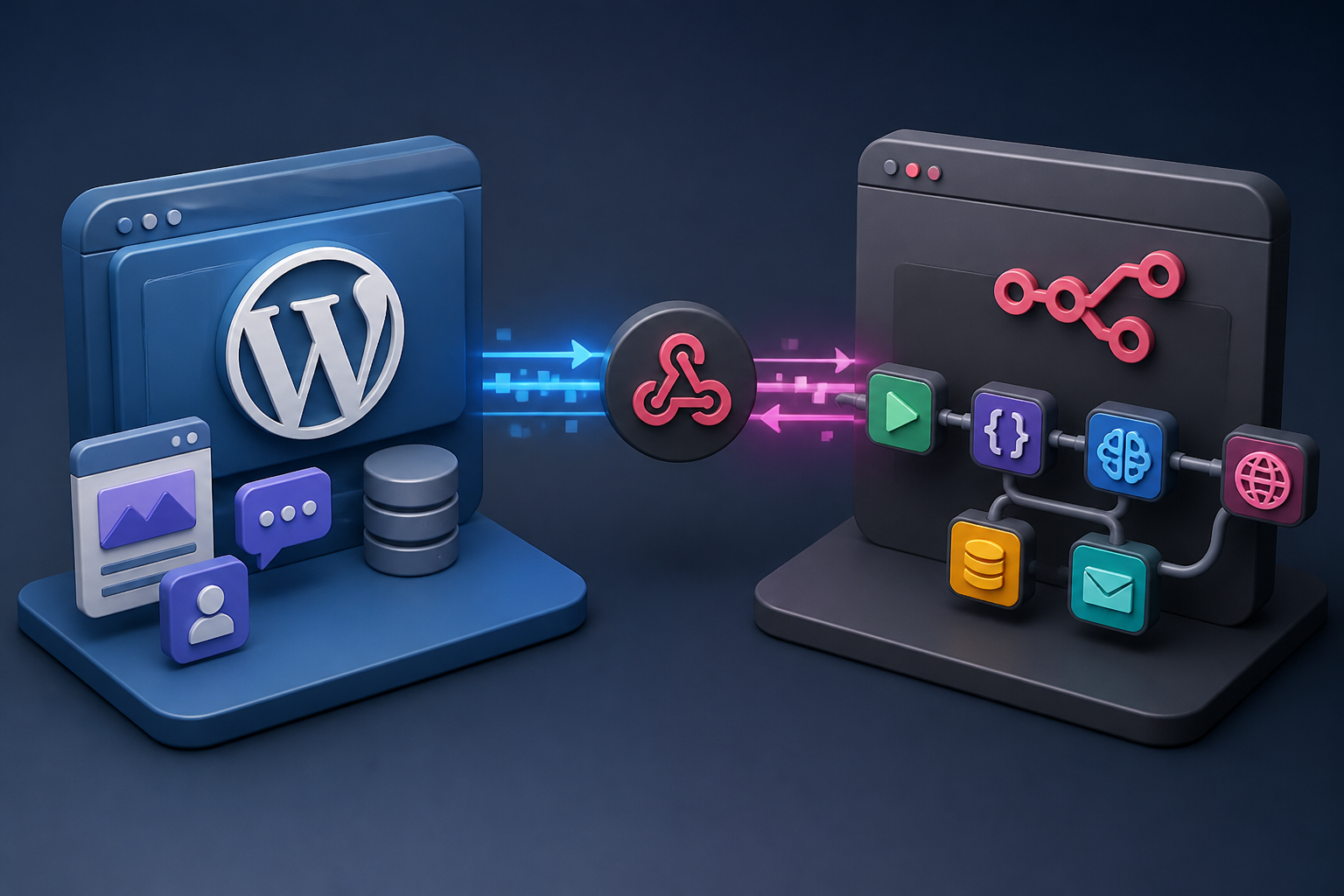
Connecting a content management system to an advanced low-code orchestration engine requires bridging two entirely different architectural paradigms. While WordPress operates as a PHP-driven, database-backed monolith with a robust REST API, n8n functions as a node-based, asynchronous workflow automation platform capable of transforming, routing, and enriching data across hundreds of third-party services. Historically, bridging these two environments meant manually constructing HTTP Request nodes, wrestling with application passwords, and formatting raw JSON payloads for every single create, read, update, or delete operation.
The introduction of specialized bridging tools, webhook routers, and dedicated integration ecosystems changes this operational dynamic. By utilizing an n8n wordpress plugin approach—whether through third-party webhook dispatchers, automation orchestrators like Uncanny Automator, or purpose-built community integrations—administrators can establish bidirectional event-driven pipelines with minimal boilerplate code. This comprehensive guide examines the architectural prerequisites, installation procedures, security configurations, payload management strategies, scaling considerations, and troubleshooting methodologies necessary to build production-grade n8n and WordPress automation systems.
Understanding the n8n WordPress Integration Architecture
Before implementing any plugin connection, site administrators and automation engineers must understand how data traverses the boundary between WordPress and an n8n instance. An n8n instance can be deployed via Docker on a self-hosted virtual private server or run on n8n Cloud. WordPress, meanwhile, resides on shared, managed, or dedicated PHP hosting. Because n8n often runs behind firewalls or private networks, establishing communication requires either outbound webhook dispatching from WordPress or secure API polling controlled by n8n nodes.
The native n8n WordPress node interacts directly with the standard WordPress REST API endpoints (/wp-json/wp/v2/). However, relying entirely on native REST nodes can introduce maintenance overhead when handling custom post types, complex WooCommerce order metadata, or custom user meta fields. This is where dedicated WordPress automation plugins provide substantial architectural value. They act as translation layers, capturing native WordPress action hooks and filter hooks (such as save_post, woocommerce_new_order, or user_register) and serializing them into structured webhook payloads dispatched instantly to your n8n webhook trigger URLs.
When designing your integration architecture, consider the following structural components:
- The Trigger Source: The event inside WordPress that initiates the workflow, such as a published blog post, a completed WooCommerce checkout, or a submitted user registration form.
- The Transport Layer: The secure HTTP POST channel transmitting payload data from the WordPress site to the n8n webhook receiver.
- The Authentication Barrier: Application passwords, JSON Web Tokens (JWT), or HMAC cryptographic signatures verifying that incoming or outgoing requests are legitimate.
- The n8n Execution Engine: The workflow graph responsible for parsing data, invoking AI agents, executing database transformations, and sending responses back to external services.
Prerequisites for Connecting WordPress and n8n
A successful integration requires specific technical prerequisites across both your WordPress installation and your n8n server environment. Attempting to deploy automation pipelines without satisfying these foundational requirements often results in failed webhooks, timeout errors, or silent data corruption.
First, ensure your n8n instance is accessible over HTTPS. Webhook triggers in modern n8n environments strictly require secure transport layers, especially when handling sensitive e-commerce data or user personally identifiable information (PII). If you are self-hosting n8n behind a reverse proxy like Nginx, Traefik, or Cloudflare Tunnel, verify that SSL certificates are valid and that incoming webhook endpoints are not blocked by Web Application Firewalls (WAF).
Second, review your WordPress server environment. Ensure your PHP version meets modern requirements (PHP 8.1 or higher is strongly recommended) and that cURL extensions, OpenSSL, and JSON support are fully enabled. If your workflows involve heavy data processing or large payload batches, ensure your server’s max_execution_time and memory_limit in php.ini are configured appropriately to prevent premature script termination during intense synchronization tasks.
Finally, review the n8n documentation for up-to-date node parameters, authentication best practices, and rate-limiting considerations before exposing your production endpoints to external traffic.
Choosing the Right Integration Approach: Native Nodes vs. WordPress Plugins
When planning your n8n and WordPress infrastructure, you must decide whether to rely entirely on n8n’s native WordPress nodes or install companion WordPress plugins to manage data dispatch. Each method carries distinct operational advantages and trade-offs.
| Integration Method | Primary Mechanism | Strengths | Limitations |
|---|---|---|---|
| Native n8n WordPress Nodes | Direct API polling and payload submission via WordPress REST API endpoints. | No plugins required on WordPress; full control over standard WP objects (posts, users, media). | Requires managing Application Passwords; limited handling of complex custom post types without extensive custom REST code. |
| Webhook Dispatcher Plugins | Capturing native WP hooks and pushing payload JSON to n8n webhook triggers. | Instant event-driven execution; highly customizable payload structures; excellent for multi-site setups. | Adds dependency on third-party plugins; requires monitoring webhook delivery failures. |
| Advanced Automation Plugins | Visual triggers and action mapping inside WordPress (e.g., Uncanny Automator, WP Webhooks). | Rich graphical configuration interfaces; robust logging; extensive ecosystem of native action triggers. | May require premium licensing tiers for advanced webhook functionality and multi-step recipes. |
For standard editorial workflows—such as automatically generating social media promotions or syncing content drafts—native n8n nodes often suffice. However, for high-frequency e-commerce workflows, complex user registration pipelines, and multi-system data enrichment, utilizing a specialized webhook or automation plugin provides superior flexibility and error logging.
Step-by-Step Tutorial: Setting Up a WordPress Webhook Plugin with n8n
This section provides a practical, step-by-step implementation guide for establishing a robust webhook pipeline between a WordPress site and a self-hosted n8n instance using a standard webhook dispatch plugin.
Step 1: Create and Activate the n8n Webhook Workflow
Log in to your n8n instance and create a new workflow. Add a Webhook trigger node to your canvas. Configure the node with the following parameters:
- HTTP Method: POST
- Path: Choose a unique, secure path slug (e.g.,
wp-post-published-v1) - Response Mode: Last Node or Immediately (returning a 200 OK status code back to WordPress)
Copy the generated Test URL and Production URL provided by the Webhook node. Keep this workflow open and click Listen for Test Event so n8n is ready to capture incoming payload structures.
Step 2: Install and Configure the Webhook Plugin on WordPress
Navigate to your WordPress administration dashboard, go to Plugins > Add New, and search for a reputable webhook management plugin such as WP Webhooks or similar event-dispatching tools. Click Install Now and activate the plugin.
Once activated, navigate to the plugin’s settings page within your WordPress dashboard. Locate the Webhooks or Send Data section. Here, you will configure an outgoing webhook trigger tied to a specific WordPress action, such as when a post transitions from draft to publish.
Step 3: Map WordPress Event Hooks to the n8n Production URL
Create a new outgoing webhook trigger inside your WordPress plugin settings with the following configuration:
- Trigger Event: Post Published (or
transition_post_status) - Action URL: Paste your n8n Webhook Production URL
- Payload Format: JSON
- Data Inclusions: Post ID, post title, post content, author ID, categories, tags, and custom fields
Save your webhook configuration. Most advanced webhook plugins provide a test dispatch feature allowing you to send a dummy payload to verify that your n8n instance successfully receives and parses the data structure.
Step 4: Verify Payload Reception in n8n
Return to your n8n canvas. If the test payload was dispatched successfully, the Webhook node execution data view will display the received JSON object containing your WordPress post attributes. You can now connect subsequent nodes—such as AI text summarizers, database logging nodes, or external CRM integrations—to process the incoming WordPress content.
For complex architectural workflows involving automated content generation and AI-driven analysis, you can reference our detailed guide on automating n8n WordPress post creation to expand your pipeline’s capabilities.
Integrating WooCommerce with n8n via Dedicated Plugins
E-commerce operations running WooCommerce generate high volumes of critical transactional events: new customer signups, completed purchases, refunded items, inventory low-stock alerts, and subscription renewals. Relying on basic polling mechanisms to track these events is inefficient and risks missing critical transaction states. Combining WooCommerce webhook plugins with n8n workflow automation creates an instantaneous, event-driven e-commerce operations hub.
When connecting WooCommerce to n8n, you can utilize built-in WooCommerce webhooks or enhance your tracking using advanced automation plugins. A typical high-performance WooCommerce-to-n8n workflow consists of the following architecture:
[WooCommerce Checkout]
       │
       ▼ (Order Status: Completed)
[Webhook Plugin / WP Hook]
       │
       ▼ (Encrypted HTTP POST)
[n8n Webhook Trigger Node]
       │
       ▼
[Data Parsing & Sanitization]
       ├──> [Fulfillment ERP Sync]
       ├──> [Customer CRM Update]
       └──> [AI Agent Fraud Scoring]
To implement this successfully, ensure your WooCommerce webhook settings or plugin configurations include all necessary order line items, customer billing details, shipping metadata, and coupon usage statistics. When handling sensitive customer financial data, always review our broader insights in the WooCommerce automation guide to maintain compliance with data privacy standards and secure transmission protocols.
Authentication, Security, and HMAC Validation
Exposing WordPress REST APIs or webhook receiver endpoints creates potential attack vectors if proper security controls are omitted. Malicious actors could flood your n8n webhook URLs with junk payloads, execute unauthorized database modifications, or launch denial-of-service attacks against your automation server.
To secure your n8n WordPress integration, implement the following security layers:
- HMAC Signature Verification: Configure your WordPress webhook plugin to sign outgoing payloads using a shared secret key (HMAC-SHA256). In your n8n workflow, use a Code node or crypto function to verify the signature header before executing downstream business logic.
- IP Whitelisting: If your n8n instance has a static IP address, restrict incoming requests on your WordPress server using Web Application Firewalls or
.htaccessrules to accept traffic exclusively from your n8n server IP. - WordPress Application Passwords: When using native n8n WordPress nodes requiring administrative API access, generate dedicated Application Passwords with restricted capabilities rather than using master administrator account credentials.
- HTTPS Enforcement: Ensure SSL/TLS encryption is strictly enforced across both endpoints to prevent man-in-the-middle interception of sensitive payload contents.
Handling Payloads, Data Transformation, and Error Management
Real-world automation workflows rarely succeed on the first try. Network timeouts, database locks, malformed JSON structures, and unexpected schema changes in WordPress plugins can cause n8n executions to fail. Building resilience into your automation pipeline requires careful payload management and robust error-handling strategies.
When n8n receives data from a WordPress webhook, the incoming JSON payload often contains extensive WordPress metadata (such as revision IDs, serialized Gutenberg block markup, and internal status flags) that your downstream services do not require. Use n8n’s built-in Set or Code nodes early in your workflow to sanitize, normalize, and extract only the essential properties required for downstream processing.
Implement the following error-management patterns within your n8n workflows:
- Error Workflow Triggers: Attach an error trigger node to your main workflow. If an execution fails due to a WordPress API timeout or a database connection error, the error workflow can capture the failure state, log the error payload, and dispatch an alert to your development team via Slack or email.
- Retry Logic with Exponential Backoff: Configure HTTP Request nodes interacting with WordPress REST APIs to automatically retry failed requests with increasing time intervals to handle transient server glitches.
- Idempotency Checks: Ensure your workflows can handle duplicate webhook dispatches gracefully. Because network retries can occasionally result in duplicate webhook events sent from WordPress, your n8n logic should verify whether a transaction or post ID has already been processed before executing critical actions.
Scaling Considerations for High-Traffic WordPress Sites
As your WordPress site scales in traffic and content volume, synchronous webhook dispatching can impact front-end performance. If an outgoing webhook blocks the PHP execution thread while waiting for a response from your n8n instance, visitors may experience noticeable page load latency during checkout or post-publishing actions.
To prevent performance degradation on high-traffic sites, consider offloading webhook dispatching to asynchronous background processing queues:
- WP-Cron and Background Queues: Ensure your webhook plugins utilize asynchronous background processing (such as Action Scheduler or WP-Background-Processing) rather than executing HTTP requests synchronously during page loads.
- Server-Sent Events and Message Queues: For enterprise-grade architectures, consider integrating intermediate message brokers like RabbitMQ or Redis between WordPress and n8n to buffer high-frequency events and ensure guaranteed delivery without overwhelming either server.
- Resource Monitoring: Monitor your n8n server’s memory consumption and execution concurrency limits, especially when running resource-intensive workflows involving large batch data synchronization or AI agent processing. For broader architectural patterns regarding enterprise automation scaling, review our insights on AI agent workflow automation.
Advanced Use Cases: AI Agents and Dynamic Content Orchestration
Beyond simple administrative notifications and order syncing, modern n8n WordPress integrations enable sophisticated AI-driven content pipelines. By combining WordPress webhook triggers with advanced language models and vector databases, administrators can build autonomous workflows that analyze, enrich, and optimize digital content in real time.
Consider the following advanced automation scenarios:
- Automated Content Tagging and SEO Optimization: When a new draft post is saved in WordPress, a webhook triggers an n8n workflow that passes the content to an AI model to generate optimized meta descriptions, category classifications, and internal link suggestions before pushing the refined data back via the WordPress REST API.
- Intelligent Customer Support Triage: When a WooCommerce customer submits a support ticket or return request, an n8n workflow routes the message through an AI agent trained on your product documentation to draft automated, context-aware initial responses directly inside your WordPress helpdesk plugin.
- Automated Business Intelligence Reporting: Aggregate daily WooCommerce sales data, user registration metrics, and content engagement statistics into structured executive summaries using advanced analytical workflows. For deeper exploration into analytical workflow design, consult our comprehensive guide on AI agent architectures for business analysts.
Troubleshooting Common n8n WordPress Integration Failures
Even with careful configuration, administrators frequently encounter specific integration bottlenecks. The following troubleshooting reference outlines common failure modes and their respective technical resolutions.
| Symptom | Probable Root Cause | Resolution Strategy |
|---|---|---|
| HTTP 401 Unauthorized Error | Invalid application password, expired JWT token, or missing HTTP authorization headers. | Regenerate WordPress Application Passwords, verify permission scopes, and ensure header syntax matches Bearer or Basic auth standards. |
| Webhook Not Triggering in n8n | Firewall blocking incoming traffic, incorrect production URL, or disabled WordPress action hooks. | Check server firewall logs, test webhook URL accessibility via Postman or cURL, and verify plugin hook activation settings. |
| JSON Payload Parsing Failure | Mismatched content-type headers or malformed serialized strings inside incoming webhook data. | Configure webhook plugin to send raw JSON, inspect incoming payload structure in n8n execution history, and sanitize data streams using a Code node. |
| PHP Script Timeout / 504 Gateway Error | Synchronous webhook waiting too long for n8n response or heavy database query load. | Switch webhook dispatch to asynchronous background queues and configure n8n webhook response mode to ‘Immediately’. |
For additional tool evaluations and platform comparisons when designing your automation stack, consult our detailed overview of top workflow automation platforms.
Frequently Asked Questions
Can I connect WordPress to n8n without installing any third-party plugins?
Yes. You can connect WordPress to n8n using n8n’s native WordPress nodes, which communicate directly with the standard WordPress REST API using Application Passwords. However, using dedicated webhook plugins provides better event-driven execution and simpler payload customization for complex custom post types and e-commerce events.
How do I secure n8n webhook endpoints connected to WordPress?
You can secure your n8n webhook endpoints by implementing HMAC-SHA256 payload signature verification, restricting incoming HTTP requests on your n8n server to your WordPress site’s static IP address, enforcing HTTPS transport encryption, and utilizing dedicated authentication tokens.
What is the difference between native WordPress REST API nodes and webhook plugins?
Native WordPress REST API nodes in n8n are pull-based or action-based integrations that query or modify WordPress data on demand. Webhook plugins are push-based mechanisms that instantly dispatch data to n8n the moment a specific WordPress event—such as publishing a post or completing an order—occurs.
How do I handle failed webhook deliveries between WordPress and n8n?
To handle failed webhook deliveries, ensure your webhook management plugin includes built-in retry mechanisms and delivery logs. Additionally, configure error trigger nodes within your n8n workflows to catch execution failures and alert your administrative team via secondary communication channels.
Can n8n manage complex WooCommerce multi-step checkout workflows?
Yes. By capturing WooCommerce action hooks via webhook plugins, n8n can process complex order data, synchronize inventory levels with external ERP systems, update CRM records, and trigger automated fulfillment processes asynchronously without slowing down your customers’ checkout experience.
Conclusion
Integrating an n8n WordPress plugin or webhook dispatcher into your digital infrastructure transforms your content management system from an isolated publishing platform into a dynamic, event-driven node within a larger automated ecosystem. By carefully selecting your integration approach, prioritizing robust authentication and HMAC verification, implementing resilient error-handling patterns, and optimizing for asynchronous scaling, you can establish stable, high-performance automation pipelines. Whether you are automating routine editorial tasks, orchestrating complex e-commerce fulfillment, or building advanced AI agent workflows, combining the flexibility of WordPress with the low-code power of n8n unlocks unprecedented operational efficiency for modern digital businesses.
