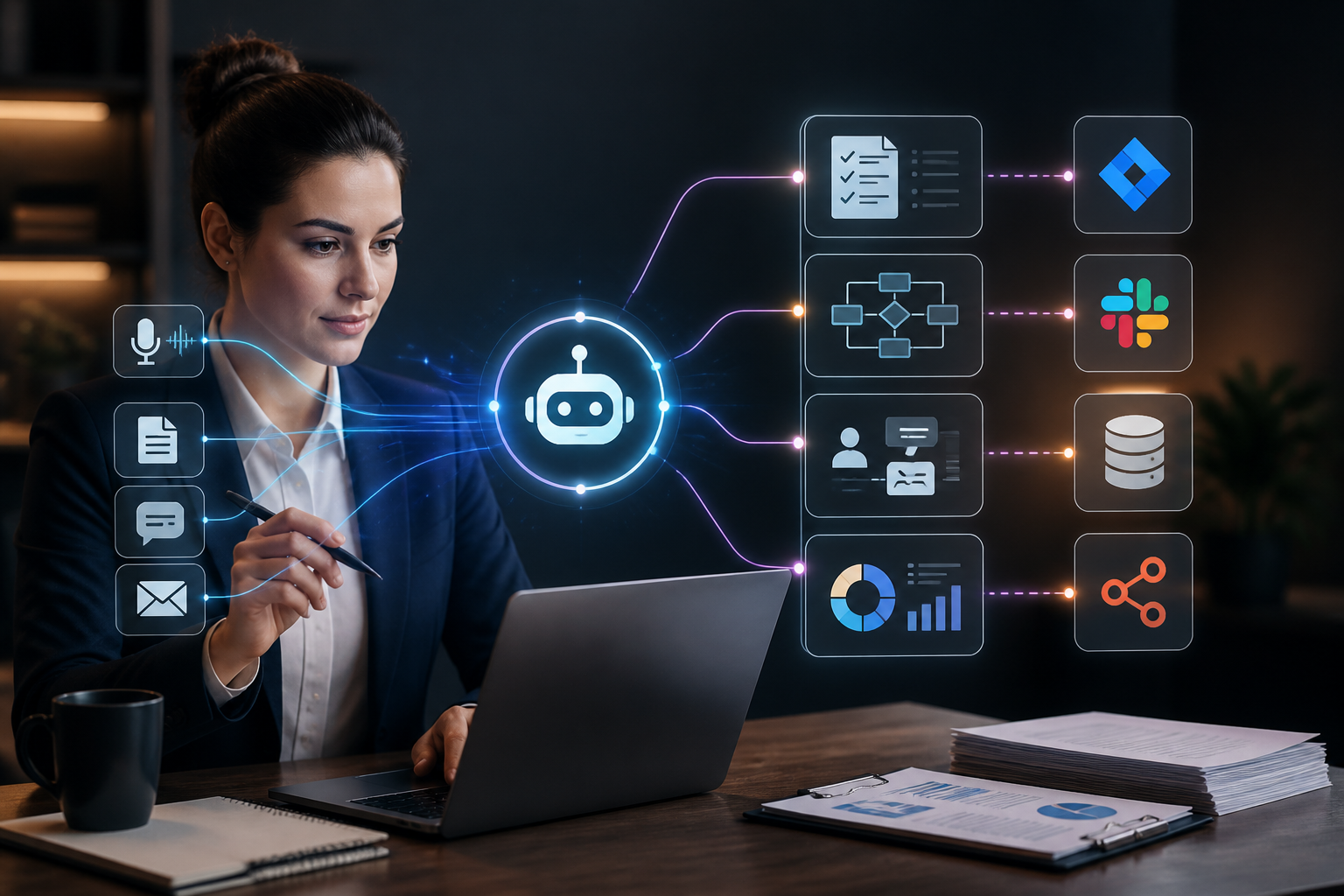
The role of the professional business analyst (BA) has shifted dramatically. Once defined primarily by manual interview transcripts, exhaustive spreadsheet sorting, and static Visio diagrams, modern business analysis now demands rapid synthesis of multi-channel data streams, continuous requirements traceability, and real-time process modeling. As enterprise complexity scales, analysts face an acute bottleneck: too much unstructured information and too little time for strategic problem-solving. This is where deploying an ai agent for business analyst workflows transforms operational capability.
Unlike simple generative text prompts or basic chatbot interfaces, a production-grade AI agent operates with autonomy, leveraging specialized tools, structured memory, and deterministic logic loops to execute complex analytical tasks. When orchestrated across visual integration platforms like n8n, these autonomous agents can ingest stakeholder meeting recordings, parse raw requirements, generate standard user stories, map business processes, and update enterprise documentation repositories automatically.
This comprehensive guide provides an architectural blueprint, implementation walkthrough, and advanced operational framework for business analysts seeking to harness AI agents safely and effectively.
Executive Summary: Deploying AI Agents in Business Analysis
An ai agent for business analyst operations is an autonomous software system powered by a foundational large language model (LLM) that has been granted access to external tools, databases, and APIs. Instead of merely answering questions in isolation, an analytical AI agent executes multi-step workflows:
- Ingestion: Collecting raw requirements from Jira tickets, Slack channels, customer feedback forms, and Zoom transcript files.
- Parsing & Structuring: Normalizing unstructured dialogue into structured functional and non-functional requirements.
- Validation: Cross-referencing requirements against existing enterprise architecture standards and legacy system constraints.
- Output Generation: Automatically publishing User Stories, Acceptance Criteria (Given-When-Then format), and process models to project management systems.
By delegating repetitive data-wrangling tasks to autonomous agents, business analysts can refocus their expertise on high-value activities such as strategic alignment, stakeholder negotiation, and complex system design.
Foundational Architecture of an Analytical AI Agent
To successfully build or configure an AI agent tailored for business analysis, you must understand its core architectural components. An enterprise-grade agent goes beyond a basic system prompt; it relies on a deliberate loop of perception, reasoning, tool execution, and memory management.
1. The Reasoning Engine (LLM Core)
The reasoning engine serves as the cognitive core of the agent. Depending on security policies and task complexity, teams typically integrate models from Google Gemini AI, OpenAI, or Anthropic. For analytical tasks requiring deep logical deduction, structured JSON generation, and adherence to complex software frameworks, the LLM must be configured with low temperature settings (typically 0.1 to 0.2) to ensure deterministic outputs.
2. Tool Integration Layer
An agent without tools is merely a conversational assistant. For a business analyst, an effective agent requires programmatic access to specific tools:
- Vector Databases: For retrieving organizational runbooks, historical project documentation, and compliance frameworks via Retrieval-Augmented Generation (RAG).
- Project Management APIs: For reading and writing issues directly into Jira, GitHub Projects, or Linear.
- Diagramming APIs: For generating Mermaid.js diagrams or PlantUML code representing business workflows.
- Communication Webhooks: For sending notifications, summaries, and approval requests to Slack or Microsoft Teams.
3. Short-Term and Long-Term Memory
Analytical processes often span multiple hours or days across disparate stakeholder interviews. Short-term memory (context window management) allows the agent to track conversational state within a single session, while long-term memory stores verified decisions, project glossaries, and domain-specific terminology across sessions.
Core Use Cases for Business Analysts
Before implementing automation infrastructure, analysts must identify where autonomous agents provide the highest return on investment. Below are four primary operational domains where AI agents excel.
Automated Requirements Gathering and Elicitation
Requirements elicitation traditionally involves conducting stakeholder interviews, transcribing audio, and painstakingly extracting functional needs. An automated pipeline can ingest raw audio transcripts from discovery sessions, pass them through an analytical agent, and produce a fully formatted Software Requirements Specification (SRS) document.
The agent evaluates the transcript for ambiguity, identifies missing edge cases, and flags conflicting requirements stated by different business units. For a deeper understanding of how visual orchestration engines manage these data handoffs, review our AI agent workflow automation guide.
Process Mapping and Workflow Auditing
Business analysts spend considerable time mapping current-state (“As-Is”) processes and designing future-state (“To-Be”) workflows. An AI agent can ingest raw standard operating procedures (SOPs) or step-by-step notes and automatically generate structured process maps. By utilizing specialized workflow orchestration patterns similar to those discussed in AI agent workflow builder comparisons, analysts can evaluate multiple visual orchestration engines.
User Story and Acceptance Criteria Generation
Translating vague business requests into rigorous Agile user stories requires precision. An analytical agent can take a rough feature request—such as “We need our checkout process to be faster for returning customers”—and expand it into standard Agile artifacts:
- Title: Streamline One-Click Checkout for Authenticated Users
- User Story: As a returning customer, I want my saved billing and shipping details to pre-populate, so that I can complete my purchase in under thirty seconds.
- Acceptance Criteria:
- Given an authenticated user with valid saved payment tokens, When they navigate to the checkout page, Then default shipping and billing addresses must load within 500ms.
- Given a user without saved payment tokens, When they view checkout, Then the standard manual entry form must display.
Business Analysis Agent Roles and Workflow Automation
Modern organizations increasingly adopt AI automation to streamline daily operations, giving rise to specialized definitions for the ai automation business analyst. In this capacity, an ict business analyst or enterprise strategist designs and oversees deployment pipelines where a dedicated business analyst agent continuously manages routine requirements triage, stakeholder transcript parsing, and system documentation synchronization.
Implementing an autonomous business analyst agent streamlines cross-functional analyst workflows by removing manual administrative overhead. Whether coordinating complex software releases or optimizing operational processes, these agents act as force multipliers for technical delivery teams.
Automated System Documentation and Traceability
Maintaining up-to-date system documentation is a persistent challenge for IT and business teams alike. When business rules or software configurations change, documentation often drifts. An AI agent connected to enterprise code repositories, database schemas, and API documentation can audit existing documentation, detect discrepancies, and draft update patches for human review.
Step-by-Step Implementation: Building a Requirements-Gathering Agent in n8n
To make these concepts actionable, this section walks through the technical architecture required to build an automated requirements-gathering agent using n8n. This workflow ingests raw meeting notes from a webhook, processes them through an advanced LLM node equipped with system prompts, structures the output into strict JSON schemas, and posts verified user stories directly to a project management tracker.
Prerequisites and Environment Setup
- A self-hosted or cloud-managed n8n instance (version 1.0 or higher recommended).
- An API key from a major LLM provider such as OpenAI & ChatGPT Docs or Google Gemini AI.
- An active project management webhook endpoint (e.g., Jira REST API or an internal database).
Step 1: Webhook Ingestion Node
Create a new workflow in n8n and add a Webhook Trigger node. This node will listen for incoming POST requests containing raw meeting transcripts or stakeholder interview notes sent from transcription services or CRM systems.
// Example Incoming JSON Payload Structure
{
  "meeting_id": "MGR-2026-0412",
  "project_name": "Inventory Optimization Portal",
  "stakeholder": "Director of Supply Chain",
  "transcript": "We need warehouse staff to scan barcodes offline when Wi-Fi drops, and sync the local database automatically once reconnected..."
}
Step 2: Data Sanitization and Context Injection
Connect the Webhook node to a Code (JavaScript) node. This node strips unnecessary whitespace, redacts potential personally identifiable information (PII) if required by compliance policies, and formats a clean prompt context for the downstream AI agent node.
// n8n JavaScript Code Node for sanitizing transcript input
const inputData = $input.item.json;

if (!inputData.transcript) {
  throw new Error('Missing transcript field in incoming payload.');
}

return {
  json: {
    projectId: inputData.project_name,
    sourceId: inputData.meeting_id,
    sanitizedText: inputData.transcript.trim().replace(/\s+/g, ' ')
  }
};
Step 3: Configuring the Advanced AI Agent Node
In n8n, add an Advanced AI node structure consisting of an AI Agent core node connected to an LLM Chat Model (e.g., OpenAI Chat Model) and a Structured Output Parser. Configure the system prompt to enforce strict business analysis guardrails:
System Prompt: You are an expert Enterprise Business Analyst with 15 years of experience in requirements engineering. Your task is to analyze the provided stakeholder transcript, extract functional requirements, identify implicit technical constraints, and output valid JSON conforming strictly to the requested schema. Do not make conversational remarks; output only structured analysis.
Step 4: Output Parsing and Validation
Attach a Structured Output Parser to the agent node to enforce a strict JSON schema. This guarantees that downstream API nodes receive predictable data structures rather than erratic markdown text blocks.
// JSON Schema enforced by the n8n Output Parser
{
  "type": "object",
  "properties": {
    "epic_title": { "type": "string" },
    "user_stories": {
      "type": "array",
      "items": {
        "type": "object",
        "properties": {
          "id": { "type": "string" },
          "title": { "type": "string" },
          "description": { "type": "string" },
          "acceptance_criteria": {
            "type": "array",
            "items": { "type": "string" }
          },
          "priority": { "enum": ["High", "Medium", "Low"] }
        },
        "required": ["id", "title", "description", "acceptance_criteria", "priority"]
      }
    },
    "identified_risks": {
      "type": "array",
      "items": { "type": "string" }
    }
  },
  "required": ["epic_title", "user_stories", "identified_risks"]
}
Step 5: Delivery and Notification
The final step in the n8n workflow routes the validated JSON object to an HTTP Request node that connects to your internal project management tool, while simultaneously dispatching a summary notification to a Slack channel for human analyst review.
Integrating with Broader Enterprise Automation Ecosystems
An AI agent for business analyst operations cannot exist in a vacuum. It must integrate seamlessly with existing enterprise software stacks. For organizations utilizing content management systems and e-commerce platforms, analytical agents can audit content workflows or catalog transactional dependencies.
When structuring broader digital operations, teams often reference comprehensive workflow automation tools lists to select complementary orchestration layers. Furthermore, for digital agencies and enterprises managing web properties, integrating AI agents with content publishing workflows—such as those detailed in our WordPress AI workflow automation guide—enables automated synchronization between business requirements and live digital implementations.
Similarly, e-commerce analysts operating retail platforms can leverage insights from our WooCommerce automation guide to ensure analytical agents correctly interpret transactional logs, customer checkout drop-off points, and inventory synchronization rules.
Advanced Architecture: Custom AI Agent Development
While visual low-code platforms like n8n are ideal for rapid deployment and operational flexibility, certain enterprise environments require bespoke codebases. For teams transitioning from visual builders to custom microservices, understanding custom AI agent development principles is essential.
Custom architectures allow analysts to embed specialized domain logic, fine-tuned embedding models, and proprietary vector stores directly into internal continuous integration pipelines. For a comprehensive structural blueprint on building standalone agentic services, review our detailed guide on custom AI agent development architecture.
Security, Governance, and Compliance Considerations
Deploying autonomous AI agents into business analysis workflows introduces critical security and data governance challenges. Because analysts frequently handle proprietary financial data, proprietary source code, customer records, and confidential merger-and-acquisition details, organizations must enforce strict guardrails.
Data Privacy and Confidentiality
Sending raw stakeholder interview recordings or internal strategic documents to public LLM endpoints can violate corporate compliance policies (e.g., GDPR, HIPAA, SOC 2). Organizations must utilize enterprise-tier API agreements that guarantee zero data retention for training purposes, or deploy private, self-hosted open-source models via platforms like Hugging Face or local inference servers.
For exploring robust open models, developers frequently consult the Hugging Face Model Hub alongside foundational models from Anthropic Claude and Perplexity AI.
Human-in-the-Loop (HITL) Validation
An AI agent should be treated as an autonomous junior assistant, not an infallible final decision-maker. Hallucinations in requirements gathering can lead to thousands of dollars in wasted engineering hours. Therefore, every automated workflow must incorporate a Human-in-the-Loop gate—such as a mandatory Slack approval button or a review dashboard in n8n—before user stories or system changes are pushed directly into production project management systems.
Comparative Evaluation of Platforms for Business Analyst Agents
Selecting the right orchestration environment depends on your team’s technical proficiency, existing infrastructure, and scalability requirements. The table below compares the primary deployment models for analytical AI agents.
| Platform / Approach | Technical Barrier | Flexibility & Customization | Maintenance Overhead | Best Suited For |
|---|---|---|---|---|
| Visual Low-Code (n8n) | Low to Medium | High (Extensible via JavaScript) | Low | Rapid prototyping, webhook processing, standard API integration. |
| Custom Python / LangChain | High | Unlimited | High | Complex agent loops, proprietary vector search, custom ML models. |
| SaaS Chatbot Builders | Very Low | Low | Very Low | Basic Q&A over static PDF manuals; limited workflow automation. |
Common Pitfalls and Troubleshooting Strategies
When implementing an ai agent for business analyst workflows, engineering teams frequently encounter specific operational failure modes. Recognizing these issues early prevents wasted development cycles.
1. Context Window Exhaustion
Symptom: The agent begins forgetting instructions midway through processing a massive multi-hour stakeholder meeting transcript.
Root Cause: Exceeding the token limit of the underlying LLM or failing to summarize intermediate chunks.
Solution: Implement a map-reduce chunking strategy in your orchestration workflow. Break long transcripts into 4,000-token segments, extract intermediate summaries from each chunk using smaller model calls, and pass the synthesized summary to the final reasoning agent.
2. Schema Drift and JSON Parsing Errors
Symptom: The n8n workflow fails because the LLM returns conversational markdown formatting instead of pure JSON.
Root Cause: Inadequate system prompting or lack of a strict output parser node.
Solution: Always pair your LLM node with an explicit Structured Output Parser and include a fallback error-handling branch in your n8n workflow that catches parsing exceptions and prompts the model to correct its formatting.
3. Requirement Ambiguity and Hallucination
Symptom: The agent invents technical features or user stories that were never discussed in the source transcript.
Root Cause: High temperature settings or overly creative system prompts.
Solution: Lower the LLM temperature to 0.0 or 0.1. Add negative constraints to your system prompt, such as: “Do not infer requirements that are not explicitly stated in the source text. If information is missing, list it under identified risks rather than guessing.”
Frequently Asked Questions
What is an AI agent for a business analyst?
An AI agent for a business analyst is an autonomous software system powered by a large language model and integrated with external tools (such as Jira, vector databases, and diagramming APIs) that automates requirements gathering, process mapping, user story generation, and system documentation.
How does n8n help business analysts automate workflows?
n8n provides a visual node-based workflow orchestration platform that allows business analysts to connect webhooks, sanitize data, execute advanced AI reasoning loops, and integrate with enterprise project management APIs without writing full applications from scratch.
Can AI agents replace human business analysts?
No. AI agents act as force multipliers that handle repetitive administrative tasks, initial data synthesis, and documentation formatting. Human business analysts remain essential for stakeholder negotiation, strategic alignment, empathetic interviewing, and final decision-making.
How do I ensure data privacy when using AI for business analysis?
To maintain data privacy, organizations should use enterprise-grade API tiers with zero data retention policies, redact sensitive PII before sending data to LLMs, or deploy self-hosted open-source models through secure internal infrastructure.
Conclusion
The integration of an ai agent for business analyst operations represents a fundamental evolution in how requirements are captured, validated, and documented. By combining the cognitive synthesis of advanced language models with the robust orchestration capabilities of visual automation platforms like n8n, business analysts can eliminate hours of manual administrative friction.
Success in this domain requires a disciplined approach: establishing clear architectural guardrails, enforcing strict JSON output schemas, maintaining human-in-the-loop validation gates, and adhering to rigorous data security policies. As enterprise workflows continue to accelerate, mastering autonomous agent orchestration will distinguish modern analytical teams from legacy operations.
