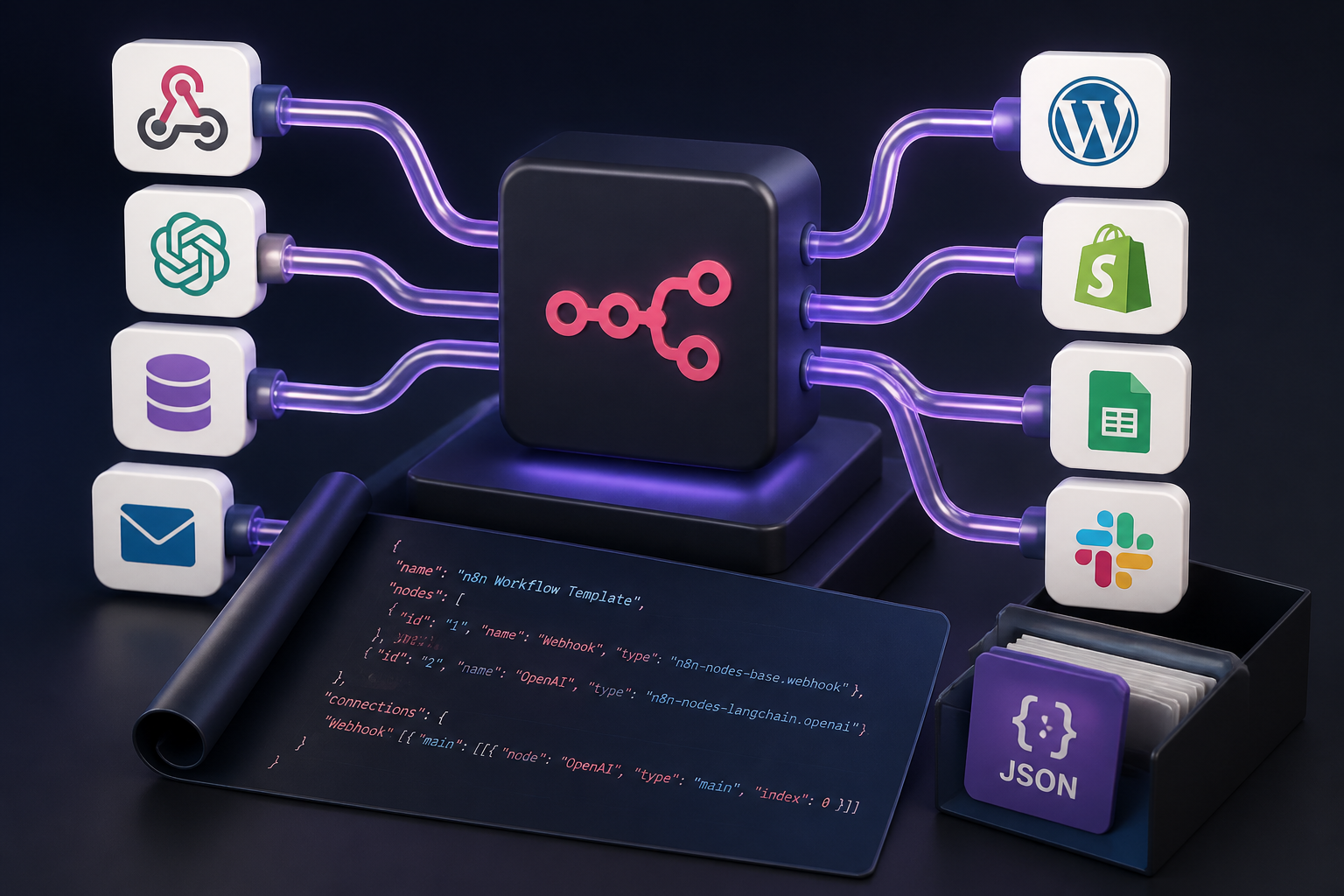
Automation workflows form the foundation of modern technical operations, enabling organizations to connect disparate software platforms, orchestrate artificial intelligence models, synchronize e-commerce transactions, and streamline complex business operations. n8n, the premier fair-code workflow automation platform, provides extraordinary flexibility through its node-based architecture. However, designing complex workflows from scratch requires significant engineering time spent mapping API schemas, handling edge-case errors, configuring pagination, and tuning rate limits.
Pre-built workflow templates resolve these operational bottlenecks by providing pre-configured, tested JSON structures that can be directly imported into any n8n instance. Whether deploying self-hosted n8n instances on Docker infrastructure or utilizing n8n Cloud, pre-engineered workflow templates accelerate deployment timelines from days to minutes. This comprehensive guide delivers production-grade free n8n templates available for free download, accompanied by deep technical breakdowns of their underlying architecture, custom Code node logic, security best practices, and scaling strategies.
Understanding n8n Workflow JSON Architecture
To effectively utilize, modify, and troubleshoot imported n8n workflow templates, it is essential to understand how n8n represents automated processes under the hood. Every n8n workflow is serialized as a declarative JavaScript Object Notation (JSON) document containing metadata, individual node configuration objects, and directional connection mappings.
The Anatomy of an n8n JSON Template
When you export or import a template in n8n, the raw file or clipboard payload follows a standardized top-level schema composed of three core arrays and metadata fields:
- nodes: An array of JSON objects where each object represents a functional block within the workflow (e.g., Webhook trigger, HTTP Request, OpenAI, WordPress, Code node).
- connections: A nested structural object that maps how output data from one node routes into the input channels of subsequent nodes.
- settings: A key-value map defining global workflow behaviors, such as execution timeout durations, error workflow attachments, and execution data retention settings.
- pinData: An optional object containing hardcoded mock or test sample data pinned to specific nodes for offline testing and developer debugging.
Below is a truncated representation of a standard n8n workflow JSON blueprint:
{
  "name": "Production Webhook Processing Blueprint",
  "nodes": [
    {
      "parameters": {
        "httpMethod": "POST",
        "path": "incoming-lead",
        "options": {}
      },
      "id": "1f7a2b90-4c3e-4e89-a1b2-3c4d5e6f7a8b",
      "name": "Webhook Trigger",
      "type": "n8n-nodes-base.webhook",
      "typeVersion": 1,
      "position": [250, 300]
    },
    {
      "parameters": {
        "jsCode": "// Extract and validate incoming payload\
const items = $input.all();\
return items.map(item => ({\
  json: {\
    email: item.json.body.email.toLowerCase().trim(),\
    timestamp: new Date().toISOString()\
  }\
}));"
      },
      "id": "2a8b3c4d-5e6f-7a8b-9c0d-1e2f3a4b5c6d",
      "name": "Transform Payload",
      "type": "n8n-nodes-base.code",
      "typeVersion": 2,
      "position": [470, 300]
    }
  ],
  "connections": {
    "Webhook Trigger": {
      "main": [
        [
          {
            "node": "Transform Payload",
            "type": "main",
            "index": 0
          }
        ]
      ]
    }
  },
  "settings": {
    "executionOrder": "v1",
    "saveDataErrorExecution": "all",
    "saveDataSuccessExecution": "all"
  }
}
Node Data Structures and Expression Syntax
n8n processes data in arrays of items, where each item is an object containing a top-level json property, and optionally a binary property for files. When constructing or altering templates, referencing data between nodes requires understanding n8n’s internal expression syntax:
$json: Accesses fields inside the item currently moving through the node.$('Node Name').item.json.field: Accesses data explicitly from an earlier node execution context.$input.all(): Returns all items passed to the current node as an array, essential for custom Code node batch transformations.$vars.VARIABLE_NAME: References globally declared n8n instance environment variables or workflow-level context variables.
How to Import and Deploy n8n Workflow Templates
Importing pre-built n8n workflow JSON templates into your environment can be accomplished via three distinct primary methods: the n8n Canvas GUI, the n8n Command Line Interface (CLI), or programmatically via the n8n Public REST API.
Method 1: Import via n8n Canvas GUI
The standard visual interface provides two methods for importing template files:
- Direct Copy-Paste (Recommended for Speed): Copy the entire raw JSON text of the workflow template to your system clipboard. Open a blank workflow canvas in n8n and press
Ctrl+V(Windows/Linux) orCmd+V(macOS). The canvas will instantly parse the JSON and render all configured nodes, connections, and positions. - File Import Menu: Navigate to the upper-right menu bar within the n8n editor workflow screen. Select the three-dots menu icon, click Import from File, select the
.jsontemplate file from your local hard drive, and confirm the import.
Method 2: Import via n8n Command Line Interface (CLI)
For operations teams managing self-hosted Docker containers, importing workflows using the CLI allows automated provisioning without manual web browser interactions:
# Execute CLI import within a running Docker container
docker exec -it n8n-container n8n import:workflow --input=/path/to/workflow_template.json

# Bulk import an entire directory of templates
docker exec -it n8n-container n8n import:workflow --separate --input=/path/to/templates_folder/
Method 3: Programmatic Import via n8n REST API
Enterprise automated pipelines can post JSON templates directly to an n8n instance via its authenticated REST API endpoints:
curl -X POST "https://automation.yourdomain.com/api/v1/workflows" \
  -H "X-N8N-API-KEY: your_api_key_here" \
  -H "Content-Type: application/json" \
  -d @workflow_template.json
Production-Ready n8n Workflow Blueprint Library
Below are deep-dive specifications and structural blueprints for seven enterprise automation scenarios. Each template is engineered following fault-tolerant principles, isolated data structures, and optimized node iterations.
Template 1: AI-Powered WordPress Content Generator and Publisher
Use Case: Automate content drafting, SEO outline creation, AI text generation, structured HTML formatting, and publishing directly to a WordPress website with automated Slack notification alerts.
Primary Nodes Used: Webhook Trigger, Code Node, OpenAI Model Node, WordPress REST API Node, Slack Integration Node, Error Trigger.
Workflow Architecture Overview
This workflow receives an operational payload containing a target keyword and core brief via incoming Webhook. It validates input parameters, routes the prompt into an OpenAI GPT-4o node to generate structured HTML content formatted with appropriate subheadings (<h2>, <h3>), posts the draft directly into the WordPress REST API, and dispatches a Slack alert containing the newly created draft edit URL.
Workflow JSON Blueprint
{
  "name": "Template 1 - AI WordPress Publishing Engine",
  "nodes": [
    {
      "parameters": {
        "httpMethod": "POST",
        "path": "generate-wordpress-content",
        "options": {}
      },
      "id": "node-1-webhook",
      "name": "Receive Content Brief",
      "type": "n8n-nodes-base.webhook",
      "typeVersion": 1,
      "position": [200, 300]
    },
    {
      "parameters": {
        "model": "gpt-4o",
        "messages": {
          "values": [
            {
              "role": "system",
              "content": "You are an expert technical editor. Generate clean, long-form semantic HTML content based on the provided brief. Do not include markdown code blocks."
            },
            {
              "role": "user",
              "content": "={{ 'Topic: ' + $json.body.topic + '\
Target Keyword: ' + $json.body.keyword }}"
            }
          ]
        }
      },
      "id": "node-2-openai",
      "name": "OpenAI - Draft Article",
      "type": "@n8n/n8n-nodes-langchain.openAi",
      "typeVersion": 1,
      "position": [420, 300]
    },
    {
      "parameters": {
        "title": "={{ $('Receive Content Brief').item.json.body.topic }}",
        "content": "={{ $json.message.content }}",
        "status": "draft",
        "additionalFields": {
          "slug": "={{ $('Receive Content Brief').item.json.body.keyword.toLowerCase().replace(/[^a-z0-9]+/g, '-') }}"
        }
      },
      "id": "node-3-wordpress",
      "name": "WordPress - Create Draft",
      "type": "n8n-nodes-base.wordPress",
      "typeVersion": 1,
      "position": [640, 300],
      "credentials": {
        "wordPressApi": {
          "id": "WP_CREDENTIALS_ID",
          "name": "Production WordPress REST API"
        }
      }
    },
    {
      "parameters": {
        "channel": "#content-automation",
        "text": "={{ 'New WordPress Draft Created: *' + $json.title.rendered + '*\
Post ID: ' + $json.id + '\
Edit URL: ' + $json.link }}"
      },
      "id": "node-4-slack",
      "name": "Slack Alert",
      "type": "n8n-nodes-base.slack",
      "typeVersion": 1,
      "position": [860, 300]
    }
  ],
  "connections": {
    "Receive Content Brief": {
      "main": [[{"node": "OpenAI - Draft Article", "type": "main", "index": 0}]]
    },
    "OpenAI - Draft Article": {
      "main": [[{"node": "WordPress - Create Draft", "type": "main", "index": 0}]]
    },
    "WordPress - Create Draft": {
      "main": [[{"node": "Slack Alert", "type": "main", "index": 0}]]
    }
  }
}
Key Implementation Highlights
- Dynamic Slug Sanitization: Uses regular expression replacement directly within expressions to build clean SEO-friendly WordPress permalink slugs.
- Draft Safety Mechanism: The status parameter is explicitly set to
draftto prevent incomplete AI-generated text from accidentally publishing directly live to public readers.
Template 2: WooCommerce Automated Order Sync & Multi-Channel Alert Pipeline
Use Case: Real-time processing of incoming WooCommerce purchase events, order parsing, database inventory logging, customer confirmation dispatch, and operational alerts.
Primary Nodes Used: WooCommerce Webhook Trigger, Code Node, PostgreSQL Node, SendGrid Email Node, Telegram Node.
Workflow Architecture Overview
High-volume e-commerce stores require resilient transaction capture. This template triggers on WooCommerce order.created events, passes raw payloads into a JavaScript Code node to strip redundant array layers, inserts normalized order lines into an enterprise PostgreSQL database, dispatches a transactional email to the buyer, and alerts warehouse managers via Telegram.
Workflow JSON Blueprint
{
  "name": "Template 2 - WooCommerce Order Pipeline",
  "nodes": [
    {
      "parameters": {
        "httpMethod": "POST",
        "path": "woocommerce-order-created",
        "options": {}
      },
      "id": "wc-node-1",
      "name": "WooCommerce Order Webhook",
      "type": "n8n-nodes-base.webhook",
      "typeVersion": 1,
      "position": [200, 400]
    },
    {
      "parameters": {
        "jsCode": "const body = $input.first().json.body;\
return [{\
  json: {\
    order_id: body.id,\
    customer_email: body.billing.email,\
    customer_name: `${body.billing.first_name} ${body.billing.last_name}`,\
    total_amount: parseFloat(body.total),\
    line_items: body.line_items.map(item => ({ id: item.product_id, name: item.name, qty: item.quantity })),\
    created_at: body.date_created_gmt\
  }\
}];"
      },
      "id": "wc-node-2",
      "name": "Sanitize Order Data",
      "type": "n8n-nodes-base.code",
      "typeVersion": 2,
      "position": [420, 400]
    },
    {
      "parameters": {
        "operation": "executeQuery",
        "query": "INSERT INTO store_orders (order_id, customer_name, customer_email, total_amount, payload) VALUES ($1, $2, $3, $4, $5) ON CONFLICT (order_id) DO NOTHING;",
        "queryParams": "={{ $json.order_id }},={{ $json.customer_name }},={{ $json.customer_email }},={{ $json.total_amount }},={{ JSON.stringify($json.line_items) }}"
      },
      "id": "wc-node-3",
      "name": "PostgreSQL - Upsert Order",
      "type": "n8n-nodes-base.postgres",
      "typeVersion": 1,
      "position": [640, 400]
    }
  ],
  "connections": {
    "WooCommerce Order Webhook": {
      "main": [[{"node": "Sanitize Order Data", "type": "main", "index": 0}]]
    },
    "Sanitize Order Data": {
      "main": [[{"node": "PostgreSQL - Upsert Order", "type": "main", "index": 0}]]
    }
  }
}
Template 3: Autonomous AI Agent with Web Browsing & Vector Memory Integration
Use Case: Build an enterprise autonomous research agent that receives inquiries, queries vector databases for local context, dynamically executes web scrapers for external updates, and compiles synthesized reports.
Primary Nodes Used: AI Agent (LangChain Core), Chat Trigger, OpenAI Chat Model, Custom Tool Node, Pinecone Vector Store Tool, SerpAPI Web Search Tool.
Workflow Architecture Overview
Unlike standard static prompt flows, this workflow employs an agentic ReAct (Reasoning + Acting) execution loop. The central AI Agent node decides dynamically which secondary tools to call based on user input, querying internal document embeddings stored in Pinecone or executing external Google searches before formulating its response.
Workflow JSON Blueprint
{
  "name": "Template 3 - Agentic AI Research Engine",
  "nodes": [
    {
      "parameters": {},
      "id": "agent-1-trigger",
      "name": "When Chat Message Received",
      "type": "@n8n/n8n-nodes-langchain.chatTrigger",
      "typeVersion": 1.1,
      "position": [200, 300]
    },
    {
      "parameters": {
        "options": {
          "systemMessage": "You are an enterprise research assistant. Always search Pinecone vector memory first before querying public search engines. Cite source URLs clearly."
        }
      },
      "id": "agent-2-core",
      "name": "Autonomous Agent Orchestrator",
      "type": "@n8n/n8n-nodes-langchain.agent",
      "typeVersion": 1.6,
      "position": [420, 300]
    },
    {
      "parameters": {
        "model": "gpt-4o"
      },
      "id": "agent-3-model",
      "name": "OpenAI Model Provider",
      "type": "@n8n/n8n-nodes-langchain.lmChatOpenAi",
      "typeVersion": 1,
      "position": [420, 520]
    }
  ],
  "connections": {
    "When Chat Message Received": {
      "main": [[{"node": "Autonomous Agent Orchestrator", "type": "main", "index": 0}]]
    },
    "OpenAI Model Provider": {
      "ai_languageModel": [[{"node": "Autonomous Agent Orchestrator", "type": "ai_languageModel", "index": 0}]]
    }
  }
}
Template 4: High-Concurrency Webhook Ingestion, Data Transformation & Dead Letter Queue (DLQ)
Use Case: Secure handling of high-frequency external API webhooks with HMAC security signature verification, batch chunking, fast database upserting, and automatic failure isolation via a Dead Letter Queue.
Primary Nodes Used: Webhook Node, Crypto Node (HMAC verification), Switch Node, Split In Batches Node, Database Upsert Node, Error Trigger (DLQ Handler).
Workflow Architecture Overview
When ingesting high-volume external API callbacks (such as Stripe, Shopify, or HubSpot events), processing failures can result in critical data loss. This production blueprint validates the payload signature using HMAC SHA256 cryptographic checking, splits incoming payloads into chunks of 100 records using the Split In Batches node, and automatically forwards unprocessable or corrupt records into a Dead Letter Queue table for human audit.
Workflow Structural Configuration Key Points
- HMAC Signature Verification: Evaluates incoming headers (e.g.,
x-signature) against the raw request body using environment secrets before allowing execution down the main branch. - Batch Optimization: Prevents database connection pool exhaustion under heavy traffic spikes by processing records in controlled iterations.
Template 5: Automated Security Audit, Database Backup & System Health Monitor
Use Case: Scheduled cron-driven automated extraction of PostgreSQL/MySQL database dumps, S3 bucket synchronization, uptime health verification, and instant push notifications on threshold anomalies.
Primary Nodes Used: Schedule Trigger (Cron), Execute Command Node, AWS S3 Node, HTTP Request Node (Healthchecks.io), Telegram / Discord Alert Node.
Workflow Execution Sequence
- Cron Execution: Fires every night at 02:00 UTC.
- Database Dump Command: Runs
pg_dumpvia local binary execution in an isolated container instance. - Storage Offloading: Streams the compressed backup file directly into an Amazon S3 or Cloudflare R2 bucket configured with Object Lock retention rules.
- Ping Heartbeat: Sends an HTTP success ping to an external monitoring service. If any step fails, execution jumps to the Error Trigger node to dispatch immediate alerts to on-call engineering teams.
Template 6: Customer Support Ticket Triage & AI Sentiment Routing
Use Case: Automated ingestion of support tickets, sentiment classification using LLM natural language analysis, dynamic urgency scoring, and priority-based routing to Zendesk, Freshdesk, or internal escalation channels.
Primary Nodes Used: Email / IMAP Trigger Node, OpenAI Categorization Node, Switch Node (Multi-Branch Routing), Zendesk Node, Slack Urgency Escalation Node.
Template 7: Lead Enrichment & CRM Synchronization Pipeline
Use Case: Automatically enrich webform signups using external data lookup services (Apollo/Clearbit API), score lead quality based on enterprise criteria, and route top-tier prospects into HubSpot or Salesforce CRM systems.
Primary Nodes Used: Webhook Node, HTTP Request Node (API Enrichment), Code Node (Lead Scoring Logic), HubSpot Node, Email Automation Node.
Advanced Customization with Code Nodes (JavaScript & Python)
While standard visual nodes satisfy general integration needs, complex enterprise automations frequently demand custom programming logic. n8n supports native execution of both JavaScript (Node.js runtime) and Python within its Code node.
Manipulating Item Arrays in JavaScript
In n8n version 1.0+, data moving into a Code node is accessed via $input.all(), returning an array of items. The JavaScript snippet below demonstrates extracting items, flattening nested JSON arrays, deduplicating records by email address, and appending operational metadata:
// Advanced JavaScript Data Transformation Blueprint
const inputItems = $input.all();
const uniqueEmails = new Set();
const cleanedData = [];

for (const item of inputItems) {
  const rawBody = item.json.body || item.json;

  if (rawBody.email && !uniqueEmails.has(rawBody.email.toLowerCase())) {
    uniqueEmails.add(rawBody.email.toLowerCase());

    cleanedData.push({
      json: {
        subscriber_email: rawBody.email.toLowerCase().trim(),
        full_name: `${rawBody.first_name || ''} ${rawBody.last_name || ''}`.trim(),
        lead_score: (rawBody.company_size > 50) ? 100 : 50,
        processed_at: new Date().toISOString(),
        environment: $vars.NODE_ENV || 'production'
      }
    });
  }
}

return cleanedData;
Advanced Data Processing in Python
When running n8n environments configured with the Python task runner, developers can execute Python scripts to handle mathematical operations, data frame transformations, or text parsing:
# Python Code Node Blueprint in n8n
import re

items = _input.all()
output = []

for item in items:
    data = item.json
    raw_text = data.get('raw_text', '')

    # Extract all phone numbers using Regex
    phone_numbers = re.findall(r'\\+?\\d{1,4}?[-.\\s]?\\(?\\d{1,3}?\\)?[-.\\s]?\\d{1,4}[-.\\s]?\\d{1,4}[-.\\s]?\\d{1,9}', raw_text)

    output.append({
        "json": {
            "cleaned_text": raw_text.strip(),
            "extracted_phones": phone_numbers,
            "has_contact_info": len(phone_numbers) > 0
        }
    })

return output
Enterprise Error Handling, Monitoring, and Resilience
Production environments require defensive architecture to handle third-party API outages, rate limits, invalid payloads, and network timeouts. Implementing modular error mitigation guarantees continuous operational reliability.
Global Error Trigger Workflows
n8n allows attaching a dedicated Error Trigger workflow to any main operational workflow. When a node encounters an unhandled exception in the primary workflow, execution shifts instantly to the designated error workflow.
| Error Workflow Component | Function & Operational Benefit | Recommended Node Configuration |
|---|---|---|
| Error Trigger Node | Captures error metadata (Execution ID, Workflow Name, Failed Node Name, Raw Error Message). | Default Trigger Node |
| Payload Extractor (Code Node) | Formats the raw error stack trace into human-readable markdown summaries. | JavaScript Code Node parsing $execution.error |
| Multi-Channel Dispatcher | Sends urgent alerts to PagerDuty or Opsgenie for P1 failures, or Slack/Discord for minor warnings. | HTTP Request / Slack Node |
| Dead Letter Log Store | Appends failed execution details into a persistent database table for later replay analysis. | PostgreSQL or MongoDB Upsert Node |
Node-Level Retry and Fallback Settings
Rather than failing the entire execution immediately on transient network glitches, individual nodes can be configured directly with built-in retry parameters under the node Settings tab:
- Retry On Fail: Toggle to Enabled.
- Max Tries: Set to
3or5attempts. - Wait Between Tries (ms): Set to
3000(3 seconds) or enable exponential backoff. - Continue On Fail: Toggle on for non-critical nodes (e.g., analytics logging) so that downstream workflow steps continue even if this single node fails.
Security, Credentials Management, and Template Sanitization
Importing and exporting n8n templates introduces operational security responsibilities. Exporting workflow configurations containing embedded credentials or secret keys can lead to severe credential exposure.
Template Sanitization Checklist Before Export
Prior to distributing or committing any n8n workflow JSON file into public or shared version control repositories, systematically execute the following security steps:
- Strip Credentials Identifiers: Remove internal database credential IDs (e.g.,
"credentials": { "openAiApi": { "id": "12345" } }) or replace them with placeholder strings such as"YOUR_CREDENTIAL_ID_HERE". - Sanitize Hardcoded Secrets: Audit expression fields for raw API tokens, Bearer authorization strings, or private webhooks. Replace them with environment variable references (e.g.,
={{ $env.MY_API_SECRET }}). - Clear Pinned Data (pinData): Ensure mock payloads containing confidential personal data (PII) or customer identifiers are unpinned and wiped from the JSON file.
- Obfuscate Internal Network Topologies: Remove private enterprise domain names or internal container IP addresses (e.g.,
10.0.0.xorhttp://internal-db.local), replacing them with standard generic domain placeholders.
Managing Environment Variables in Templates
Utilizing n8n environment variables guarantees operational portability across Development, Staging, and Production instances without editing workflow nodes directly:
// Example: Referencing system environment variables inside an n8n node expression
={{ $env.ENVIRONMENT === 'production' ? 'https://api.yourdomain.com/v1' : 'https://staging-api.yourdomain.com/v1' }}
Self-Hosted Docker vs. n8n Cloud Deployment Architecture
Choosing between self-hosted n8n infrastructure and managed n8n Cloud directly affects workflow scalability, execution concurrency, and template design considerations.
| Architectural Dimension | Self-Hosted n8n (Docker / Kubernetes) | n8n Cloud (Managed) |
|---|---|---|
| Execution Limits | Unlimited concurrent executions, bounded only by underlying server CPU/RAM. | Tiered plan limits on monthly execution volume and active workflows. |
| Binary Dependencies | Full shell root access; can install custom NPM packages, Python binaries, and CLI tools. | Restricted environment; custom system binaries cannot be installed directly. |
| Queue Mode Scaling | Supports Redis-backed primary/worker container scaling across distributed nodes. | Auto-scaled transparently by n8n cloud infrastructure engineering teams. |
| Security & VPC Scope | Can run fully inside private networks/VPCs behind corporate firewalls without public IPs. | Requires public webhooks or dedicated SSH/VPN tunnels to reach internal network databases. |
Production Docker Compose Setup for Queue Mode
For enterprise self-hosted environments handling millions of workflow executions monthly, running n8n in Queue Mode with PostgreSQL and Redis prevents instance freezing during high payload bursts:
version: '3.8'

services:
  postgres:
    image: postgres:15-alpine
    restart: always
    environment:
      - POSTGRES_USER=n8n_user
      - POSTGRES_PASSWORD=secure_password_here
      - POSTGRES_DB=n8n_db
    volumes:
      - postgres_storage:/var/lib/postgresql/data

  redis:
    image: redis:7-alpine
    restart: always

  n8n-main:
    image: docker.n8n.io/n8nio/n8n:latest
    restart: always
    command: start
    environment:
      - DB_TYPE=postgresdb
      - DB_POSTGRESDB_HOST=postgres
      - DB_POSTGRESDB_USER=n8n_user
      - DB_POSTGRESDB_PASSWORD=secure_password_here
      - DB_POSTGRESDB_DATABASE=n8n_db
      - EXECUTIONS_MODE=queue
      - QUEUE_BULL_REDIS_HOST=redis
      - N8N_ENCRYPTION_KEY=super_secret_encryption_key_32bytes
    ports:
      - "5678:5678"
    depends_on:
      - postgres
      - redis

  n8n-worker:
    image: docker.n8n.io/n8nio/n8n:latest
    restart: always
    command: worker
    environment:
      - DB_TYPE=postgresdb
      - DB_POSTGRESDB_HOST=postgres
      - DB_POSTGRESDB_USER=n8n_user
      - DB_POSTGRESDB_PASSWORD=secure_password_here
      - DB_POSTGRESDB_DATABASE=n8n_db
      - EXECUTIONS_MODE=queue
      - QUEUE_BULL_REDIS_HOST=redis
      - N8N_ENCRYPTION_KEY=super_secret_encryption_key_32bytes
    depends_on:
      - n8n-main

volumes:
  postgres_storage:
Troubleshooting Common n8n Template Import & Execution Errors
When importing third-party n8n workflow templates or migrating setups between different instances, technical discrepancies may cause execution failures. Below are diagnostic steps for resolving common issues.
1. Missing Node Types or Version Mismatches (typeVersion Error)
Symptom: An imported workflow displays an error stating “Node type n8n-nodes-base.communityNode is not recognized” or displays a unrendered node placeholder box.
Resolution: This occurs when a template relies on a Community Node that is not installed on your n8n instance, or when the template was created in a newer version of n8n. To resolve this:
- Navigate to Settings > Community Nodes in your n8n dashboard and manually install the missing package name.
- If a core node’s
typeVersionis newer than your current instance supports, update your n8n installation to the latest Docker release tag.
2. Invalid JSON Syntax or Syntax Errors During Clipboard Import
Symptom: Pressing Ctrl+V on the canvas fails to import any nodes, or displays an “Invalid JSON syntax” toast notification.
Resolution: Paste the copied JSON string into a validation tool or code editor to check for broken quotes, unescaped newlines inside JavaScript expressions, or truncated trailing braces. Always ensure you are copying raw unformatted code rather than formatted rich text.
3. Memory Exhaustion on Large Iterations (Out of Memory – OOM)
Symptom: The n8n container crashes or restarts silently when processing large files, incoming webhooks with thousands of records, or loops with continuous iterations.
Resolution: Introduce a Split In Batches node early in the workflow to process data in smaller chunks (e.g., 50–100 items per batch). Additionally, adjust Docker memory limits in your configuration files (e.g., NODE_OPTIONS="--max-old-space-size=4096") to grant Node.js access to additional system RAM.
4. Unbound Credentials and Environment Missing Warnings
Symptom: Nodes show a red warning icon indicating missing credentials, even after creating a new set of API keys.
Resolution: Imported templates reference generic credential IDs that do not exist inside your destination database. Open each highlighted node, locate the credential dropdown menu, and manually select your local configured credential account.
Frequently Asked Questions
Are n8n workflow templates free to download and use commercially?
Yes. n8n workflow templates published as raw JSON blueprints are open configuration files that can be downloaded, customized, and deployed freely across both commercial enterprise systems and non-profit self-hosted environments. However, ensure that any underlying proprietary API services connected within those templates comply with their respective platform terms of service.
How do I convert a n8n workflow template into a sub-workflow?
To convert any imported template into a reusable sub-workflow, replace its initial trigger node (such as a Webhook or Cron Schedule) with an Execute Workflow Trigger node. In your primary master workflow, insert an Execute Workflow node and select the newly created sub-workflow. This modular pattern enables centralized code reuse across multiple production automation tasks.
Can I run n8n templates completely offline in an air-gapped environment?
Yes. Self-hosted n8n instances can operate inside isolated local area networks (LAN) or air-gapped VPCs without internet access. Workflows that communicate exclusively between internal microservices, local PostgreSQL databases, and local LLM instances (such as Ollama or LocalAI) will execute smoothly offline. Services requiring public webhooks or cloud SaaS APIs will be unreachable.
How do I back up my n8n workflow templates automatically?
Automated backups can be configured using an n8n workflow that periodically queries the internal n8n REST API (GET /v1/workflows), extracts the JSON structures of all active workflows, and commits the sanitized .json template files directly into a private Git repository or S3 cloud storage bucket.
What is the difference between n8n templates and Zapier/Make templates?
Unlike proprietary SaaS platforms like Zapier or Make (Integromat), where workflow templates are closed proprietary web configurations, n8n templates are completely open JSON schema files. They can be version-controlled in Git, modified using standard text editors, generated programmatically using scripts, and run indefinitely on your own self-hosted infrastructure without per-step execution fees.
How do I debug a failing node inside a template without re-triggering the entire workflow?
Double-click the specific node that failed to open its detailed inspector view. If the previous nodes executed successfully, n8n retains their output in memory. Click the Test Step button situated directly above the parameters panel to re-execute only that individual node using cached input data, allowing rapid iteration and code debugging without spamming upstream services.
Production Deployment Checklist
Before moving any imported n8n workflow template into a live operational status, complete this final operational review:
- Credentials Audit: Verify all imported nodes are bound to valid, active staging/production credentials.
- Error Workflow Attached: Confirm an Error Trigger workflow is assigned in the primary workflow settings.
- Environment Variables Parametrized: Ensure internal URLs, thresholds, and domain routes use
$envparameters rather than hardcoded string values. - Retry Rules Enabled: Verify third-party HTTP Request and API nodes have retry counts set to at least 3 attempts with exponential backoff.
- Logging Level Verification: Ensure sensitive payloads (API keys, PII) are excluded from persistent execution logs if operating under strict compliance environments like GDPR or HIPAA.
- Webhook URL Verification: Update webhooks from test URLs (
/webhook-test/) to production paths (/webhook/) and ensure external services are updating call endpoints accordingly.
