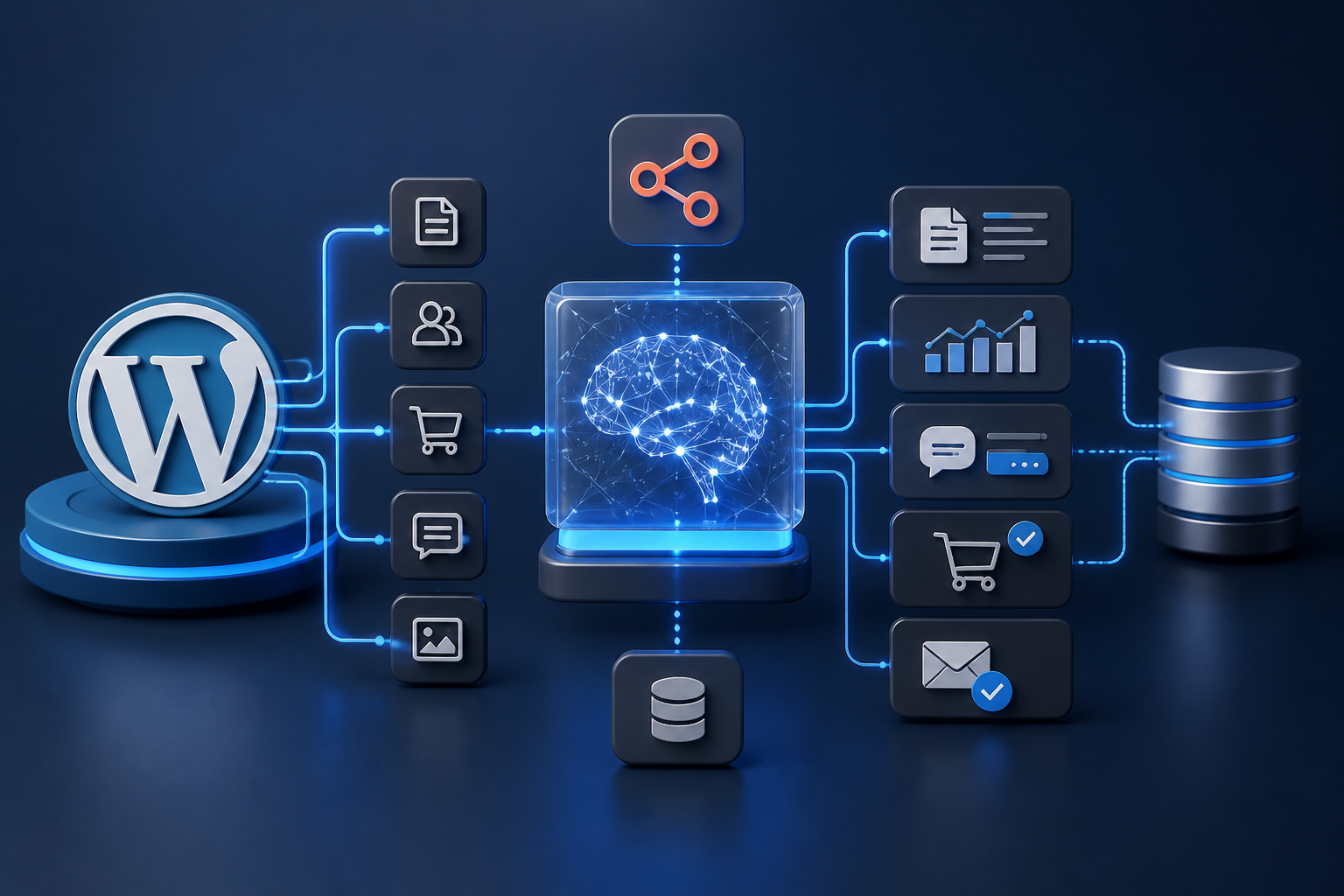
WordPress powers over 40% of the active web, ranging from simple publication blogs to enterprise-scale WooCommerce storefronts processing thousands of transactions hourly. Historically, managing content pipelines, customer support triage, catalog optimization, and data synchronization across these platforms relied heavily on manual labor or rigid, rule-based software scripts. While standard workflow automation tools like Zapier or traditional cron-based PHP tasks improved operational throughput, they remained inherently limited by their inability to handle non-deterministic inputs, unstructured web data, semantic analysis, or context-aware decision-making.
The advent of accessible Large Language Models (LLMs), multimodal AI models, vector stores, and autonomous AI agent architectures has fundamentally reshaped digital operations. Building reliable connections between wordpress ai and workflows represents the convergence of modern artificial intelligence with the WordPress platform. Rather than using simple IF/THEN branching logic, leveraging modern wordpress ai automation allows digital teams to process unstructured text, analyze user intent, parse raw media, enforce schema constraints, execute autonomous function calls, and synthesize complex decisions back into the WordPress REST API.
This technical guide provides digital architects, WordPress engineers, enterprise site administrators, and automation strategists with the foundational knowledge and implementation blueprints needed to construct resilient, enterprise-grade AI workflows. Whether you are aiming to build an autonomous content curation pipeline, automate complex WooCommerce order triage, or integrate low-code external orchestrators like n8n with specialized AI endpoints, this document outlines the exact architectural patterns, code structures, security models, and operational frameworks required for production success.
Core Architectural Paradigms: AI Agents vs. Traditional Workflows
Understanding how artificial intelligence elevates workflow automation requires a clear operational distinction between traditional, deterministic automation and modern, probabilistic AI agent systems, as well as understanding how a native wordpress workflow differs from an autonomous agent.
What is the difference between an AI agent and a workflow?
A traditional wordpress workflow automation is a deterministic sequence of pre-programmed steps. It follows strict conditional logic: an explicitly defined trigger event (such as a form submission, post status update, or WooCommerce webhook) fires, causing the system to pass hardcoded payload fields through a fixed series of actions. If an unexpected input format, network anomaly, or unstructured data block enters this chain, the traditional workflow either halts, throws an exception, or processes malformed data without comprehension.
An AI agent, by contrast, operates on probabilistic reasoning, contextual comprehension, and self-directed decision-making. An AI agent is supplied with a specific goal, operational instructions, accessible tools (functions, APIs, database access), and context. Instead of executing a single static code path, the agent evaluates input data, determines which operational steps to execute, constructs parameters dynamically, evaluates output quality against predefined metrics, and can even attempt corrective loops if tool execution returns unexpected responses.
| Dimension | Traditional Workflow Automation | AI Agent Automation |
|---|---|---|
| Execution Model | Deterministic (Fixed rules, explicit code logic) | Probabilistic (Contextual analysis, LLM inference) |
| Data Processing | Requires strict, pre-structured JSON/XML formats | Handles unstructured text, voice, raw image inputs |
| Branching Logic | Explicit nested IF/THEN conditions | Dynamic tool selection via function calling / schema mapping |
| Adaptability | Fails when incoming schema or input structure varies | Interprets variations, normalizes formats, handles edge cases |
| WordPress Context | Copies static post fields across plugin databases | Evaluates whole-site contextual knowledge via vector stores |
Can AI agents be used to automate workflows?
Yes, AI agents can be embedded directly within automated workflows to replace manual cognitive steps, or they can act as orchestrators that supervise multi-stage digital workflows. In modern WordPress enterprise architectures, hybrid design patterns dominate: a traditional workflow orchestrator (such as n8n, low-level webhooks, or native WordPress event queues) manages the triggering, rate limiting, system transport, and security layers, while an internal AI agent acts as a hyper-capable cognitive execution node.
For instance, in a WooCommerce refund evaluation workflow, a standard trigger captures an incoming customer request. The request is handed to an AI agent equipped with REST tools to query order records, evaluate customer purchase history, parse support transcript sentiment, analyze product return parameters, and return a structured JSON decision: "approve_refund": true, accompanied by a generated, empathetic customer message and an automated internal risk score.
Topology Comparison: Native Plugins vs. Decoupled External Orchestration
When implementing WordPress AI workflow automation, architects must decide where the cognitive heavy lifting and pipeline state logic reside. There are two primary system topologies:
- In-Process / Native WordPress Plugins: AI tasks execute entirely inside the WordPress PHP runtime environment using local action hooks, standard cron processing, or native plugin extensions. While convenient for rapid setup, this topology can quickly saturate PHP worker execution pools, trigger Gateway Timeouts (HTTP 504) during long LLM response cycles, degrade database performance, and expose secret API keys inside site backups.
- Decoupled / Middleware Orchestration (Recommended): WordPress functions strictly as an application endpoint and user interface layer. External enterprise orchestration engines—such as self-hosted n8n instances or dedicated cloud queues—listen for native WordPress webhooks. The external orchestrator securely manages state, manages token context, interacts with vector databases and LLM APIs, executes rate limits, handles failure retries, and returns final structured payloads back to WordPress via authenticated REST API calls.
Prerequisites, Infrastructure, and Security Architecture
Constructing a high-reliability WordPress AI workflow engine requires careful configuration of infrastructure layers, security boundaries, and authentication standards before writing automated logic.
Authentication and Access Control
Connecting external AI orchestration servers or workflow engines (like n8n) to WordPress requires robust API authentication protocols. Avoid passing database administrator credentials or raw user passwords across endpoints.
- Application Passwords: For standard REST API access, utilize native WordPress Application Passwords assigned to non-interactive service accounts. Create dedicated user profiles (e.g.,
ai_workflow_bot) restricted strictly to the roles and capabilities required for the task (e.g., capability to create draft posts or manage WooCommerce orders, but not install plugins or edit site files). - JSON Web Tokens (JWT) / OAuth 2.0: For high-frequency, multi-tenant, or distributed microservice setups, implement enterprise-grade JWT or OAuth 2.0 endpoint authentication extensions. Securely issue short-lived access tokens accompanied by signed refresh keys.
- Webhook Secret Signing: When WordPress sends outgoing webhooks to notify external AI workers of site events, sign every HTTP request using an HMAC-SHA256 hash containing a shared secret. The receiving orchestrator calculates the signature against the raw body payload and drops unauthorized traffic before sending tokens to LLM APIs.
Data Privacy, Compliance, and Boundary Isolation
Sending WordPress site data to third-party artificial intelligence inference providers presents critical data governance considerations. Compliance standards such as GDPR, CCPA, and HIPAA require rigorous management of Personally Identifiable Information (PII).
- PII Sanitization & Anonymization: Prior to transmitting WooCommerce customer data, user post drafts, or transaction logs to an LLM provider, run payload scrubbers to strip IP addresses, home addresses, phone numbers, email strings, and credit card telemetry.
- Data Residency & API Data Privacy Policies: Ensure external AI API services explicitly offer Zero Data Retention (ZDR) options and guarantee that transmitted payloads are not utilized for public foundation model retraining.
- Least-Privilege API Key Isolation: Issue scoped, budget-capped API key credentials for each distinct automated workflow process. If an isolated workflow key is compromised or exceeds daily token allocations, unrelated workflows remain unaffected.
Asynchronous Execution and Worker Buffering
Standard web requests inside WordPress execute synchronously on a PHP worker thread, usually bounded by strict execution limits (e.g., max_execution_time = 30 or 60 seconds). Complex LLM generation tasks, multi-step agent reasoning, or vector store semantic indexing often exceed these boundaries.
To establish stability, offload synchronous request queues immediately using Action Scheduler inside WordPress or delegate state management completely to external webhook execution queues in n8n. The initial trigger request immediately receives an HTTP 202 Accepted response, freeing the user-facing web server while background execution processing takes place safely in an isolated queue thread.
Phase 1: Setting Up the Infrastructure Stack
To illustrate robust WordPress AI workflow automation, we will walk through constructing an enterprise-grade automated context pipeline. The target infrastructure comprises four interconnected pillars:
- WordPress Core / WooCommerce: Operating as the client content node and endpoint execution engine.
- Low-Code Webhook & Orchestration Layer (n8n): Operating as the execution state machine that parses JSON streams, handles retry logic, and manages control logic.
- AI Inference Services (OpenAI API / Anthropic Claude / Local Ollama models): Operating as the probabilistic cognitive engine.
- Vector Database (Qdrant, Pinecone, or PGVector): Operating as the long-term semantic memory storage for Retrieval-Augmented Generation (RAG).
Configuring WordPress REST API Endpoints
By default, WordPress provides public and authenticated REST endpoints under /wp-json/wp/v2/ for posts, pages, categories, tags, custom post types, and meta values. WooCommerce adds standard commerce resources under /wp-json/wc/v3/.
To handle customized workflow actions efficiently, developer best practice dictates registering clean, scoped, custom REST routes within WordPress using native functions. This minimizes external network overhead by exposing only the precise fields necessary for automation payloads.
Code Example: Registering Custom WordPress REST Endpoints and Webhook Actions
The following PHP snippet registers a custom REST endpoint designed to receive AI-processed dynamic metadata and draft content safely while verifying authentication capabilities, nonces, and input structure.
<?php
/**
 * Plugin Name: Enterprise AI Workflow Handlers
 * Description: Secure custom REST API endpoints and outbound webhooks for AI automation.
 * Version:     1.0.0
 * Author:      Automation Architect
 */

if ( ! defined( 'ABSPATH' ) ) {
    exit;
}

add_action( 'rest_api_init', function () {
    register_rest_route( 'ai-workflow/v1', '/update-post-insights/', array(
        'methods'             => 'POST',
        'callback'            => 'ai_workflow_handle_post_insights',
        'permission_callback' => 'ai_workflow_verify_permissions',
    ) );
} );

/**
 * Verify user security permissions and credentials for AI incoming REST API requests.
 */
function ai_workflow_verify_permissions( WP_REST_Request $request ) {
    // Ensure current user possesses capability to edit posts
    return current_user_can( 'edit_posts' );
}

/**
 * Handle incoming dynamic insights payloaded from external n8n/AI pipelines.
 */
function ai_workflow_handle_post_insights( WP_REST_Request $request ) {
    $post_id          = sanitize_text_field( $request->get_param( 'post_id' ) );
    $ai_summary       = sanitize_textarea_field( $request->get_param( 'summary' ) );
    $semantic_tags    = $request->get_param( 'semantic_tags' );
    $readability_score = floatval( $request->get_param( 'readability_score' ) );

    if ( empty( $post_id ) || ! get_post( $post_id ) ) {
        return new WP_Error( 'invalid_post', 'Target post identifier invalid or missing.', array( 'status' => 404 ) );
    }

    // Save AI generated attributes into Custom Post Meta fields
    update_post_meta( $post_id, '_ai_generated_summary', $ai_summary );
    update_post_meta( $post_id, '_ai_readability_score', $readability_score );

    // Assign taxonomies dynamically if passed as an array
    if ( is_array( $semantic_tags ) && ! empty( $semantic_tags ) ) {
        $sanitized_tags = array_map( 'sanitize_text_field', $semantic_tags );
        wp_set_post_terms( $post_id, $sanitized_tags, 'post_tag', true );
    }

    return new WP_REST_Response( array(
        'success' => true,
        'message' => 'Post insights successfully assigned.',
        'post_id' => $post_id,
    ), 200 );
}
Phase 2: Step-by-Step Implementation — Building an Automated AI Content Pipeline
A primary implementation use case for enterprise wordpress content automation is an end-to-end publishing pipeline. Rather than manually researching and structuring posts, constructing a sophisticated ai content workflow for wordpress coordinates content research, validation, generation, and media generation across multiple specialized nodes. Managing a clean ai content workflow inside wordpress prevents common synchronization delays and keeps high-volume publishing pipelines contextually aligned.
Workflow Blueprint Architecture
The content generation workflow follows a controlled, multi-stage processing blueprint designed to guarantee quality and structure:
- Trigger Event: A content editor creates a simple topic entry inside a custom WordPress Post type (e.g., “Content Pitch”) or submits a webhook payload from an external operational board.
- Web Scraping and Context Enrichment: The orchestration hub fetches relevant external web sources, structural guidelines, target keywords, and site historical context.
- Structured Content Generation (LLM Agent 1): The primary generation prompt creates structured JSON containing the title, meta description, optimized HTML outline, main post text, and suggested image prompts.
- Semantic Validation and SEO Analysis (LLM Agent 2): An independent validation node checks the output for tone consistency, internal entity links, target keyword distribution, and readability.
- Dynamic Image Asset Generation: An AI image synthesis model (e.g., DALL-E 3 or Midjourney backend) builds a custom featured image using the prompt generated in step 3.
- Payload Delivery via REST API: The orchestrator uploads the created image asset to the WordPress Media Library via
/wp/v2/media, attaches the media ID as the featured image, creates a high-qualitydraftpost status via/wp/v2/posts, and notifies the editorial team via Slack or email for human approval.
Iterative AI Assistance: The Correct Sequence of Actions
To establish a production-grade pipeline, architects must identify the correct sequence of actions to guide the iterative workflow in wordpress with ai assistance. select all valid options. Simply passing a prompt and publishing raw text is a recipe for broken layouts, hallucinated links, and database schema errors. A robust, self-correcting sequence consists of these valid options:
- 1. Event Capture & Context Retrieval: Intercept the initial trigger (e.g., custom post status or external task creation) and compile dynamic contextual documentation alongside targeted search-index results.
- 2. Draft Generation & Parsing: Pass the compiled prompt and parameters to the cognitive LLM node to generate the initial structured JSON payload based on strict output schemas.
- 3. Semantic Validation & Constraint Checking: Route the model output through validation scripts to verify schema layout, internal link structures, word counts, and security criteria.
- 4. Iterative Self-Healing Feedback Loop: If the verification node catches formatting errors or missing parameters, automatically pipe the raw malformed string back to the model with an automated error trace to trigger corrective generation, bypassing manual intervention.
- 5. Secure Endpoint Execution: Commit the successfully parsed, fully healed, and verified payload to the WordPress database via REST APIs.
Enforcing Strict JSON Output Schemas with LLMs
Unstructured generative outputs are the single greatest point of failure in software automation pipelines. If an LLM returns conversational filler such as “Here is your generated article HTML code…”, the REST API payload will fail, corrupt database formatting, or break frontend rendering templates.
To guarantee complete payload stability, modern developers employ Structured Outputs or strict JSON Schema function definitions supported by advanced model engines. Below is an example JSON Schema used in n8n execution nodes to enforce structural consistency from OpenAI or Anthropic calls:
{
  "$schema": "http://json-schema.org/draft-07/schema#",
  "title": "WordPressPostPayload",
  "type": "object",
  "properties": {
    "title": {
      "type": "string",
      "description": "SEO-optimized title containing the main target keyword under 60 characters."
    },
    "slug": {
      "type": "string",
      "description": "URL-friendly slug, hyphen-separated, lowercase."
    },
    "excerpt": {
      "type": "string",
      "description": "Comprehensive post excerpt summarizing key takeaways in 120-150 words."
    },
    "html_content": {
      "type": "string",
      "description": "Fully structured raw semantic HTML body containing h2, h3, p, and ul elements. No outer html/body tags."
    },
    "seo_meta_description": {
      "type": "string",
      "description": "Compelling search meta description under 155 characters."
    },
    "tags": {
      "type": "array",
      "items": {
        "type": "string"
      },
      "description": "Array of 4-6 semantic entity keywords."
    },
    "featured_image_prompt": {
      "type": "string",
      "description": "Detailed prompt for text-to-image generation models."
    }
  },
  "required": ["title", "slug", "excerpt", "html_content", "seo_meta_description", "tags", "featured_image_prompt"],
  "additionalProperties": false
}
Configuring the Orchestrator Nodes in n8n
In the orchestration engine (n8n), the workflow is constructed using sequential pipeline nodes:
- Webhook Node: Listens for POST calls containing initial topic targets and API keys.
- HTTP Request Node (Fetch Context): Queries target web endpoints or existing WordPress post tags to establish existing topical coverage.
- OpenAI Chat Model Node (Structured Response): Configured with the System Instruction: “You are a technical editor for an enterprise software blog. Analyze the input topic, generate accurate structural content, and return strictly valid JSON formatted to the schema supplied.” The schema above is assigned under the response parameters.
- Image Generation Node: Receives
json.featured_image_prompt, executes an image rendering endpoint, and receives a binary image asset or temporary URL back. - WordPress HTTP Request Node 1 (Upload Media): Sends binary image data to
https://example.com/wp-json/wp/v2/mediausing standard multipart form headers. Stores returnedmedia_id. - WordPress HTTP Request Node 2 (Create Post Draft): Executes a POST request to
https://example.com/wp-json/wp/v2/postspassing payload attributes directly:
{
  "title": "={{ $json.title }}",
  "slug": "={{ $json.slug }}",
  "excerpt": "={{ $json.excerpt }}",
  "content": "={{ $json.html_content }}",
  "status": "draft",
  "featured_media": "={{ $node['Upload_Media'].json.id }}",
  "meta": {
    "_yoast_wpseo_metadesc": "={{ $json.seo_meta_description }}"
  }
}
Phase 3: Step-by-Step Implementation — Autonomous WooCommerce AI Operations & Customer Support Routing
Beyond content publishing pipelines, enterprise workflow automation delivers substantial operational benefits within e-commerce operations powered by WooCommerce.
Dynamic WooCommerce Order Intent Parsing and Routing
Consider a high-volume enterprise store handling complex global fulfillment, custom orders, or complex refund logic. Standard WooCommerce emails require manual customer support agents to parse incoming emails, search order tables, check shipping carrier statuses, evaluate customer lifetime value (LTV), and issue updates.
By connecting an AI Agent workflow to WooCommerce hooks, customer service triage can be automated securely using real-time decision loops.
Code Example: Hooking into WooCommerce Order Events for External AI Dispatch
This snippet captures new order note creations or support inquiries, constructs a context-rich payload, and dispatches an outbound webhook signature to an external AI routing engine asynchronously using WordPress Action Scheduler.
<?php
/**
 * Dispatch WooCommerce order support note events to an asynchronous Action Scheduler queue.
 */
add_action( 'woocommerce_order_note_added', 'ai_automation_queue_order_note_event', 10, 2 );

function ai_automation_queue_order_note_event( $note_id, $order ) {
    // Prevent recursive processing loops if note was placed by the automation agent itself
    $note = get_comment( $note_id );
    if ( strpos( $note->comment_content, '[AI System]' ) !== false ) {
        return;
    }

    // Schedule an asynchronous background execution task immediately
    as_enqueue_async_action( 'ai_automation_process_order_note_task', array(
        'order_id' => $order->get_id(),
        'note_text' => $note->comment_content,
    ) );
}

// Handle scheduled background task execution
add_action( 'ai_automation_process_order_note_task', 'ai_automation_execute_order_webhook', 10, 2 );

function ai_automation_execute_order_webhook( $order_id, $note_text ) {
    $order = wc_get_order( $order_id );
    if ( ! $order ) {
        return;
    }

    $webhook_url = 'https://n8n.example.com/webhook/woocommerce-ai-triage';
    $shared_secret = 'YOUR_HIGHLY_SECURE_HMAC_SECRET_KEY';

    $payload = array(
        'order_id'           => $order_id,
        'order_status'       => $order->get_status(),
        'customer_email'     => $order->get_billing_email(),
        'order_total'        => $order->get_total(),
        'currency'           => $order->get_currency(),
        'items'              => array(),
        'customer_note'      => $note_text,
        'timestamp'          => time(),
    );

    foreach ( $order->get_items() as $item ) {
        $payload['items'][] = array(
            'product_id'   => $item->get_product_id(),
            'product_name' => $item->get_name(),
            'quantity'     => $item->get_quantity(),
        );
    }

    $json_payload = wp_json_encode( $payload );
    $signature    = hash_hmac( 'sha256', $json_payload, $shared_secret );

    wp_remote_post( $webhook_url, array(
        'method'    => 'POST',
        'headers'   => array(
            'Content-Type'        => 'application/json',
            'X-Signature-256'    => $signature,
        ),
        'body'      => $json_payload,
        'timeout'   => 15,
    ) );
}
Customer Support Agent Decision Logic inside n8n
Upon receiving the secure HMAC-validated signature, the receiving n8n workflow executes a cognitive logic sequence:
- Sentiment and Intent Classification Node: The AI model evaluates
customer_noteto categorize intent into structured taxonomy terms:REFUND_REQUEST,SHIPPING_STATUS_INQUIRY,PRODUCT_USAGE_HELP, orFRAUD_ALERT. - Conditional Tool Execution (Function Calling):
- If
SHIPPING_STATUS_INQUIRY: The workflow executes an API lookup call to the shipping carrier (e.g., FedEx/UPS), retrieves live tracking status, and formulates a concise status email. - If
REFUND_REQUEST: The agent queries customer historical order lifetime values via WooCommerce REST API. If purchase age is < 14 days and refund rules pass automated compliance thresholds, the AI posts an internal staff note back to WooCommerce via REST API:"[AI System]: Approved refund criteria. Draft refund pre-staged."
- If
- Human-in-the-Loop Safeguard: For complex or high-value inquiries, the AI marks the ticket as
NEEDS_HUMAN_REVIEW, generates an summarized draft answer, and posts it to an internal Slack dashboard for agent one-click sign-off.
Phase 4: Advanced RAG (Retrieval-Augmented Generation) Workflows for WordPress
Standard LLM models suffer from training cutoff dates and lack precise awareness of proprietary company context, specialized product catalogs, internal knowledge base articles, or dynamic WordPress content databases. Injecting full site catalogs directly into system prompts causes severe API context overflow errors, huge token bills, and poor output quality.
To overcome this, high-performance site architects implement Retrieval-Augmented Generation (RAG) automation pipelines that synchronize WordPress data with dedicated external vector stores in real time.
Understanding Vector Embeddings and Vector Databases
A vector embedding represents textual information translated into dense arrays of floating-point numbers (e.g., a 1536-dimensional array). Content with similar semantic meaning resides close together in vector space, enabling hyper-fast context lookup based on mathematical similarity rather than exact string/keyword matching.
Automating Vector Synchronization on Post Save
To keep vector memory synchronized with active site content, every post modification, WooCommerce product update, or knowledge base edit in WordPress must trigger an automated background update flow.
Workflow Mechanics for Automated Vector Ingestion
- WordPress Event Trigger: A content creator updates a post or product documentation in WordPress.
- Action Scheduler Dispatch: WordPress asynchronously calls a vector sync endpoint in the workflow orchestrator.
- Text Chunking Node: The orchestrator fetches full post content, strips HTML markup, and breaks down raw text into manageable chunks (e.g., 500 tokens with a 50-token overlap window).
- Embedding Generation: The orchestrator passes text chunks to an embedding model endpoint (e.g., OpenAI
text-embedding-3-smallor local HuggingFace embeddings). - Vector Database Upsert: The output embedding vectors are written into vector collections (Qdrant/Pinecone) alongside structured payload metadata containing post IDs, permalinks, titles, and publication dates.
Code Example: Hooking WordPress Updates to Dynamic Vector Synchronization
<?php
/**
 * Synchronize post updates to vector embedding pipelines automatically.
 */
add_action( 'save_post', 'ai_vector_sync_on_post_save', 10, 3 );

function ai_vector_sync_on_post_save( $post_id, $post, $update ) {
    // Ignore revisions, autosaves, and non-public post types
    if ( wp_is_post_revision( $post_id ) || wp_is_post_autosave( $post_id ) ) {
        return;
    }

    if ( $post->post_status !== 'publish' || $post->post_type !== 'post' ) {
        return;
    }

    // Schedule vector sync task via Action Scheduler to keep post save snappy
    as_enqueue_async_action( 'ai_automation_sync_vector_store_task', array(
        'post_id' => $post_id,
    ) );
}

add_action( 'ai_automation_sync_vector_store_task', 'ai_automation_execute_vector_sync', 10, 1 );

function ai_automation_execute_vector_sync( $post_id ) {
    $post = get_post( $post_id );
    if ( ! $post ) {
        return;
    }

    $vector_sync_webhook = 'https://n8n.example.com/webhook/vector-index-upsert';

    $payload = array(
        'post_id'      => $post->ID,
        'title'        => $post->post_title,
        'permalink'    => get_permalink( $post->ID ),
        'raw_content'  => wp_strip_all_tags( $post->post_content ),
        'last_modified'=> $post->post_modified_gmt,
    );

    wp_remote_post( $vector_sync_webhook, array(
        'method'    => 'POST',
        'headers'   => array(
            'Content-Type' => 'application/json',
            'X-Secret-Key' => 'ENTER_YOUR_SECURE_INTERNAL_HEADER_KEY',
        ),
        'body'      => wp_json_encode( $payload ),
        'timeout'   => 30,
    ) );
}
Retrieval and Synthesis Execution
When an internal automated agent or site chatbot needs to answer user questions or synthesize new content, it executes a two-stage retrieval operation:
- Similarity Query: The user prompt or agent question is embedded into a vector. The orchestrator queries the vector store for the top 3-5 most mathematically relevant text chunks.
- Context Augmentation: The retrieved text chunks are injected dynamically into the LLM system prompt:
SYSTEM PROMPT:
You are an expert assistant for WordPress Site Operations. Answer the user question using ONLY the retrieved contextual documentation below. If the context does not contain enough information, state clearly that you do not know.

RETRIEVED CONTEXT:
--- Chunk 1 [ID: 4021] ---
{{ $json.retrieved_chunk_1 }}
--- Chunk 2 [ID: 8820] ---
{{ $json.retrieved_chunk_2 }}

USER QUESTION:
{{ $json.user_query }}
Phase 5: Error Handling, Rate Limiting, Failure Recovery, and Observability
Production AI workflow systems require enterprise resilience. Unlike traditional software services that return binary pass/fail responses rapidly, artificial intelligence models introduce high processing latencies, unpredictable output variations, API rate limits (HTTP 429), and non-transient model outages.
Managing Timeouts and Async Boundaries
Top-tier models like GPT-4o or Claude 3.5 Sonnet processing deep agent logic can require 10 to 45 seconds to synthesize complex responses. Executing these operations inside a synchronous WordPress HTTP request leads directly to server timeouts, web server worker exhaustion, and bad end-user web experiences.
- Always decouple client execution: Acknowledge incoming requests immediately with an HTTP 202 status, then handle multi-step agent actions in background queues (Action Scheduler or n8n task queues).
- Set realistic network timeout bounds: Configure cURL timeouts inside WordPress (
wp_remote_post) to at least 30–60 seconds for dedicated background worker processes.
Handling Model Rate Limits and HTTP 429 Responses
AI model providers enforce strict rate restrictions: Requests Per Minute (RPM), Tokens Per Minute (TPM), and Tokens Per Day (TPD). High-traffic WordPress automation pipelines can easily saturate these limits during bulk post updates or major catalog imports.
- Exponential Backoff with Jitter: Configure orchestrator execution nodes (e.g., n8n Retry Settings) to retry failed API calls using exponential backoff strategies (e.g., retry after 2s, 4s, 8s, 16s) augmented with random jitter to prevent synchronized API thundering herd scenarios.
- Model Fallback Cascades: Implement automated failover branches. If the primary model endpoint (e.g., Claude 3.5 Sonnet) returns an HTTP 503 service unavailable or 429 rate limit error, the orchestrator instantly routes the prompt payload to a secondary fallback model (e.g., GPT-4o or a local self-hosted vLLM engine).
Structural JSON Parsing Fallback Loops
Even when instructed to return strict JSON, generative models may occasionally return broken formatting, missing comma brackets, or malformed string escapes under heavy loads. Production systems must never break when malformed strings are returned.
Implementing Self-Healing Recovery Steps in n8n
- Attempt Initial Parse: Run incoming model text through a Code/JSON parsing node.
- Catch Error Condition: If parsing throws an exception, catch the error branch immediately.
- Execute Repair Prompt (Self-Healing Loop): Pass the raw malformed output string back to a lightweight, fast LLM model (e.g., GPT-4o-mini) with a targeted prompt: “The following string failed JSON parsing due to syntax errors. Fix all syntax errors, repair bracket alignment, escape invalid quotes, and return strictly valid raw JSON matching the required schema. Do not add explanations.”
- Re-Evaluate Parse: Route fixed output back into the primary validation node. If it passes, process content to WordPress. If it fails twice, mark workflow status as
FAILED_MANUAL_INTERVENTION_REQUIREDand log alerts.
Observability, Cost Tracking, and Logging Frameworks
Operating enterprise WordPress AI automation without operational metrics exposes organizations to unmonitored API expenses and silent workflow failures.
- Token Consumption Tracking: Track operational costs by storing total prompt tokens, completion tokens, and estimated cost calculated per execution task inside custom post meta or log tables.
- Centralized Logging: Pipe error traces, model latency metrics, and API status codes to log management dashboards (such as Datadog, Grafana Loki, or Sentry).
- Input/Output Sanitization Auditing: Store raw prompt records and raw model output strings in isolated security logs for quality auditing and compliance verification.
Comprehensive Decision Framework & Comparative Analysis
Choosing the correct architectural stack for WordPress AI workflow automation depends on technical resource availability, budget scale, privacy compliance constraints, and long-term maintainability goals.
| Architecture Category | Native WordPress AI Plugins | SaaS Integration Tools (Zapier / Make) | Self-Hosted Decoupled Orchestration (n8n + WP REST API) |
|---|---|---|---|
| Primary Target Audience | Non-technical site owners, simple blogs, rapid non-custom setups. | Small to mid-market businesses, low-code operations teams. | Enterprise developers, agency architects, data-sensitive operations. |
| Setup Complexity | Very Low (Plugin install & single API key copy-paste). | Low to Moderate (Visual builder, pre-made integration templates). | Moderate to High (Requires Docker setup, API authentication, server management). |
| Flexibility & Customization | Rigid (Limited to developer pre-set workflows and options). | Moderate (Constrained by SaaS connector triggers, subscription steps). | Unlimited (Full code execution nodes, custom endpoints, unrestricted node loops). |
| Execution Performance | Can impact host performance; bound to local PHP limits. | High (Runs on SaaS cloud clusters; zero load on WordPress host). | Enterprise Grade (High concurrency, isolated dedicated queues). |
| Operational Cost Scale | Recurring plugin licenses plus raw API provider costs. | High ongoing operational costs (Priced per task step; scales rapidly). | Lowest marginal execution cost (Server host cost + direct model API rates). |
| Data Privacy Control | Varies; credentials and keys stored inside WordPress database. | Data flows through multi-tenant third-party SaaS cloud servers. | Complete data sovereignty; execution pipelines run on private VPCs. |
Troubleshooting & Edge Cases in WordPress AI Automations
When running enterprise AI automations against WordPress instances, developers often face platform-specific operational failures. Below are proven remediation procedures for common edge cases.
1. HTTP 504 Gateway Timeouts During Bulk Processing
Symptom: Nginx or Apache returns HTTP 504 Gateway Timeout errors when executing batch updates or running long LLM synthesis steps.
Root Cause: The PHP worker thread exceeded backend proxy timeouts (e.g., fastcgi_read_timeout) waiting for third-party AI APIs to complete text generation.
Solution: Shift all AI task execution away from front-facing HTTP requests. Offload processing to background execution threads using WordPress Action Scheduler or an external n8n engine. Ensure the client HTTP endpoint returns an immediate HTTP 202 Accepted confirmation.
2. Nonce and REST Authorization Failures in Background Cron
Symptom: REST API requests executed by local cron jobs or external services return HTTP 401 Unauthorized or HTTP 403 Cookie Check Failed errors.
Root Cause: WordPress nonces are bound to user sessions and expire after 12–24 hours. Using static nonces in persistent background workers causes authentication failure once the security window lapses.
Solution: Do not use user session nonces for persistent server-to-server AI automations. Authenticate background requests using dedicated WordPress Application Passwords attached to dedicated automation service accounts, or pass signed JWT tokens generated explicitly per request execution.
3. Malformed Semantic Formatting and Raw HTML Escape Corruption
Symptom: Post drafts generated by AI workflows show raw unrendered HTML code (e.g., <h2>) or broken block structures on the WordPress frontend.
Root Cause: Double-sanitization or double-escaping occurs when passing HTML output strings through standard wp_insert_post() calls or REST API parameters without defining raw context handling.
Solution: Ensure prompt outputs return clean, unescaped HTML strings inside structured JSON schemas. When executing native PHP insertions, assign content fields carefully and pass clean payloads without running redundant esc_html() filters on raw layout strings intended for database post storage. Run content through wp_kses_post() to allow safe HTML tags while stripping unsafe scripts.
Best Practices for Production AI Workflow Governance
Deploying AI automation into production environments requires strict system governance to protect brand reputation, maintain system performance, and enforce code security.
Human-in-the-Loop (HITL) Guardrails
Never allow fully autonomous, unmonitored AI agents to publish public content or perform direct financial operations (such as approving order refunds or modifying live prices) without initial human review stages.
- Draft Publication Status: Program content generation workflows to set initial post statuses strictly to
draftorpending. Send automated Slack or Microsoft Teams notifications containing preview links directly to human editors for final sign-off. - Threshold-Based Operations: Configure e-commerce workflows with operational safety bounds. For example, automatically process order refunds if order values are under $50, but flag higher-value requests for manual review by human support personnel.
Version Control for Prompts and Automation Logic
Treat system prompts, JSON schemas, and workflow node configurations as critical application source code.
- Prompt Versioning: Store system prompts in version-controlled repositories (Git) rather than hardcoding them inside database fields or visual orchestration canvases. Track version performance metrics to identify regression trends.
- Workflow JSON Backups: Export workflow blueprints from orchestrators (e.g., n8n workflow JSON configurations) and commit them to version control alongside custom WordPress integration plugin code.
Input Validation and Output Sanitization Security
AI integrations introduce unique security vulnerabilities, including Prompt Injection Attacks, where malicious users attempt to hijack backend agent instructions by submitting manipulated form inputs or order comments.
- Sanitize Input Payload Boundaries: Before passing user-generated content (such as customer support comments or contact forms) into an LLM context window, wrap user inputs inside strict XML/text boundary tags (e.g.,
<user_input>{{ input }}</user_input>) and instruct system models never to execute commands contained within those boundaries. - Sanitize Output HTML Before Storage: Before writing AI-generated content into the WordPress MySQL database, pass string outputs through
wp_kses_post()to strip potential XSS payloads, unsafe JavaScript code, or maliciousiframeinjections.
Frequently Asked Questions
Can AI agents be used to automate workflows?
Yes. AI agents excel at automating complex workflows that involve unstructured data, dynamic decision-making, natural language understanding, or contextual evaluation. Unlike traditional automated workflows that rely on rigid IF/THEN rules, AI agents process context, evaluate execution parameters, execute dynamic tool functions, and recover from unexpected input formats, making them highly effective for dynamic business processes.
What is the difference between an AI agent and a workflow?
A traditional workflow is a deterministic, step-by-step sequence of pre-programmed actions that follow strict conditional logic. An AI agent is an autonomous cognitive system driven by a model engine that uses probabilistic reasoning to interpret goals, choose tools, plan steps, and adapt execution dynamically based on incoming context.
How do wordpress ai and workflows compare to standard automated plugins?
Standard automated plugins handle deterministic tasks like copying a title from WordPress to Twitter. Complex wordpress ai and workflows can evaluate the semantic meaning of an entire post, perform search-intent analysis, synthesize a balanced review, automatically create supporting imagery, and safely format data according to deep contextual requirements.
Will AI workflow automation impact my WordPress site performance?
If you implement AI workflows using native plugins that execute long-running PHP scripts synchronously on your main web server, performance can suffer. However, if you adopt a decoupled architecture using external orchestrators like self-hosted n8n and asynchronous background processing like Action Scheduler, the computational load on your WordPress server remains minimal.
How do I prevent my WordPress API credentials from leaking in AI integrations?
Always avoid hardcoding admin passwords or raw user credentials inside client-side code or third-party webhooks. Instead, assign non-interactive WordPress Application Passwords to dedicated service accounts scoped with minimal required capabilities, authenticate server-to-server webhooks using signed HMAC signatures, and store secret keys securely in server environment variables.
What is the most cost-effective platform for running WordPress AI workflows?
While SaaS tools like Zapier or Make offer fast initial setup, self-hosted decoupled solutions—such as running n8n inside a private Docker container paired directly with official model provider APIs (OpenAI, Anthropic, or open-source Ollama models)—provide the lowest long-term operational cost, complete data privacy, and unlimited execution flexibility.
Conclusion and Action Plan
WordPress AI workflow automation transforms the platform from a traditional content management script into an intelligent, highly efficient operations hub. By coupling native WordPress REST endpoints and WooCommerce capabilities with flexible external orchestration engines like n8n and modern generative AI models, businesses can build resilient content production systems, streamline customer support routing, and keep dynamic vector knowledge stores synchronized in real time.
Implementation Action Plan
- Define the Target Workflow: Select a repetitive operational process currently causing throughput bottlenecks (e.g., content drafting, tag generation, support ticket triage, or product metadata creation).
- Isolate the Architecture: Establish a decoupled execution pattern using a dedicated orchestration instance (such as n8n) and secure WordPress REST API endpoint handlers.
- Deploy Security and Service Controls: Configure dedicated service user accounts, assign scoped Application Passwords, setup HMAC signature verification on webhooks, and define zero-data-retention parameters with API providers.
- Enforce Structured Schemas: Design strict system prompts and JSON response schemas to ensure model outputs map directly to database fields without manual reformatting.
- Integrate Asynchronous Buffering & Guardrails: Route long-running tasks through Action Scheduler queues, build self-healing JSON retry loops, and implement Human-in-the-Loop review steps before setting content live.
By following the system architecture, implementation steps, and security frameworks detailed in this guide, digital architects and technical leaders can construct secure, scalable, and future-proof WordPress AI workflow automation systems that deliver measurable operational efficiency.
