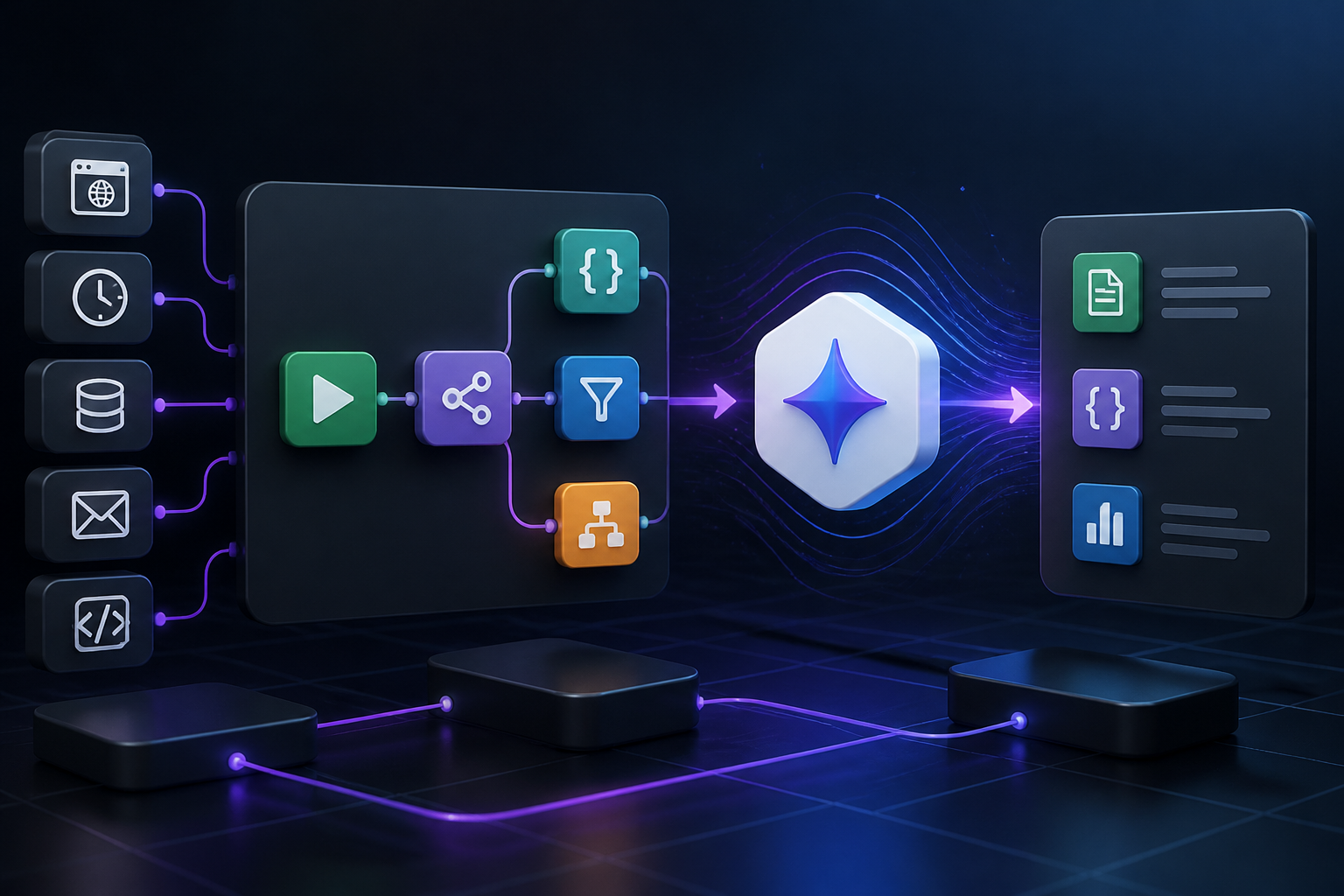
Orchestrating large language models within automated pipeline architectures requires precise API handling, structured payload design, and resilient error management. When building advanced automation pipelines, connecting Google Gemini models via gemini n8n configurations allows engineering and operations teams to process unstructured text, analyze multi-modal inputs, and execute intelligent data routing without relying on brittle custom codebases. This guide provides a comprehensive technical blueprint for integrating Google Gemini API endpoints directly into self-hosted and cloud-managed n8n instances.
By leveraging native HTTP Request nodes, advanced JSON parsing expressions, and structured prompt engineering inside visual workflows, automation engineers can construct scalable, production-grade applications. Whether you are evaluating model outputs as discussed in our Gemini Flash review or exploring broader orchestration patterns found in n8n workflow automation ideas, mastering the interaction layer between n8n and Google’s generative endpoints is essential for modern technical architecture.
Understanding the Architecture: How n8n Connects to Google Gemini
At an architectural level, integrating Google Gemini into n8n relies on standard RESTful API communication over HTTPS. While n8n offers native community nodes and specialized AI building blocks, configuring direct interactions through the HTTP Request node or dedicated LangChain integration nodes provides granular control over authentication headers, request bodies, rate limits, and response parsing.
The core data flow consists of three primary layers:
- Trigger Layer: Initiates the workflow based on an incoming webhook, scheduled cron interval, database change, or API event from external systems such as Google Gemini AI or custom e-commerce webhooks.
- Orchestration and Transformation Layer: The n8n execution engine prepares the payload, maps data parameters from previous nodes, handles variable interpolation, and manages conditional logic.
- Model Execution Layer: The Google Gemini API endpoint processes the structured payload, executes inference based on system instructions and user prompts, and returns a raw JSON payload back to n8n.
Understanding this separation of concerns ensures that your workflow remains maintainable as token volumes scale and prompt structures evolve. For a deeper look at how structural design patterns influence automated agents, review our guide on AI agents vs agentic ai.
Prerequisites and Authentication Setup
Before constructing your first gemini n8n workflow, you must establish proper API credentials and environment configurations. Securing API keys and managing environment variables correctly prevents unauthorized access and protects quota allocations.
To acquire and configure your credentials:
- Navigate to Google AI Studio and sign in with your developer account.
- Generate a new API key specifically designated for your n8n automation environment. Avoid sharing keys across disparate staging and production nodes.
- In your n8n instance, configure a new Credential of type “Header Auth” or set up a global environment variable file (
.env) containingGEMINI_API_KEY=your_secure_key_hereif you are running a self-hosted Docker deployment. - Review the endpoint specifications outlined in the official Google Gemini API Documentation to ensure compatibility with your chosen model version (such as Gemini 1.5 Pro or Gemini 1.5 Flash).
Proper credential isolation ensures that if a workflow requires rotation or security auditing, administrative overhead is minimized across your broader digital infrastructure.
Step-by-Step Tutorial: Building a Gemini Text Generation Workflow in n8n
This section walks through the manual configuration of an HTTP Request node to interface with the Google Gemini API. This approach provides maximum transparency into payload structures and error codes compared to abstracted wrapper nodes.
Step 1: Setting Up the Manual Trigger or Webhook
Create a new workflow in your n8n canvas. Add a Manual Chat Trigger or an Advanced Webhook Node to act as the entry point. For testing purposes, a manual trigger allows you to pass custom text strings directly into the execution payload.
Step 2: Configuring the HTTP Request Node for Gemini
Add an HTTP Request node to your canvas and connect it to your trigger. Configure the node parameters as follows:
- Method: POST
- URL:
https://generativelanguage.googleapis.com/v1beta/models/gemini-1.5-flash:generateContent?key={{ $env.GEMINI_API_KEY }} - Authentication: None (since the API key is passed directly as a query parameter, or alternatively configured via header authentication depending on your security preference).
- Send Body: True
- Body Content Type: JSON
In the JSON body section, construct the required schema to format user prompts and system instructions correctly:
{
  "contents": [
    {
      "parts": [
        {
          "text": "Summarize the following customer feedback into three key action items: {{ $json.customer_feedback }}"
        }
      ]
    }
  ],
  "generationConfig": {
    "temperature": 0.2,
    "maxOutputTokens": 500
  }
}
This structured payload instructs the Gemini model to evaluate incoming data with low temperature for deterministic output, capping token consumption to control execution costs.
Step 3: Parsing and Sanitizing Model Responses
The raw response returned by the Gemini API contains nested arrays and metadata (such as finish reasons, token usage statistics, and safety ratings). To extract only the generated text string for downstream nodes, attach a Code Node or a Set Node using JavaScript expression evaluation.
Use the following JavaScript snippet within an n8n Code node to safely parse the output:
const response = $input.first().json;
try {
  const textOutput = response.candidates[0].content.parts[0].text;
  return [{ json: { analysis: textOutput, status: 'success' } }];
} catch (error) {
  return [{ json: { analysis: null, status: 'error', message: error.message } }];
}
This defensive parsing structure prevents workflow halts when models encounter safety blocks or malformed outputs.
Advanced n8n Workflow Templates for Gemini Integration
Moving beyond simple text generation involves chaining multiple nodes together to create sophisticated automation pipelines. Below are three production-grade workflow templates designed for common enterprise use cases.
Template 1: Automated Multi-Channel Content Localization and Publishing
Content operations often require translating and adapting source articles into regional variations before publishing them to content management systems. This workflow template automates the entire lifecycle:
- Webhook Trigger: Receives raw draft articles from a primary content repository.
- Gemini Translation Node: Sends the source text to Gemini with strict localization prompts, requesting regional tone adjustments and SEO meta descriptions.
- Data Transformation Node: Formats the returned JSON into standard WordPress REST API schemas.
- HTTP Request / WordPress Node: Publishes the localized draft directly to your WordPress staging environment.
For organizations scaling their editorial pipelines, this pattern significantly reduces manual review overhead. To explore related content operations, reference our comprehensive guide on how to automate WordPress blog posts.
Template 2: E-Commerce Customer Review Sentiment Analysis and Routing
Managing customer feedback across high-volume e-commerce stores requires immediate categorization and priority flagging. This workflow connects customer feedback directly to intelligent classification models:
- WooCommerce Webhook Trigger: Fires whenever a new product review or customer support ticket is created.
- Gemini Analysis Node: Evaluates the sentiment score (Positive, Neutral, Negative) and extracts product defect categories.
- Switch Node: Routes negative reviews to an urgent Slack or CRM escalation queue while archiving positive reviews into a sentiment tracking spreadsheet.
This architecture ensures rapid response times for critical customer issues. For further insights into structuring e-commerce automation systems, consult our guide on WooCommerce automation.
Template 3: Automated Business Intelligence Data Extraction
Extracting structured metrics from unstructured financial reports or PDF invoices can bottleneck analytical teams. By combining Gemini’s multi-modal capabilities with n8n file-handling nodes, you can build autonomous data extraction pipelines:
- Email / File Trigger: Captures incoming PDF documents or scanned invoices.
- Binary to Base64 Conversion: Prepares the document binary data for API ingestion.
- Gemini Vision Node: Parses the document layout, extracting line items, totals, and vendor names into a clean JSON object.
- Database Node: Inserts the structured data directly into an internal SQL database or business intelligence dashboard.
This approach eliminates manual data entry errors and accelerates financial reporting cycles.
Handling Errors, Rate Limits, and Edge Cases
Production automation requires robust resilience against network failures, API rate limits, and unexpected model behavior. Implementing error-handling strategies within your gemini n8n workflows prevents cascading failures.
Managing API Quotas and Rate Limiting
Google Gemini API tiers enforce strict requests-per-minute (RPM) and tokens-per-minute (TPM) limits. If your workflow processes high volumes of data concurrently, unmanaged executions will trigger HTTP 429 (Too Many Requests) errors.
To mitigate rate-limiting issues:
- Incorporate Wait Nodes: Insert a Wait Node configured with a brief delay (e.g., 500ms to 2 seconds) between batch iterations.
- Use Split In Batches: Utilize n8n’s native Split In Batches node to process large arrays in controlled chunks rather than flooding the API simultaneously.
- Implement Exponential Backoff: Configure error-handling branches that catch 429 status codes, wait for an incremental duration, and automatically retry the request.
Handling Model Safety Blocks
Gemini models incorporate built-in safety filters that occasionally block content deemed sensitive or policy-violating. When a safety block occurs, the API returns a response omitting the standard text parts array, which causes naive JavaScript extraction scripts to throw undefined property errors.
Always wrap your response parsing logic in defensive conditional checks:
if (!response.candidates || response.candidates.length === 0 || !response.candidates[0].content) {
  return [{ json: { error: 'Content blocked or empty response received', raw: response } }];
}
Logging these blocked responses allows your team to audit prompt performance and adjust safety threshold configurations within your generation parameters if necessary.
Security Considerations for AI Workflow Automation
Deploying generative AI within automated workflows introduces specific security challenges, including prompt injection vulnerabilities, unauthorized credential exposure, and accidental data exfiltration.
Adhere to the following security best practices:
- Sanitize Input Data: Never pass raw, unvalidated user input directly into model prompts without escaping special characters or wrapping inputs in explicit XML/JSON delimiters to prevent prompt injection attacks.
- Secure Credential Storage: Store API keys exclusively within n8n’s encrypted credential manager or utilize environment variables on self-hosted instances. Never hardcode keys directly into JavaScript nodes or workflow descriptions.
- Data Privacy Compliance: Review Google’s enterprise data governance policies regarding API training data retention to ensure compliance with regional privacy regulations such as GDPR and CCPA.
For organizations designing comprehensive automated systems, reviewing architectural principles found in custom AI agent development helps establish secure boundaries between autonomous agents and core databases.
Performance Optimization and Scalability
As workflow complexity increases, execution times and server resource utilization can become bottlenecks. Optimizing your gemini n8n deployment ensures consistent performance under load.
Key optimization strategies include:
- Model Selection: Match the model tier to the task complexity. Use lightweight models like Gemini Flash for high-frequency classification and summarization tasks, reserving heavier models like Gemini Pro for deep reasoning and complex coding generation.
- Payload Minimization: Strip unnecessary HTML tags, excessive whitespace, and redundant metadata from input strings before sending them to the API. Reducing token count directly decreases latency and API costs.
- Self-Hosted Infrastructure Tuning: If running n8n on Docker or Kubernetes, ensure your worker nodes have adequate RAM and CPU allocation, particularly when processing large binary files through multi-modal vision prompts.
Comparison: Native AI Nodes vs. Custom HTTP Request Nodes
When implementing gemini n8n workflows, engineers often debate whether to use n8n’s abstracted AI/LangChain nodes or raw HTTP Request nodes. The table below outlines the trade-offs of each approach.
| Evaluation Metric | Native AI / LangChain Nodes | Custom HTTP Request Nodes |
|---|---|---|
| Setup Simplicity | High; drag-and-drop interface with pre-configured parameters. | Moderate; requires manual JSON payload construction. |
| Parameter Control | Limited to options exposed by the node UI. | Absolute; direct access to every API parameter and header. |
| Error Transparency | Abstracted error messages; harder to debug raw API faults. | High; full visibility into HTTP status codes and payloads. |
| Versioning Flexibility | Dependent on n8n release cycles and node updates. | Immediate; update API version paths instantly via URL strings. |
For standard chat applications and memory-driven agents, native AI nodes accelerate initial development. For enterprise-grade pipelines requiring strict payload shaping and custom error handling, direct HTTP Request nodes remain the preferred choice.
Frequently Asked Questions
Can I run Gemini n8n workflows on a self-hosted n8n instance?
Yes. Self-hosted n8n instances deployed via Docker or Kubernetes fully support connecting to the Google Gemini API using standard HTTP Request nodes or community integration nodes, provided your server has outbound internet access to Google’s API endpoints.
How do I handle multi-modal inputs like images in n8n with Gemini?
You can process images by fetching binary file data in a preceding node (such as an HTTP Request or Read/Write Files from Disk node), converting the binary data into Base64 format, and embedding the Base64 string into the Gemini API request body under the inline_data schema parameters.
What causes HTTP 429 errors in gemini n8n workflows, and how do I fix them?
HTTP 429 errors indicate that your workflow is exceeding the requests-per-minute or tokens-per-minute quota limits set by your Google AI Studio account. You can resolve this by adding Wait nodes between iterations, splitting large data arrays into smaller batches, or upgrading your API billing tier.
Are my API prompts used by Google to train future models?
Data privacy depends on the specific API tier and billing arrangement you select with Google Cloud and Google AI Studio. Enterprise paid tiers generally provide strict data governance guarantees ensuring that API inputs and outputs are not used for model training.
Conclusion
Integrating Google Gemini models into n8n workflows bridges the gap between raw generative intelligence and structured business automation. By mastering API authentication, designing resilient JSON payloads, implementing robust error handling, and selecting the appropriate node architecture, engineering teams can build scalable, autonomous pipelines that transform unstructured data into actionable digital operations. Whether managing content publishing cycles, customer support triage, or business intelligence extraction, the techniques covered in this guide provide a solid foundation for enterprise-grade AI workflow automation.
