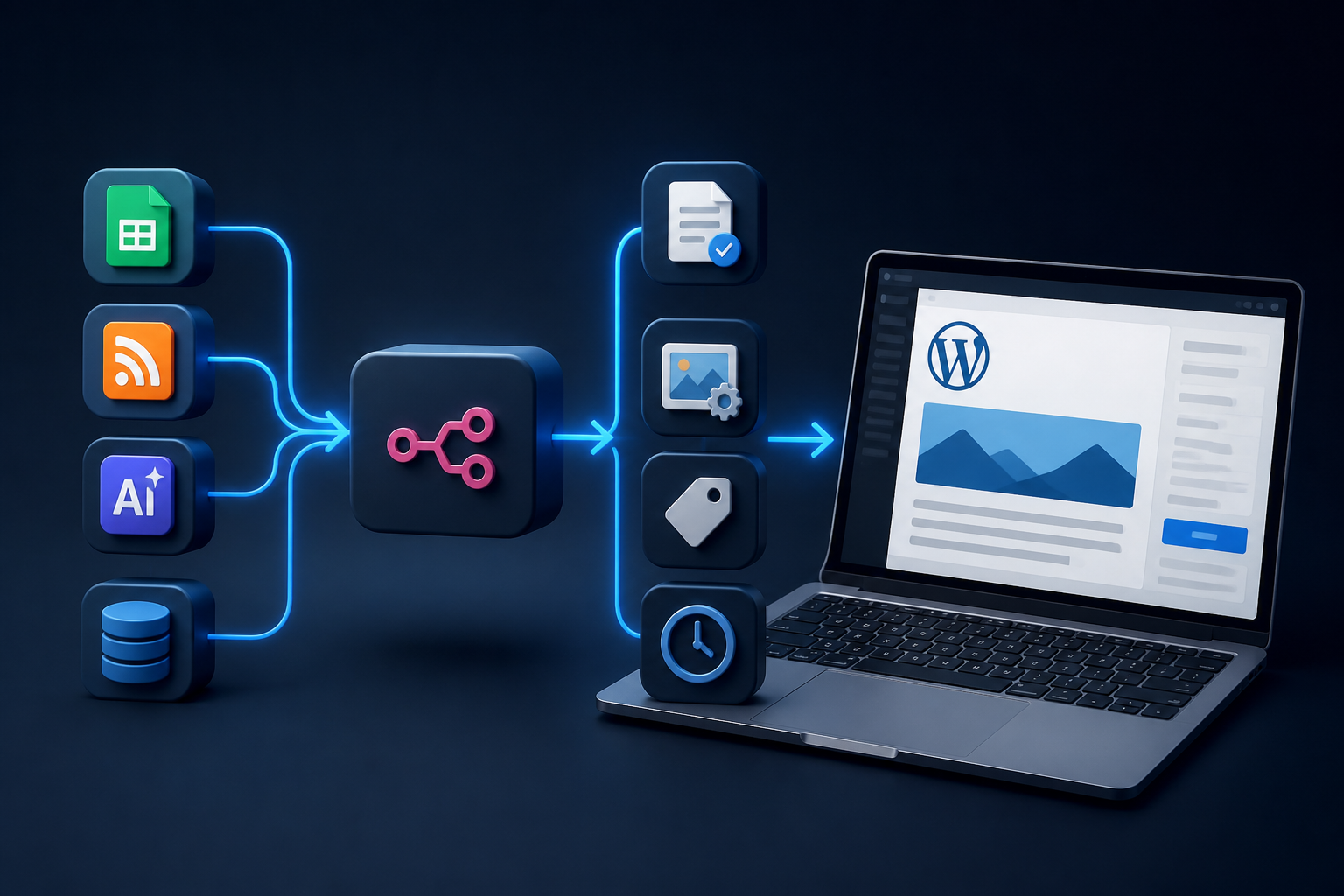
Content operations in modern digital publishing demand speed, consistency, and scale. Manual writing, formatting, media uploading, tagging, and scheduling can consume vast amounts of editorial bandwidth. For growing teams, digital agencies, and enterprise publishers, setting up a reliable system for automated blog posting on WordPress transforms routine administrative tasks into streamlined, repeatable background processes.
Whether you manage a single niche blog or a multi-author digital publication, implementing a structured automation strategy eliminates friction across your content lifecycle. This guide explores the complete architectural spectrum of WordPress post automation—ranging from built-in publishing controls and editorial plugins to advanced programmatic pipelines powered by visual workflow tools like n8n and the official WordPress Developers documentation.
How to Automate WordPress Posts
To successfully automate wordpress posts means establishing systematic triggers, data transformations, and actions that generate, format, review, or publish articles without manual intervention at every step. Automation is not merely clicking a native “Schedule” button inside the WordPress block editor; it represents a comprehensive engineering approach to content distribution.
Modern content automation relies on three fundamental architectural pillars:
- Triggers: Events that initiate the workflow, such as a new row added to an Airtable database, an RSS feed update, an approved AI-generated draft, or a webhook payload from an external service.
- Data Transformation & Processing: Middleware or low-code orchestration engines that clean text, parse Markdown, assign categories, optimize featured images, and structure JSON payloads.
- Actions: The execution phase where structured data is dispatched securely to the WordPress REST API or XML-RPC endpoint, creating drafts, scheduled posts, or live articles.
By decoupling content creation from the WordPress dashboard interface, publishers can ingest material from virtually any digital source, apply rigorous validation rules, and publish consistently on predetermined schedules.
Native Scheduling vs. Automated Pipelines
Before designing complex external workflows, it is vital to evaluate whether native platform features meet your operational requirements. WordPress includes robust core capabilities for standard publishing schedules, but external workflow tools unlock advanced multi-step capabilities.
| Feature / Capability | Native WordPress Scheduling | Automated External Pipelines (n8n / API) |
|---|---|---|
| Data Ingestion | Manual typing in Block Editor | Automated ingestion from RSS, APIs, AI, or databases |
| Media Handling | Manual media library upload | Automatic fetching, compression, and attachment via URL |
| Multi-Platform Sync | Manual cross-posting or separate plugins | Simultaneous publishing to social channels, CRMs, and CMS |
| Error Recovery | Basic WP-Cron task retries | Advanced error handling, logging, and webhook alerts |
For foundational publishing needs, native scheduling tools remain reliable. However, for organizations exploring advanced n8n workflow automation ideas, programmatic publishing provides unmatched flexibility.
Prerequisites for Secure WordPress Automation
Before connecting external applications to your WordPress instance, you must configure appropriate security layers, user permissions, and API access protocols. Connecting automation platforms directly to your core content management system requires strict adherence to security best practices.
Authentication Methods
Never use administrative username and password combinations in plain text within external automation tools. Instead, utilize secure authentication standards:
- Application Passwords: Introduced in WordPress core, Application Passwords allow individual user accounts to authenticate REST API requests securely without exposing primary account credentials.
- JWT (JSON Web Token) Authentication: For enterprise setups requiring token-based session management, JWT plugins establish secure stateless authentication tokens.
- OAuth 2.0 Plugins: Ideal for multi-tenant applications or commercial SaaS integrations requiring granular scope limitations.
REST API Configuration
The WordPress REST API is enabled by default in modern installations, exposing endpoints at https://yourdomain.com/wp-json/wp/v2/posts. Ensure your hosting environment, web application firewall (WAF), or security plugins (such as Wordfence or Solid Security) do not block POST, PUT, or DELETE requests originating from your automation server’s IP address.
Step-by-Step Guide: Automating Posts with n8n
Visual low-code platforms provide robust environments for orchestrating complex content pipelines. Below is a detailed implementation blueprint for setting up an automated post creation workflow using n8n.
Step 1: Setting Up the Trigger Node
Begin by establishing a reliable trigger node. For example, configure a “Webhook” node or a “Google Sheets” node that detects when a new row is marked as “Ready for Publishing.”
// Example Incoming Webhook Payload Structure
{
  "title": "Understanding Modern Workflow Automation",
  "content": "<p>Workflow automation transforms repetitive digital tasks...</p>",
  "status": "publish",
  "categories": [12, 15],
  "tags": [42, 88],
  "featured_image_url": "https://example.com/images/hero.jpg"
}
Step 2: Processing Media Attachments
If your incoming data payload includes an external image URL rather than an uploaded media ID, your workflow must first upload the image to the WordPress Media Library before assigning it as the featured image.
- Use an HTTP Request node to download the image binary data from the remote URL.
- Send a secondary HTTP POST request to the WordPress REST API media endpoint (
/wp-json/wp/v2/media) using multipart/form-data. - Capture the returned media attachment ID from the JSON response.
Step 3: Creating the WordPress Post
With the media ID secured, configure your HTTP Request node (or dedicated WordPress node) to send the final payload to the posts endpoint. Ensure your headers include proper Basic Authentication using your generated WordPress Application Password.
For deeper technical implementation patterns, consult the comprehensive documentation provided in our guide on n8n wordpress post automation.
Handling Common Edge Cases and Errors
Automation pipelines frequently encounter edge cases that can disrupt publishing schedules if not anticipated during architectural design. Addressing these failure modes ensures high reliability.
WP-Cron Reliability Issues
WordPress relies on a pseudo-cron system (WP-Cron) that executes scheduled tasks only when site visitors load pages. On low-traffic sites, scheduled posts may publish late. To resolve this limitation, disable WP-Cron in your wp-config.php file and configure a true server-level cron job via your host control panel:
// Disable default pseudo-cron in wp-config.php
define( 'DISABLE_WP_CRON', true );

// Add real server cron job in crontab (runs every 5 minutes)
*/5 * * * * wget -q -O - https://yourdomain.com/wp-cron.php?doing_wp_cron >/dev/null 2>&1
Rate Limiting and Timeout Failures
When batch-publishing dozens or hundreds of articles, external APIs or hosting servers may trigger rate limits (HTTP 429 Too Many Requests) or gateway timeouts (HTTP 504 Gateway Time-out). Implement built-in delay nodes or batch iteration loops (such as n8n’s item lists node) to throttle requests gracefully.
Advanced Content Operations: AI-Assisted Pipelines
Modern content operations frequently integrate Large Language Models (LLMs) to draft, summarize, or translate content before dispatching it to WordPress. When designing AI-driven content engines, maintaining human oversight remains critical for editorial integrity.
A typical AI publishing pipeline follows this architecture:
- Topic Ideation: An automated trend-monitoring script identifies relevant industry queries.
- Draft Generation: An AI model generates structured HTML drafts based on detailed prompt guidelines.
- Staging: The workflow creates the WordPress post with a status of
draftorpendingrather thanpublish. - Human Review: Editorial staff review the staged draft inside the WordPress dashboard, make necessary refinements, and schedule or publish manually.
This hybrid approach leverages the speed of automation while preserving editorial standards.
Frequently Asked Questions
Can I schedule WordPress posts automatically without external tools?
Yes. WordPress includes native scheduling functionality built directly into the block editor. When writing a post, click the publishing date in the settings sidebar, select a future date and time, and click “Schedule.” WordPress will publish the post automatically when that timestamp is reached, provided your server’s WP-Cron system executes correctly.
Is it safe to connect automation platforms like n8n to WordPress?
Yes, provided you follow strict security protocols. Always use WordPress Application Passwords or token-based authentication rather than main administrator credentials. Restrict API access to trusted server IP addresses where possible, and enforce HTTPS across your entire WordPress installation to encrypt all data in transit.
How do I handle featured images when automating blog posts via API?
When creating a post via the WordPress REST API, you cannot pass a raw image URL directly into the featured image field. Your automation workflow must first upload the image file to the WordPress media endpoint (/wp-json/wp/v2/media) to obtain a unique attachment ID, and then assign that numeric ID to the featured_media property of the post creation payload.
What should I do if my automated WordPress posts fail to publish on time?
Delayed posts are typically caused by unreliable WP-Cron execution on low-traffic websites. You can resolve this by disabling the default pseudo-cron in your wp-config.php file and configuring a true server-level cron job via your hosting control panel to trigger wp-cron.php at regular intervals.
Conclusion
Learning how to automate wordpress posts empowers content teams to scale publishing operations, eliminate repetitive administrative bottlenecks, and maintain consistent publishing cadences. Whether you rely on native scheduling, custom REST API integrations, or sophisticated low-code orchestration platforms, establishing secure authentication, robust error handling, and thoughtful editorial workflows ensures long-term operational success.
By treating content operations as an engineered digital workflow rather than a manual chore, publishers can focus their energy where it matters most: creating exceptional, original content for their audience.
