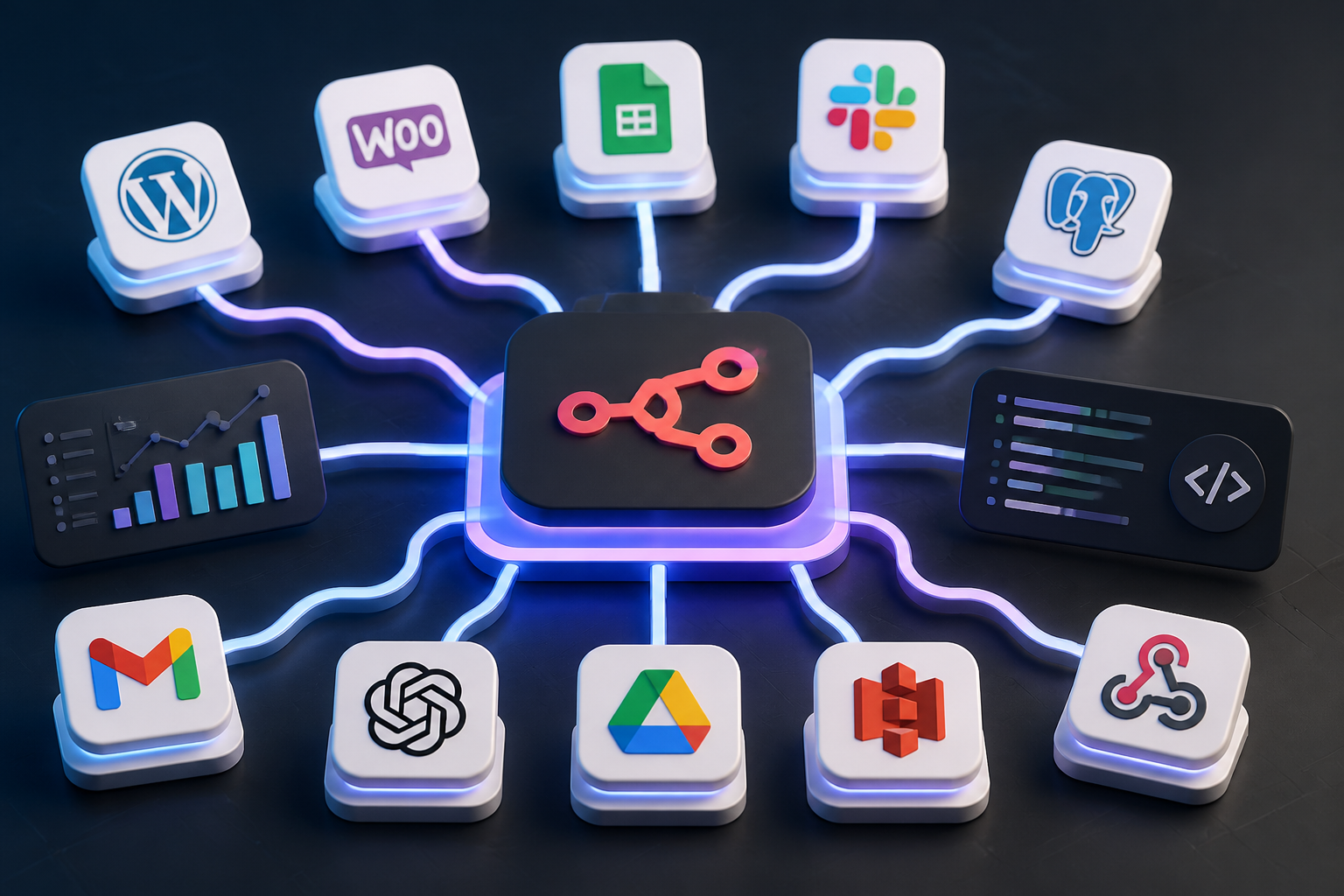
Modern workflow orchestration requires flexibility, security, and granular control over data payloads. As proprietary software-as-a-service (SaaS) automation platforms enforce strict task limits and restrict custom code execution, developers and automation architects are turning to n8n. Whether deployed on-premises, via Docker containers, or hosted in the cloud, n8n provides a node-based environment that bridges simple API integrations with complex, non-deterministic AI agent loops.
This technical guide compiles 25 battle-tested n8n automation ideas engineered specifically for technical teams, e-commerce managers, IT operators, and content strategists. Beyond theoretical concepts, each blueprint breaks down node logic, payload transformation requirements, failure recovery strategies, and operational trade-offs.
- Best for Content & Publishing: Automated WordPress & Multi-Channel Syndication (Blueprints 1 & 2)
- Best for E-Commerce Operations: Multi-Warehouse Inventory Sync & Fraud Escalation (Blueprints 6 & 7)
- Best for IT & DevOps: Infrastructure Self-Healing & Automated CI/CD Diagnostics (Blueprints 16 & 18)
- Best for AI Agents: Intent Classification & Multi-LLM Cost Routing (Blueprints 12 & 15)
Understanding the n8n Execution Architecture
Before implementing complex automation ideas, it is essential to understand how n8n processes execution data. Unlike traditional line-by-line automation tools, n8n models workflows as Directed Acyclic Graphs (DAGs) where data flows between nodes as an array of JSON objects.
Every node receives an array of items, performs operations on each item, and returns a new array. When handling binary payload data—such as PDF documents, audio files, or raw image buffers—n8n maintains the binary stream in execution memory while exposing metadata to the JSON item structure. This dual-layer handling allows high-throughput processing without memory exhaustion, provided your deployment includes appropriate concurrency limits.
| Core Domain | Primary Node Types | Key Technical Benefit |
|---|---|---|
| Content & Publishing | HTTP Request, Code Node (JS/Python), Webhook, Read/Write Files | Eliminates manual CMS publishing overhead with full payload validation. |
| E-Commerce & Logistics | WooCommerce Node, Postgres Node, Switch Node, Webhook | Real-time inventory synchronization across isolated REST APIs. |
| AI Agents & RAG | LangChain Agent Node, Vector Store Nodes, OpenAI Node, Memory Nodes | Enables non-deterministic tool calling with fallback execution pathways. |
| DevOps & Infrastructure | Execute Command Node, SSH Node, Slack Node, S3 Node | Automates server health audits and self-healing log recovery processes. |
| Data & ETL Engineering | Database Nodes (MySQL/Postgres), Split In Batches, Merge Node | High-volume data cleaning, deduplication, and schema conversion. |
Domain 1: Content Management & Digital Publishing
1. Automated WordPress Post Publishing & AI Optimization Pipeline
Manual content publishing involves multiple repetitive tasks: formatting raw copy, generating metadata, uploading featured images, setting taxonomies, and configuring Open Graph cards. An automated pipeline streamlines this process by accepting raw Markdown via a Webhook trigger or Git repository push, using an LLM to generate SEO meta titles and descriptions, creating structured block HTML, and publishing via REST APIs.
The workflow uses an n8n Code Node to parse structured Markdown front-matter into JSON properties. Next, an HTTP Request node sends the post content to an OpenAI endpoint to generate concise excerpts and primary keywords. A dedicated WordPress Node authenticates using Application Passwords, posts the JSON payload to the /wp/v2/posts endpoint, and maps post tags dynamically.
For detailed instructions on configuring this connection, refer to our comprehensive WordPress post automation guide.
2. Multi-Channel Content Syndication with Dynamic Image Watermarking
Publishing an article or product update across multiple social media networks typically requires modifying images and formatting copy for each platform. This n8n workflow automates content distribution by monitoring a primary RSS feed, Webhook, or CMS state update.
When triggered, the pipeline fetches the primary content image, passes it through an n8n Code Node executing a GraphicsMagick or sharp.js transformation script (or calls an external image processing API), and overlays branded graphics or watermarks. The image and platform-specific copy are then simultaneously routed to LinkedIn, X (formerly Twitter), and Telegram channels via parallel output branches attached to an n8n Switch Node.
// Example Code Node: Processing dynamic social copy per platform
const inputItem = $input.first().json;
const baseTitle = inputItem.title;
const canonicalUrl = inputItem.url;

return [
  {
    json: {
      linkedinPayload: `${baseTitle}\
\
Read the full analysis here: ${canonicalUrl}`,
      twitterPayload: `${baseTitle.substring(0, 230)}... ${canonicalUrl}`,
      telegramPayload: `${baseTitle}\
\
Read Full Article`,
      mediaUrl: inputItem.processedImageUrl
    }
  }
];
3. Broken Link & On-Page Technical SEO Audit Crawler
Maintaining site integrity across vast documentation hubs or e-commerce sites requires continuous crawling to identify broken internal and external URLs. This workflow runs on an n8n Cron Schedule node every Sunday at midnight.
The workflow retrieves XML sitemaps using an HTTP Request node, extracts all URL nodes with an XML Parser, and loops through each page item using the Split In Batches node. An HTTP Request node sends HEAD requests to every anchor link on the page. If the returned HTTP status code is greater than or equal to 400, the link details, referring page, and status code are aggregated by a Merge Node and dispatched in a structured report to a dedicated Slack channel or logged in a PostgreSQL database table.
4. Automated Video/Audio Transcription & Document Generation
Media teams often struggle to convert raw audio files or recorded meetings into actionable documentation. This n8n workflow listens to a cloud storage directory (such as Amazon S3, Google Drive, or Nextcloud) using an event trigger node.
When a new .mp3 or .wav file is uploaded, n8n streams the binary payload directly to an automated transcription service or a self-hosted Whisper API container via an HTTP Request node. Once the raw transcript JSON returns, the workflow passes the raw text to an LLM node with structured prompt templates to generate an executive summary, bulleted key takeaways, action items, and a structured draft ready for review.
5. Automated Content Republishing and Canonical Link Verification
Syndicating content across medium-scale distribution channels (such as Medium, Dev.to, or Hashnode) without proper canonical URL declarations risks duplicate content penalties. This workflow listens for newly published posts on your primary CMS via a REST Webhook.
It sanitizes the post HTML into platform-compliant Markdown, preserves embedded code blocks, injects the original article link into the payload’s canonical URL parameter, and makes authenticated API requests to third-party publishing platforms. The response metadata, including syndicated post IDs, is logged back to your master content repository for full traceability.
Domain 2: E-Commerce & Operations Automation
6. Real-Time WooCommerce Multi-Warehouse Inventory Synchronization
Running a high-volume e-commerce store with fragmented inventory tools often leads to stockouts or backorder errors. This n8n automation synchronizes inventory across isolated warehouse APIs and WooCommerce stores in near real-time.
The workflow triggers when an order event payload hits an n8n Webhook node or when an inventory update is logged in an ERP system. An n8n Switch node evaluates the SKU identifier and routes the update payload to regional warehouse management system (WMS) endpoints. Once stock status is confirmed, the workflow executes a batch update against the WooCommerce REST API using the native WooCommerce Node, adjusting stock quantities and updating product availability instantly. Technical details on optimizing store operations are covered in our WooCommerce automation guide.
7. Automated Fraud Detection & High-Risk Order Escalation
E-commerce platforms face ongoing challenges from fraudulent charges and chargebacks. This n8n pipeline operates as an inline risk assessment engine between order placement and fulfillment authorization.
When a new order is received, the WooCommerce or Shopify Webhook node captures order details, including IP address, billing address, and transaction amount. An HTTP Request node queries IP risk scoring databases and validates email addresses against known risk registries. An n8n Code Node evaluates the aggregate risk score against business threshold logic:
- Risk Score < 30: Automatically transition order status to “Processing”.
- Risk Score 30 to 70: Update order status to “On Hold” and post an alert to an internal fraud investigation Slack channel with a manual override button.
- Risk Score > 70: Flag order for immediate manual review, hold fulfillment, and notify risk management via SMS or webhook payload.
8. Abandoned Cart Recovery with Dynamic Webhook Coupons
Standard abandoned cart emails often lack personalization and fail to convert prospective customers. This n8n automation builds a tailored recovery engine that reacts dynamically to customer behavior.
When an abandoned cart payload is registered, n8n initializes a Wait Node set to 2 hours. After the delay, the workflow checks if an order matching the customer’s email address was completed during the waiting period using a database or e-commerce API query. If no purchase occurred, an HTTP Request node communicates with your e-commerce platform to generate a single-use 10% discount code valid for 24 hours. The code and personalized cart parameters are then sent via your transactional email provider (such as SendGrid or Postmark).
9. Customer Feedback Sentiment Scoring & CSAT Routing
Unstructured customer feedback contains valuable operational data that often goes unanalyzed due to volume constraints. This workflow automatically processes customer review submissions, support ticket completions, and Net Promoter Score (NPS) forms.
An n8n Webhook Node captures feedback submissions and routes the text to an AI node running text classification models or specialized LLMs. The sentiment is scored on a scale from -1.0 (highly negative) to +1.0 (highly positive). Negative feedback triggers an immediate high-priority ticket in Zendesk or Help Scout alongside an alert in an internal team channel, while positive reviews are pushed to a database for display on dynamic site testimonials widgets.
// Example sentiment routing matrix in a Code Node
const items = $input.all();
const outputItems = [];

for (const item of items) {
  const score = item.json.sentimentScore;
  let category = 'NEUTRAL';

  if (score <= -0.3) {
    category = 'CRITICAL_URGENT';
  } else if (score >= 0.6) {
    category = 'TESTIMONIAL_CANDIDATE';
  }

  outputItems.push({
    json: {
      ...item.json,
      routingCategory: category
    }
  });
}

return outputItems;
10. Cross-Border Tax & Customs Duty Calculation Relay
Cross-border orders frequently face customs processing delays if shipping documentation lacks detailed product classification codes or accurate valuation estimates. This workflow automates international documentation requirements during order checkout.
Upon order placement, the workflow fetches product Harmonized System (HS) codes from a master database, queries international customs APIs via an HTTP Request node to calculate real-time import duties and taxes based on destination country rules, and attaches the resulting clearance metadata to commercial invoices generated automatically via PDF template compilation nodes.
Domain 3: AI Agents & Autonomous Workflow Orchestration
The integration of Large Language Models (LLMs) into workflow tools has transformed deterministic sequence design into autonomous problem-solving engines. When evaluating practical ai automation ideas, understanding how AI capabilities complement standard workflow nodes is essential for building scalable automation setups.
What is the Difference Between an AI Agent and a Workflow?
A workflow is a deterministic sequence of predefined instructions. Given an identical input payload, a standard n8n workflow executes the exact same sequence of nodes, routes through fixed conditional branches, and outputs a predictable data structure every time. Control flow is fully defined by the developer.
An AI agent, by contrast, operates non-deterministically using a reasoning loop. The developer provides the agent with a goal, system instructions, and a suite of “tools” (which can be independent n8n sub-workflows, database queries, or API endpoints). The agent uses an LLM to evaluate input, decide which tool to execute, analyze the result, and iteratively determine subsequent steps until the goal is satisfied.
Can AI Agents Be Used to Automate Workflows?
Yes. AI agents excel at handling non-deterministic inputs, such as unstructured email copy, messy user inputs, or natural language database requests. By integrating AI agents into n8n workflows using LangChain nodes, the agent can clean, format, and interpret dynamic data inputs before passing structured, validated JSON objects into deterministic workflow pipelines. This combination pairs the adaptability of AI reasoning with the speed, stability, and auditability of traditional automated pipelines.
11. Self-Correction Coding Agent with Iterative Execution Loops
Building automated scripts for internal tools often requires debugging syntax errors or API response changes. This workflow creates an autonomous coding assistant inside n8n using specialized agent nodes.
An initial user prompt (e.g., “Write a Python script to convert XML logs into clean JSON”) triggers an AI Agent Node configured with access to an isolated Code Execution Node tool. The agent drafts the script, executes it in a sandboxed environment, reads any returned error output, modifies its own code payload, and re-executes until the output matches required validation schemas. Once successful, the finalized script is saved to a shared code repository or returned directly to the user.
12. Autonomous Email Inbox Triage, Intent Classification, & RAG Draft Generation
High-volume shared inboxes often create support bottlenecks. This workflow acts as an automated email triage system that drafts tailored responses using internal knowledge bases.
An IMAP or Email Trigger node pulls incoming emails in real-time. The text body is passed to an vector store node connected to Qdrant or Pinecone containing company documentation, knowledge base articles, and standard operating procedures. The top matching text chunks are retrieved via Retrieval-Augmented Generation (RAG) and passed to an LLM node that drafts a context-aware reply. The workflow automatically creates a draft in Gmail or Outlook, applying intent tags (e.g., “Billing”, “Technical Support”, “Sales Inquiry”) so human agents can quickly review and send responses.
13. Natural Language Business Analyst SQL Query Generator
Business analysts and executives often need quick insights from production databases without writing complex SQL queries manually. This n8n automation creates a natural-language database query agent.
The workflow triggers via a Slack slash command or web interface input. The natural language question (e.g., “What was our top-selling product category in Q3 by revenue?”) is passed to an AI agent node provided with a read-only schema representation of the production database. The agent translates the request into a precise SQL query, executes it via a Postgres or MySQL Node, formats the returned data array into a clean table or chart image, and posts the report back to Slack. To see how visual workflow tools process AI-driven queries, read our visual workflow builder comparison.
14. Dynamic Support Ticket Triage with RAG Vector Database Lookup
Customer support workflows often struggle to categorize, prioritize, and route tickets accurately based on content context. This pipeline enhances support operations by using vector embeddings to analyze incoming requests.
When a ticket is created, the workflow generates text embeddings of the issue description using an OpenAI or Hugging Face embedding node. These embeddings are compared against a vector store of historical ticket solutions. If a high-confidence match is found (>0.88 cosine similarity), n8n automatically attaches the solution as an internal note for the support agent and sets the ticket priority according to historic resolution complexity.
15. Multi-LLM Orchestration Relay & Cost-Optimization Engine
Relying on a single AI model vendor introduces potential single points of failure, rate limit bottlenecks, and cost inefficiencies. This n8n workflow routes incoming LLM tasks dynamically based on execution requirements.
An incoming text request payload is analyzed by an n8n Switch Node based on token length, target latency, and required reasoning capability:
- Simple Classification Tasks: Routed to fast, lightweight models (such as GPT-4o-mini or local Ollama instances).
- Complex Reasoning/Coding Tasks: Routed to advanced models (such as Claude 3.5 Sonnet or GPT-4o). For technical documentation on LLM integration parameters, consult the OpenAI developer docs.
- Privacy-Sensitive Workflows: Filtered and routed strictly to locally hosted open-source model nodes running on private infrastructure.
Domain 4: IT Operations, DevOps & Infrastructure Automation
Managing modern infrastructure requires moving away from manual shell scripts toward structured, self-documenting pipelines. These production-grade it automation ideas and infrastructure automation ideas demonstrate how to manage critical environments using native n8n integrations.
Choosing a Code Automation Tool for Deployment and Testing Pipelines
If you are looking for a code automation tool that automates your deployment pipeline and testing workflows—especially if you have a growing team and need something that scales across concurrent operations—n8n is one of the best options available. It manages concurrent node execution out-of-the-box, allowing you to parallelize unit tests, automate container deployments, and handle complex staging rollouts without hitting the resource constraints common in proprietary SaaS platforms.
16. Server Health Monitoring, Log Parsing, & Incident Escalation
Unplanned infrastructure downtime damages customer trust and operational stability. Implementing robust automation ideas for production support, such as real-time health checks, allows production support engineers to triage and recover systems before users notice an outage.
An n8n Cron node executes an SSH Node script or HTTP health check ping against target infrastructure every 60 seconds. If a service endpoint fails to respond or returns a 5xx HTTP error, n8n executes a secondary diagnostic SSH script to retrieve trailing system logs (e.g., journalctl -u nginx --no-pager -n 50). The logs are parsed for critical errors using a regex Code Node, logged to a central incident database, and dispatched via an PagerDuty or Opsgenie webhook for team escalation.
17. Automated Database Backup Verification & S3 Lifecycle Routing
Creating regular database backups is essential for infrastructure stability, but verifying backup integrity is often neglected. This workflow automates both backup creation and verification testing.
Triggered daily, n8n executes a database dump command on target servers, encrypts the resulting archive using GPG via an Execute Command Node, and uploads the file to an Amazon S3 storage bucket. To ensure restoration validity, n8n provisions a temporary, sandboxed Docker container on a staging server, attempts to restore the backup archive into the test instance, checks table row counts, and terminates the container. A summary report confirming backup integrity is then sent to the DevOps lead via Slack or email.
18. CI/CD Build Failure Diagnostics & Slack Reporting
When continuous integration builds fail, developers often spend unnecessary time searching through thousands of lines of raw build logs. This automation simplifies build failure analysis by isolating error root causes.
A Webhook Node receives failure event webhooks from GitHub Actions, GitLab CI, or Jenkins. The raw execution log is fetched via REST API, filtered by a Code Node to strip out routine progress output, and parsed to highlight explicit stack traces, broken unit tests, or missing dependencies. The condensed failure diagnostic is posted directly into the relevant developer’s code review pull request or Slack thread.
19. Enterprise SaaS User Provisioning & Offboarding Automation
Manual user onboarding and offboarding across multiple SaaS applications creates administrative overhead and compliance risks. This n8n workflow consolidates identity lifecycle management into a single pipeline.
When an HR platform (such as BambooHR or Gusto) registers a new hire or employee departure, a Webhook Node triggers the provisioning workflow. For departures, n8n executes parallel REST requests across Google Workspace, GitHub, Slack, Notion, and internal database systems to revoke access tokens, suspend active sessions, and transfer file ownership to department managers. Detailed audit logs are generated and archived in a secure cloud bucket for compliance reporting.
20. SSL/TLS Certificate Expiration Monitoring & Renewal Engine
Expired SSL/TLS certificates can cause unexpected site downtime and trigger browser security warnings. This workflow automates certificate lifecycle management across custom domains.
An n8n Cron node triggers weekly execution, fetching a list of active production domains from a database or DNS manager API. A Code node executes a network socket connection to query the expiration date of each domain’s SSL certificate. If a certificate is within 30 days of expiration, n8n attempts an automated renewal via an ACME/Let’s Encrypt API call or alerts the infrastructure team via Slack and Jira ticket creation.
// Example SSL Certificate expiration calculator in Node.js Code Node
const tls = require('tls');
const https = require('https');

const checkExpiry = (host) => {
  return new Promise((resolve) => {
    const req = https.request({
      host: host,
      port: 443,
      method: 'HEAD',
      agent: false,
      rejectUnauthorized: false
    }, (res) => {
      const cert = res.connection.getPeerCertificate();
      const validTo = new Date(cert.valid_to);
      const daysRemaining = Math.floor((validTo - new Date()) / (1000 * 60 * 60 * 24));
      resolve({ domain: host, daysRemaining: daysRemaining });
    });
    req.on('error', () => resolve({ domain: host, error: true }));
    req.end();
  });
};

return [ { json: await checkExpiry($input.first().json.domain) } ];
Domain 5: Data Engineering, ETL & Business Intelligence
21. Multi-Database Batch ETL & Schema Normalization Engine
Integrating disparate database systems (e.g., migrating operational data from MySQL to a PostgreSQL analytics warehouse) often requires data transformation and schema normalization. This n8n workflow creates a reliable ETL batch pipeline.
Triggered on an hourly schedule, the workflow uses a MySQL Node to pull newly modified rows based on a high-watermark timestamp. The payload is passed to a Split In Batches node (processing 500 records per loop iteration) to manage memory usage efficiently. A Code Node cleans whitespace, formats dates to ISO-8601 standards, and handles missing values. The transformed data array is then inserted into the target PostgreSQL data warehouse using an Upsert query pattern.
22. Automated Competitor Price Scraping & Warehouse Ingestion
E-commerce businesses need continuous market intelligence to adjust pricing strategies dynamically. This workflow automates competitor price monitoring without requiring expensive third-party tracking services.
A Cron node initiates daily execution, fetching target competitor product URLs from a control table. An HTTP Request node (or an integration with a headless browser service like Puppeteer or Browserless) retrieves the HTML page content. An HTML Extract Node or Code Node parses DOM elements to extract current prices, stock availability, and promotional banners. The extracted data is stored in an analytics database table, and significant price drops trigger alerting webhooks to merchandise managers.
23. Financial Reconciliation Engine: Payment Gateways vs. Accounting APIs
Manually reconciling payment gateway transactions (such as Stripe or PayPal) against accounting systems (like Xero or Quickbooks) is time-consuming and prone to human error. This n8n workflow automates daily financial ledger reconciliation.
Every night, the workflow retrieves transaction data from payment gateway REST APIs for the previous 24-hour window. In parallel, it fetches ledger entries from the accounting software API. An n8n Merge Node combines both data streams, joining them on transaction hash or order reference ID. A Code Node identifies discrepancies between net processing amounts, processing fees, and bank payout records, generating an exception report for the finance team.
24. Lead Enrichment & CRM Routing Engine
Inbound sales leads often submit minimal contact information on web forms, forcing sales teams to manually research prospective clients before outreach. This workflow enriches lead data in real-time upon form submission.
When a prospective client submits a form, an n8n Webhook Node captures the business email address. An HTTP Request node queries domain intelligence APIs (such as Clearbit, Hunter.io, or LinkedIn enrichment services) to retrieve company size, industry classification, employee count, and technology stack details. The enriched lead profile is analyzed by an n8n Switch Node that assigns the record to specific sales team queues in HubSpot or Salesforce based on company size and geographic region.
25. Automated PDF Document OCR, Table Parsing, & Invoice Data Extraction
Accounts payable teams often manage incoming supplier invoices stored as unstructured PDF documents or scanned images. This automation builds a scalable document processing pipeline inside n8n.
Incoming invoice email attachments are captured via an Email Trigger node and streamed as binary data to an Optical Character Recognition (OCR) API or layout-aware AI document parsing service. The extraction engine retrieves structured key-value pairs, including invoice numbers, tax IDs, line item tables, sub-totals, and payment terms. An n8n Code Node validates mathematical accuracy (ensuring line item totals equal the calculated grand total) before staging the invoice for approval in your ERP system. For downloadable templates and modular node configurations, explore our n8n workflow blueprint library.
Advanced Implementation Architecture & Production Best Practices
Moving from basic testing to high-scale production requires structuring n8n workflows for stability, security, and long-term maintainability. Below are key technical architecture standards for operating enterprise-grade n8n automation ideas.
1. Scaling Architecture: Queue Mode with Redis
In a standard single-instance deployment, n8n handles workflow executions, UI rendering, and webhook triggers inside a single Node.js process. Under heavy payload spikes, this instance can run out of memory or drop incoming HTTP connections.
For production deployments processing thousands of daily executions, deploy n8n in Queue Mode. This architecture decouples system responsibilities into dedicated worker services:
- Primary Instance: Handles the web interface, user authentication, and workflow editing logic.
- Webhook Processors: Dedicated lightweight n8n containers that listen exclusively for incoming HTTP payloads and enqueue execution jobs into a high-performance Redis queue.
- Worker Nodes: Distributed n8n worker instances that pick up execution jobs from Redis, execute workflow nodes asynchronously, and write output results to a shared PostgreSQL database.
2. Standardizing n8n Deployments Across Regions and Business Units
To standardize n8n deployments across regions and business units, enterprise operations should run n8n on Kubernetes or distributed Docker Swarm clusters. By leveraging a Git-backed Configuration-as-Code pipeline, teams can automatically push standardized workflows, custom environment configurations, and security settings across multiple global regions. This guarantees uniform execution policies, limits drift between testing and production instances, and isolates departmental data pipelines within multi-tenant frameworks.
3. Global Error Handling & Circuit Breaker Workflows
Relying solely on per-node error alerts can lead to notification fatigue or unhandled workflow failures. Instead, configure a centralized Error Trigger Workflow in your n8n settings.
When any production workflow throws an unhandled exception or fails after exhausting retry attempts, n8n automatically passes the execution context—including the failed Node Name, Workflow ID, Error Message, and Stack Trace—to the designated Error Workflow. This central error pipeline can categorize failure severity, log details to a monitoring tool, post a structured alert to a DevOps channel, and initiate automated rollback processes.
// Recommended Error Payload Structure for Centralized Handling
{
  "timestamp": "2026-03-30T12:00:00.000Z",
  "workflowId": $execution.workflow.id,
  "workflowName": $execution.workflow.name,
  "failedNode": $node["Failed Node Name"].name,
  "errorMessage": $execution.error.message,
  "executionUrl": $execution.url,
  "retryAttempts": $node["Failed Node Name"].executionCount
}
4. Centralizing Logs from n8n for Security and Operations
When scaling self-hosted deployments, answering the question “how do i centralize logs from n8n for security and operations?” is critical to passing system security audits. Instead of looking through individual execution histories in the n8n database, direct all workflow containers to stream structured execution logs to standard output (stdout) or syslog. Log collection daemons (such as Vector, FluentBit, or Logstash) can then scrape these outputs, sanitize sensitive payload information, and route the formatted metadata directly to centralized SIEM or APM systems like Splunk, Datadog, or Grafana Loki.
5. Hardening Credentials & Environmental Security
Never hardcode API keys, database credentials, or sensitive authentication tokens directly into workflow nodes or JSON code blocks. Avoid storing unencrypted secrets in node parameters.
Utilize n8n’s native Credential Store or reference environment variables using expressions (e.g., {{ $env.PRODUCTION_DB_PASSWORD }}). For enterprise security requirements, integrate external secret management solutions (such as HashiCorp Vault or AWS Secrets Manager) using custom HTTP nodes to fetch ephemeral API tokens dynamically during execution.
6. Payload Sanitization & Defensive Expression Writing
External webhooks and user-submitted forms can expose your workflows to malformed JSON, missing properties, or malicious injection payloads. Always implement defensive coding practices inside Code Nodes and expression evaluators.
Use optional chaining (e.g., $input.first().json?.customer?.email ?? '[email protected]') to prevent fatal execution crashes caused by undefined properties. Pass external text variables through input sanitization nodes before executing database queries or system shell commands.
Frequently Asked Questions
What is the difference between an AI agent and a workflow?
A workflow is a deterministic sequence of nodes that follows hardcoded logic branches and produces consistent, predictable outputs given identical inputs. An AI agent uses a Large Language Model to dynamically evaluate user goals, decide which tools or endpoints to call, analyze intermediate results, and iteratively solve non-deterministic tasks without relying solely on predefined decision trees.
Can AI agents be used to automate workflows?
Yes. AI agents can be embedded directly into n8n workflows using specialized agent nodes. In this hybrid design, the agent handles non-deterministic tasks—such as parsing unstructured text, generating content, or classifying customer intent—and then outputs structured JSON data into traditional workflow nodes for deterministic processing, validation, and database storage.
Is n8n better suited for self-hosting or cloud hosting?
The optimal choice depends on your compliance requirements, technical resources, and budget. Self-hosting n8n via Docker or Kubernetes gives technical teams full data sovereignty, allows execution inside private VPC networks, and eliminates per-execution SaaS costs. n8n Cloud offers a fully managed environment that removes server infrastructure maintenance, which is ideal for smaller teams seeking rapid deployment.
How does n8n compare to Zapier and Make for enterprise automation?
Zapier and Make offer accessible cloud interfaces for simple app-to-app integrations, but they impose strict usage limits, execute scripts in proprietary sandboxes, and quickly become costly at scale. n8n provides an open-code platform supporting native JavaScript/Python execution, custom binary data processing, self-hosted deployment options, Git-based version control workflows, and native AI capabilities—making it a better fit for technical teams and complex engineering requirements.
What hardware resources are required to self-host n8n in production?
For basic workloads processing under 10,000 monthly executions, a lightweight Linux virtual server with 2 vCPUs and 2GB of RAM running Docker is sufficient. For high-volume production deployments processing millions of execution events using Queue Mode, plan for a dedicated PostgreSQL database server, a Redis cluster, and multiple worker instances configured with 4 vCPUs and 8GB RAM minimum to prevent memory bottlenecks.
Conclusion & Implementation Strategy
The versatility of n8n lies in its ability to bridge deterministic API integration with adaptive, non-deterministic AI processing. By applying these 25 n8n automation ideas across content distribution, e-commerce operations, DevOps, and data transformation pipelines, technical teams can eliminate repetitive tasks while retaining complete control over execution logic and sensitive infrastructure.
To begin upgrading your automation infrastructure:
- Identify business processes impacted by manual data entry or high error rates.
- Audit existing API integrations to ensure webhook triggers and authentication tokens are properly secured.
- Deploy n8n in a staging environment to test workflow logic, configure global error handling, and establish execution logging protocols.
- Build modular sub-workflows to maximize code reusability across your organization.
For additional architectural blueprints, technical documentation, and production guidance, review official n8n documentation to accelerate your engineering goals.
