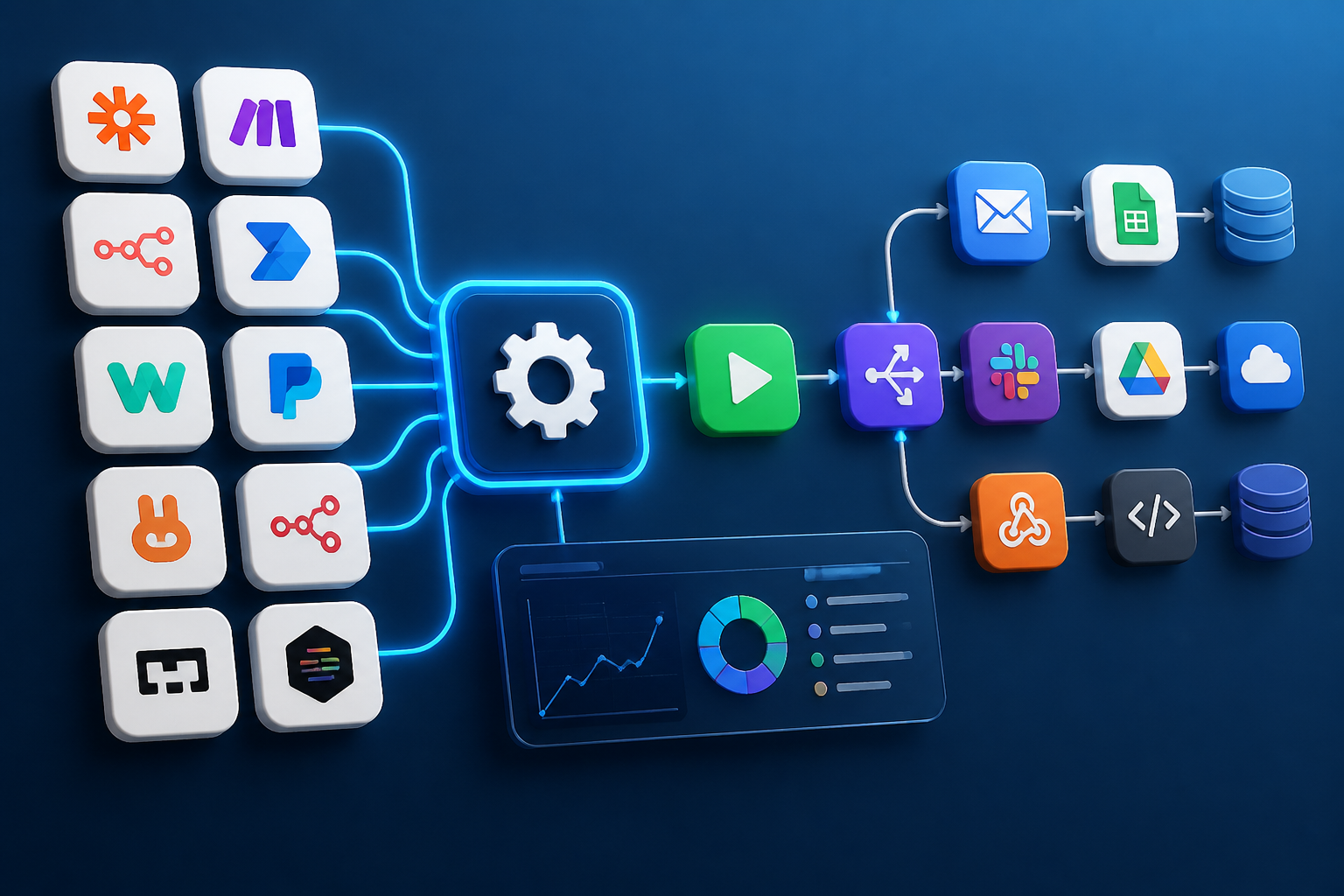
Choosing the right orchestration platform for your digital operations requires a comprehensive workflow automation tools list that looks beyond marketing promises to evaluate technical architecture, pricing mechanics, scalability limits, and data governance. Modern businesses rely on dozens—sometimes hundreds—of disparate SaaS applications, databases, CRMs, and messaging channels. Without a reliable connective tissue, teams waste thousands of hours manually moving data, triggering notifications, and resolving human errors caused by fragmented systems.
This evaluation focuses on how leading platforms perform under real-world conditions. We break down the technical architecture, pricing mechanics, scalability limits, and data governance of modern automated workflow software to help you select the right engine for your specific infrastructure and technical environment.
Quick Orientation: Executive Summary of Top Automation Platforms
Before diving into individual reviews, it helps to understand how the market segments into distinct categories. Every modern automation platform generally falls into one of four architectural models: user-friendly cloud orchestrators, visual low-code node-based builders, developer-first self-hosted engines, or heavy enterprise integration platforms.
The table below summarizes the core characteristics of the top solutions examined in this guide.
| Platform | Primary Architecture | Pricing Model | Best Suited For | Data Privacy / Hosting |
|---|---|---|---|---|
| Zapier | Cloud-based linear builder | Task-based subscription | Non-technical teams, rapid SaaS integrations | Cloud-only (US/Global) |
| n8n | Visual node-based builder | Execution-based / Self-hosted free tier | Developers, data privacy-conscious teams, complex logic | Self-hosted or Cloud |
| Make (formerly Integromat) | Visual scenario canvas | Operation-based tiered plans | Visual designers, complex data routing, mid-market | Cloud (EU/US options) |
| Microsoft Power Automate | Enterprise ecosystem workflow engine | Per-user / Per-flow licensing | Microsoft 365 heavy enterprises, legacy RPA | Cloud (Enterprise Azure) |
| Workato | Enterprise recipe platform | Workload-based (high entry cost) | Large enterprises, IT-governed integrations | Cloud (Enterprise security frameworks) |
| Activepieces | Open-source modular builder | Self-hosted or cloud subscription | Teams seeking open-source extensibility | Self-hosted or Cloud |
| Node-RED | Flow-based programming tool | Free, open-source | IoT, edge computing, technical tinkerers | Self-hosted (Local/Server) |
| Pipedream | Developer-first integration platform | Event-based tiered plans | Developers writing custom JavaScript/Python | Cloud-managed serverless |
| Tray.io | General integration platform (GIP) | Volume-based custom pricing | Revenue operations, complex product-led growth | Cloud (Enterprise compliance) |
| Custom Serverless Functions | Custom serverless functions / scripts | Infrastructure cost only | Engineers needing absolute custom control | Any infrastructure |
How to Classify Automated Workflow Software Categories
To evaluate any automation workflow tools list effectively, you must understand the underlying technical paradigms that dictate how these platforms execute tasks, handle data payloads, and scale under load. When organizations look to automate workflow software environments, they generally choose between three distinct operational philosophies.
Cloud-Hosted No-Code/Low-Code SaaS Platforms
Cloud-hosted platforms manage all underlying infrastructure, server maintenance, security patching, and webhook listeners. Users interact entirely through a web browser. Examples include Zapier and Make. These platforms excel at speed-to-market. You can spin up an integration connecting Salesforce, Slack, and Google Sheets in under ten minutes without writing code. However, they introduce strict dependency on third-party uptime, potential data residency constraints, and linear pricing models that can become expensive as data volume scales.
Self-Hosted and Source-Available Open-Core Engines
Platforms like n8n and Activepieces offer source-available or open-core models where organizations deploy and manage the software on private cloud infrastructure (AWS, DigitalOcean, Docker containers, or Kubernetes clusters). This approach grants complete data sovereignty, eliminates per-task pricing inflation, and allows deep customization of environment variables, databases, and execution queues. The trade-off is that internal IT or DevOps teams must handle server provisioning, security updates, and infrastructure monitoring.
Enterprise Integration Platforms (iPaaS and GIP)
Enterprise automation platforms like Workato, Tray.io, and Microsoft Power Automate cater to large organizations requiring rigorous compliance, complex governance, cross-departmental user permissions, and robust error-handling frameworks. These tools feature pre-built connectors for legacy on-premise ERP systems, advanced role-based access control (RBAC), and enterprise-grade audit logging. They typically require specialized administrative training and significant financial investment.
Detailed Evaluation: The 10 Best Automated Workflow Tools
This curated selection of automation workflow software examines the leading solutions in detail, highlighting their technical capabilities, ideal use cases, pricing structures, and notable limitations.
1. Zapier: The Standard for Non-Technical SaaS Integration
Best for: Non-technical business teams needing rapid SaaS integrations.
Zapier remains the most recognizable name in the automation industry, boasting an ecosystem of over 6,000 supported applications. Its core architectural unit is the \”Zap,\” which operates on a linear trigger-and-action model. When an event occurs in App A (e.g., a new row in a database), Zapier catches the webhook and executes one or more actions in App B (e.g., sending a Slack notification and creating a CRM contact).
Key Strengths
- Massive application directory covering almost every commercial SaaS tool available.
- Extremely intuitive interface suitable for marketers, HR professionals, and sales operations.
- Built-in multi-step pathways, formatting filters, and basic AI integration features.
- High platform reliability with managed infrastructure.
Limitations
- Pricing scales rapidly based on \”tasks\” consumed, making high-volume transactional workflows expensive.
- Linear logic can become cumbersome when dealing with complex loops, iterative arrays, or deeply nested JSON payloads.
- Data passes through Zapier’s US-based cloud servers, presenting compliance hurdles for strict GDPR or HIPAA requirements.
2. n8n: The Developer-Friendly, Privacy-First Visual Automation Engine
Best for: Developers and technical teams requiring advanced logic, privacy, and self-hosting.
n8n is a powerful, fair-code workflow automation platform designed for teams that require advanced data manipulation, custom code injection, and absolute data control. Operating on a node-based visual canvas, n8n allows users to build complex, branching workflows with multiple triggers, error-handling sub-workflows, and native JavaScript/Python execution nodes.
Key Strengths
- Dual-hosting model: deploy via Docker on your own infrastructure for free (community edition) or use n8n Cloud.
- Execution-based pricing model on cloud plans, which is often significantly more cost-effective than task-based pricing for high-volume data pipelines.
- Native AI node integration for building complex AI agents, Retrieval-Augmented Generation (RAG) pipelines, and LLM chains.
- Advanced data privacy: data never leaves your private infrastructure when self-hosted.
Limitations
- Requires technical competency (Docker, environment variables, server management) for self-hosting.
- Smaller pre-built connector ecosystem compared to Zapier, though custom HTTP request nodes bridge any API gap.
- Steeper learning curve for non-technical users accustomed to purely linear builders.
3. Make (Formerly Integromat): Visual Canvas for Complex Data Routing
Best for: Visual designers and operations teams managing complex, multi-branch data routing.
Make provides a deeply visual, modular scenario builder that empowers users to map complex data flows across multiple applications simultaneously. Unlike linear task runners, Make allows data bundles to branch, merge, filter, and aggregate in intricate visual webs.
Key Strengths
- Advanced data mapping interface that lets you transform, parse, and reshape JSON payloads with visual functions.
- Generous free tier and granular operation-based pricing model.
- Excellent error-handling routes that let workflows catch exceptions, retry failed operations, or send alerts.
- EU data hosting options available for compliance-conscious organizations.
Limitations
- Complex scenarios with heavy array processing and iteration can become visually chaotic and difficult to debug.
- Customer support response times on lower-tier plans can be slow.
4. Microsoft Power Automate: Ecosystem Automation for Enterprise Microsoft Users
Best for: Enterprises deeply embedded in the Microsoft 365 and Azure ecosystems.
Microsoft Power Automate is deeply integrated into the Microsoft 365 and Azure ecosystems. It combines cloud-based API integrations with Robotic Process Automation (RPA) capabilities, allowing organizations to automate actions across modern cloud apps and legacy desktop software alike.
Key Strengths
- Seamless integration with Microsoft Teams, SharePoint, Outlook, Excel, and Dynamics 365.
- Robust desktop flow capabilities for screen-scraping legacy desktop applications lacking APIs.
- Enterprise-grade security, compliance, and Azure Active Directory (Entra ID) user management.
- Copilot AI integration for generating workflows from natural language prompts.
Limitations
- Licensing structures are notoriously complex, often requiring per-user or per-flow add-ons that escalate costs quickly.
- Steep learning curve for administrators outside the Microsoft ecosystem.
- Performance can feel sluggish when orchestrating cross-tenant or high-volume enterprise data loads.
5. Workato: Enterprise Workload Automation and Integration Platform
Best for: Large enterprise IT departments needing strictly governed integration and high-volume data sync.
Workato is a premier Enterprise Integration Platform as a Service (iPaaS) built for large-scale operations requiring collaboration between IT departments and business lines. It utilizes \”recipes\” to connect enterprise applications with robust governance and security controls.
Key Strengths
- Designed specifically for enterprise scalability, handling millions of events daily without degradation.
- Extensive library of pre-built enterprise connectors (SAP, Oracle, Workday, Salesforce).
- Strong governance frameworks allowing IT to control workspace permissions while business units build workflows.
- Advanced error handling and automated job recovery.
Limitations
- Prohibitive pricing model starting at high annual commitments, making it inaccessible for small and mid-market businesses.
- Implementation requires specialized enterprise architects and dedicated integration engineers.
6. Activepieces: The Open-Source Modular Automation Tool
Best for: Teams seeking an open-source, extensible alternative to Zapier.
Activepieces positions itself as an open-source alternative to Zapier, offering an extensible, TypeScript-based architecture where developers can contribute custom pieces and community members can self-host or use managed cloud infrastructure.
Key Strengths
- Fully open-source codebase under an MIT or permissive license structure.
- Clean, modern user interface that mirrors the simplicity of mainstream SaaS tools.
- Easy piece development for engineers wishing to add custom internal APIs.
- Cost-effective self-hosting options.
Limitations
- Smaller community and ecosystem compared to established veterans like Zapier or n8n.
- Advanced data manipulation and complex looping features are still maturing.
7. Node-RED: Flow-Based Programming for IoT and Technical Engineers
Best for: IoT, hardware integration, and real-time event streaming built by technical engineers.
Node-RED is a flow-based programming tool originally developed by IBM for wiring together hardware devices, APIs, and online services. Built on Node.js, it offers a browser-based flow editor where developers drag nodes onto a canvas and wire them together.
Key Strengths
- Completely free, open-source, and lightweight enough to run on edge devices like Raspberry Pi as well as cloud servers.
- Exceptional for Internet of Things (IoT), MQTT messaging protocols, and real-time event streaming.
- Extensive library of community-contributed nodes for almost any technical protocol.
Limitations
- Not designed for non-technical business users; requires JavaScript knowledge for function nodes.
- Lacks out-of-the-box enterprise support, team collaboration permissions, and managed SaaS bells and whistles.
8. Pipedream: Developer-First Integration and Serverless Workflows
Best for: Developers looking for code-first, serverless integration via JavaScript or Python.
Pipedream is built specifically for developers who want to connect APIs using code (Node.js/Python) rather than being constrained by rigid visual UI builders. It provides instant webhook endpoints, managed authentication, and serverless execution.
Key Strengths
- Write raw JavaScript or Python within steps to manipulate data with absolute precision.
- Instant endpoint generation for testing incoming webhooks and API payloads.
- Generous free tier with transparent event-based pricing.
- Managed OAuth handling for hundreds of SaaS applications.
Limitations
- Requires coding proficiency; non-technical team members cannot build or maintain workflows.
- Lacks the rich visual canvas style preferred by operations teams.
9. Tray.io: General Integration Platform (GIP) for Revenue Operations
Best for: Revenue operations and growth teams managing complex, high-volume PLG tech stacks.
Tray.io is a flexible cloud integration platform targeted at revenue operations, marketing automation, and complex product-led growth (PLG) tech stacks. It combines visual workflow building with robust data management capabilities.
Key Strengths
- Powerful data helper functions for transforming complex nested JSON objects, lists, and CSVs.
- Scalable architecture capable of handling heavy enterprise data loads.
- Strong collaboration features for cross-functional teams.
Limitations
- Enterprise pricing makes it cost-prohibitive for smaller businesses.
- Steeper onboarding curve for users unfamiliar with data schema mapping.
10. Custom Serverless Functions: The Ultimate Custom Architecture
Best for: In-house engineering teams requiring maximum architectural control and zero vendor lock-in.
For organizations with dedicated engineering teams, building custom workflows using serverless functions (AWS Lambda, Google Cloud Functions, Cloudflare Workers) combined with message queues (AWS SQS, RabbitMQ) represents the ultimate automation approach.
Key Strengths
- Absolute architectural control, zero vendor lock-in, and infinite customization.
- Extremely low infrastructure cost for massive transaction volumes.
- Full integration with internal code repositories, CI/CD pipelines, and unit testing frameworks.
Limitations
- High engineering overhead: you must build your own user interfaces, logging dashboards, error retry mechanisms, and OAuth token refresh handlers.
- Maintenance burden falls entirely on internal engineering resources.
Core Evaluation Criteria: How to Choose the Right Tool
Selecting the optimal platform from any automation workflow tools list requires a structured decision-making process. Evaluate your organization across five critical dimensions:
1. Technical Expertise of Your Team
Assess who will actually build and maintain the workflows. If your automation builders are marketing specialists, HR managers, and sales reps, choose a cloud-hosted no-code tool like Zapier or Make. If your team includes developers, DevOps engineers, or system administrators who understand Docker, APIs, and JSON data structures, self-hosted platforms like n8n or developer-first tools like Pipedream offer superior flexibility and lower long-term costs.
2. Data Privacy, Governance, and Compliance
Regulatory frameworks such as GDPR, HIPAA, SOC 2, and CCPA dictate where data can be stored and processed. If your workflows handle sensitive patient health records, financial transactions, or proprietary intellectual property, cloud-only US-based platforms may introduce compliance liabilities. In such cases, self-hosting an open-core engine on your own private cloud infrastructure ensures that sensitive data never leaves your secure perimeter.
3. Pricing Mechanics and Volume Scaling
Automation platforms price their services in radically different ways. Task-based pricing (charging per step executed) can become financially punishing when processing high-volume transactional data, such as syncing thousands of e-commerce order items or real-time IoT telemetry logs. Execution-based pricing or self-hosted fixed infrastructure costs provide predictable financial scaling for high-volume operations.
4. Error Handling, Logging, and Monitoring
When an automated workflow fails silently—perhaps due to an expired API token or a sudden change in a vendor’s JSON schema—the consequences can range from missed customer orders to corrupted CRM data. Robust platforms provide granular execution history, automated error-handling routes, instant alerts upon failure, and one-click data replay capabilities.
5. API Workflow Automation and Ecosystem Extensibility
While platforms boast thousands of pre-built integrations, organizations frequently utilize bespoke internal software, legacy databases, or niche industry APIs. Real-world complexity eventually demands raw api workflow automation capabilities. This involves the ability to construct custom HTTP requests, configure advanced webhook listeners, manage OAuth2 handshakes, and process paginated API responses. Ensure that whichever tool you choose allows you to make raw HTTP requests, handle custom OAuth2 authentication flows, and parse complex nested JSON data payloads effortlessly without being constrained by what a third-party vendor decides to support.
Common Pitfalls in Workflow Automation Implementation
Organizations embarking on workflow automation projects frequently encounter predictable operational and technical bottlenecks. Recognizing these failure modes early saves significant engineering hours.
The \”Spaghetti Workflow\” Antipattern
A common mistake among new automation builders is packing dozens of conditional branches, data transformations, and multi-app actions into a single monolithic workflow. When an error occurs, debugging becomes a nightmare. Best practice dictates breaking large processes into modular, single-purpose sub-workflows linked via webhooks or internal queues, making maintenance manageable.
Ignoring API Rate Limits and Pagination
SaaS APIs enforce strict rate limits and pagination limits (returning records in batches). Building an automation that sweeps through a database of 10,000 records without incorporating rate-limit delays, exponential backoff, and pagination loops will inevitably crash, resulting in incomplete data syncs.
Failing to Implement Version Control and Testing Environments
Editing active production workflows directly is a recipe for disaster. If a team member modifies a live mapping field while orders are processing, data corruption can occur. Mature automation strategies utilize staging environments, environment variables, and workflow versioning to test changes safely before deploying them to production.
Frequently Asked Questions
What are examples of a workflow automation tool?
Examples of workflow automation tools include cloud-hosted SaaS platforms like Zapier and Make, self-hosted open-core engines like n8n and Activepieces, enterprise integration platforms like Workato and Microsoft Power Automate, and developer-first serverless platforms like Pipedream.
What are the best workflow automation tools for small businesses?
For small businesses and non-technical teams, Zapier and Make are widely considered the best options due to their massive pre-built app directories and ease of use. For teams with basic technical resources looking to control costs at scale, n8n’s cloud tier or self-hosted community edition offers exceptional value.
Is self-hosting an automation tool difficult?
Self-hosting tools like n8n requires basic familiarity with Docker, container orchestration, environment variable configuration, and reverse proxies (like Nginx or Caddy) with SSL certificates. While straightforward for DevOps engineers, it is not recommended for teams without dedicated technical support.
How do workflow automation tools handle data security?
Cloud automation tools encrypt data in transit (TLS) and at rest (AES-256) and typically maintain SOC 2 compliance. However, data still passes through third-party servers. For absolute data sovereignty, self-hosted automation engines keep all data strictly within your own private cloud or on-premise infrastructure.
Conclusion
Selecting the right platform from any workflow automation tools list is a foundational architectural decision that impacts your organization’s operational efficiency, data security, and long-term software expenditure. Non-technical teams prioritizing rapid deployment often find success with cloud-hosted platforms like Zapier or Make. Conversely, technical organizations, data-privacy-conscious enterprises, and high-volume operations benefit immensely from developer-friendly, self-hosted engines like n8n or custom serverless architectures.
Evaluate your team’s technical capabilities, data governance requirements, and expected transaction volumes before committing to an automation ecosystem. By establishing a robust, scalable automation foundation today, your organization can eliminate manual toil, reduce human error, and seamlessly orchestrate complex digital workflows into the future.
